
How to Automate Purchase Orders in Australia: A Practical Guide for Finance Teams
Ordron26 min read
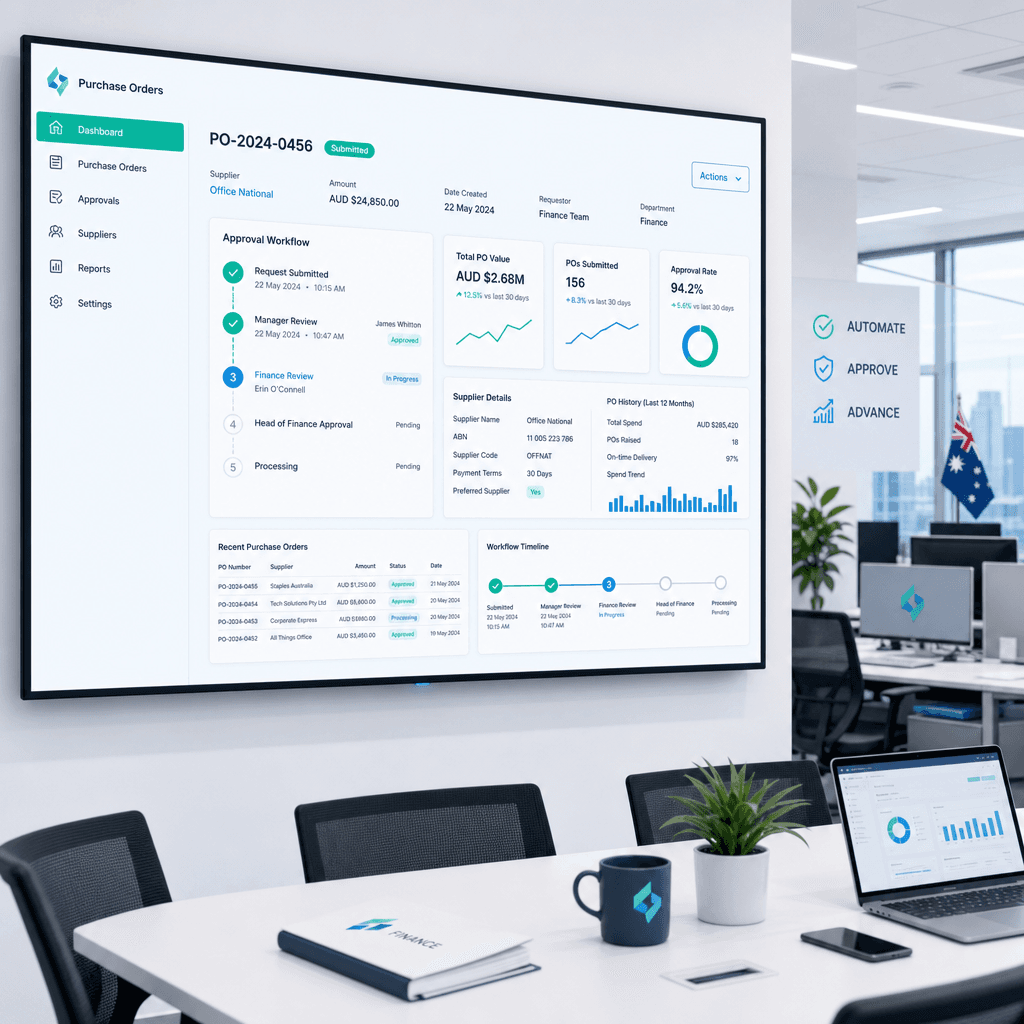
Most Australian finance teams are still processing purchase orders the same way they were a decade ago: an email chain, a spreadsheet, a PDF attachment, and someone chasing approvals down the corridor or across a Teams chat. It works, technically. But it costs far more than it should, takes far longer than it needs to, and creates the kind of audit trail that would make an ATO reviewer's eyebrows lift.
Manual PO processing in Australia costs between $15 and $25 per order when you factor in staff time, rework, and the downstream invoice matching errors that flow from it. Automated PO workflows bring that figure down to $2-$5 per order. For a mid-market business processing 500 purchase orders a month, that is a saving of $78,000 to $120,000 annually, before you account for the hours returned to your finance team for higher-value work.
This guide is written for finance managers, CFOs, and operations leaders at Australian businesses who want a clear-eyed view of how purchase order automation actually works, what it costs, how it integrates with the platforms you already run (Xero, MYOB, NetSuite), and what a realistic implementation looks like. No aspirational projections. No vendor benchmarks dressed up as outcomes. Just the mechanics, the numbers attached, and a practical path forward.
Key Takeaways
- Manual PO processing costs $15-$25 per order in Australia; automation brings this to $2-$5 per order, a reduction of up to 80%
- Three-way matching (PO against goods receipt note against invoice) is the single highest-ROI automation available to Australian finance teams
- Australian mid-market businesses that automate PO workflows typically see 60-70% reductions in cycle time, with some logistics and manufacturing engagements achieving over 85% reduction in manual work
- Integration with Xero, MYOB, and NetSuite is achievable without replacing your existing ERP or accounting platform
- The ATO's record-keeping requirements for GST-registered businesses make a clean, auditable PO trail a compliance asset, not just an efficiency one
- Implementation can be completed in 6-12 weeks for most mid-market environments when you build automation on top of existing systems rather than replacing them
Manual vs Automated PO Processing: At a Glance
| Metric | Manual PO Process | Automated PO Process |
|---|---|---|
| Cost per order | $15-$25 AUD | $2-$5 AUD |
| Average cycle time (requisition to approved PO) | 3-7 business days | 4-24 hours |
| Invoice matching error rate | 12-15% | 1-3% |
| Audit readiness | Inconsistent, email-dependent | Centralised, timestamped, searchable |
| Duplicate order risk | High (manual checking) | Low (automated duplicate detection) |
| ATO GST compliance | Manual reconciliation required | Auto-coded, line-item GST visible |
| Staff hours per 100 POs | 8-15 hours | 1-2 hours |
| Approval visibility | Limited, inbox-dependent | Real-time dashboard |
What Is PO Automation and Why It Matters for Australian Businesses
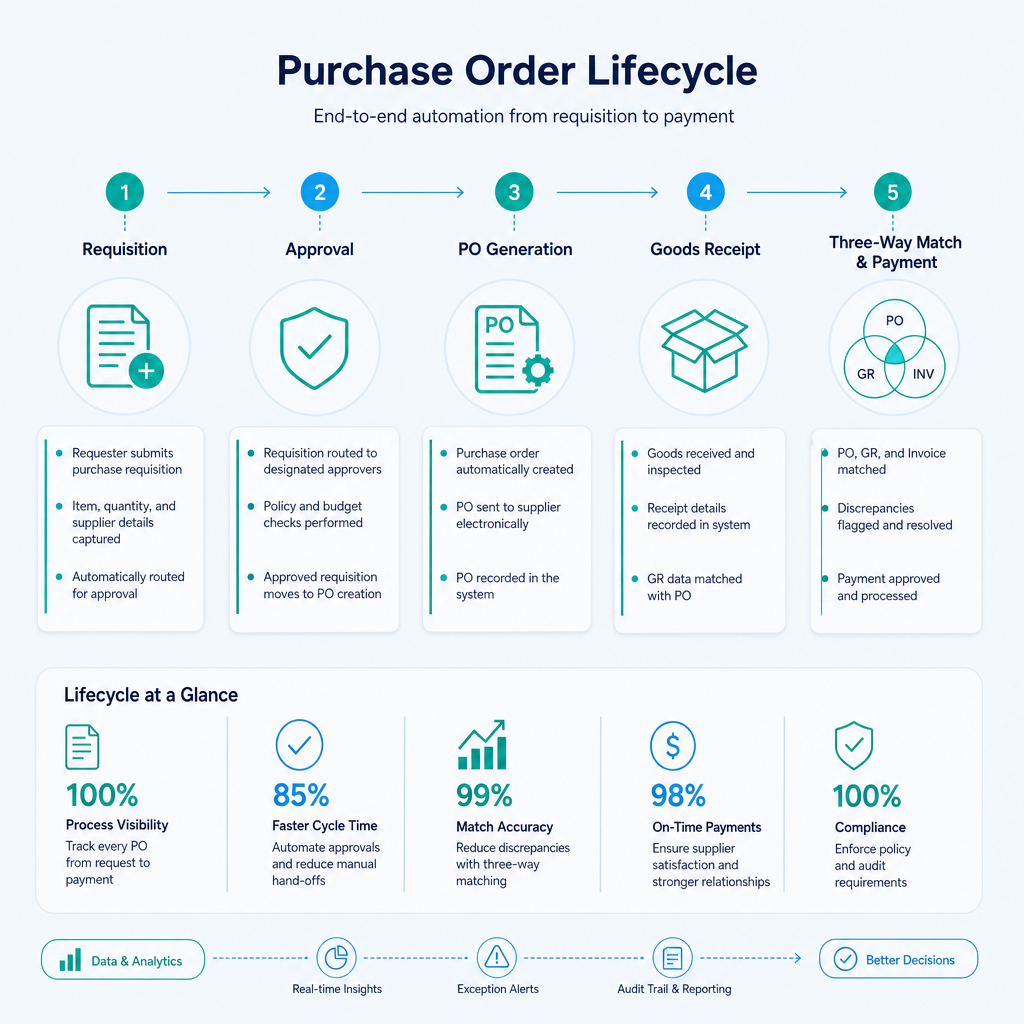
Purchase order automation is the use of software, workflow logic, and in some cases robotic process automation (RPA) or intelligent document understanding, to manage the full lifecycle of a purchase order without requiring manual intervention at each step. That lifecycle runs from the moment a staff member raises a purchase requisition through to the point where an approved invoice is coded, matched, and ready for payment.
For Australian businesses, the case for automating this process has strengthened considerably in 2026. Supply chain complexity has increased, supplier bases have grown, and the ATO's digital record-keeping expectations for GST-registered entities mean that a clean, auditable PO trail is both an operational and a compliance requirement. According to the ATO's business record-keeping guidelines, GST-registered businesses must retain records of all tax invoices and associated transactions for a minimum of five years. An automated PO system creates that paper trail automatically, in a format that is timestamped, searchable, and ready for review.
Beyond compliance, the operational cost of manual processing is significant. Ardent Partners' annual State of ePayables research consistently finds that organisations with best-in-class AP and procurement automation process invoices at a fraction of the cost of manual operations, with error rates four to five times lower. In the Australian mid-market, where finance teams are often lean and stretched across multiple functions, the hours consumed by manual PO processing are hours taken away from forecasting, cash flow management, and strategic supplier negotiations.
The businesses that benefit most immediately from PO automation in Australia are those in industries with high transaction volumes and multi-supplier environments: construction, manufacturing, logistics, and distribution. But the logic applies equally to professional services firms, healthcare providers, and any organisation running a regular procurement cycle.
One point worth stating plainly: PO automation does not require you to replace your existing systems. The most common objection I hear from finance leaders is that their ERP is too old, too bespoke, or too embedded to integrate with anything new. That objection, while understandable, is wrong in most cases. I have built automation on top of a twenty-year-old ERP with no APIs, bridging it to Xero via an RPA bot that drove the legacy interface directly, validated data against SQL, and synced clean records into Xero and connected reporting dashboards. The finance team got 160-plus hours per month back. The old ERP stayed exactly where it was.
The Manual PO Process: Where Time and Money Leak
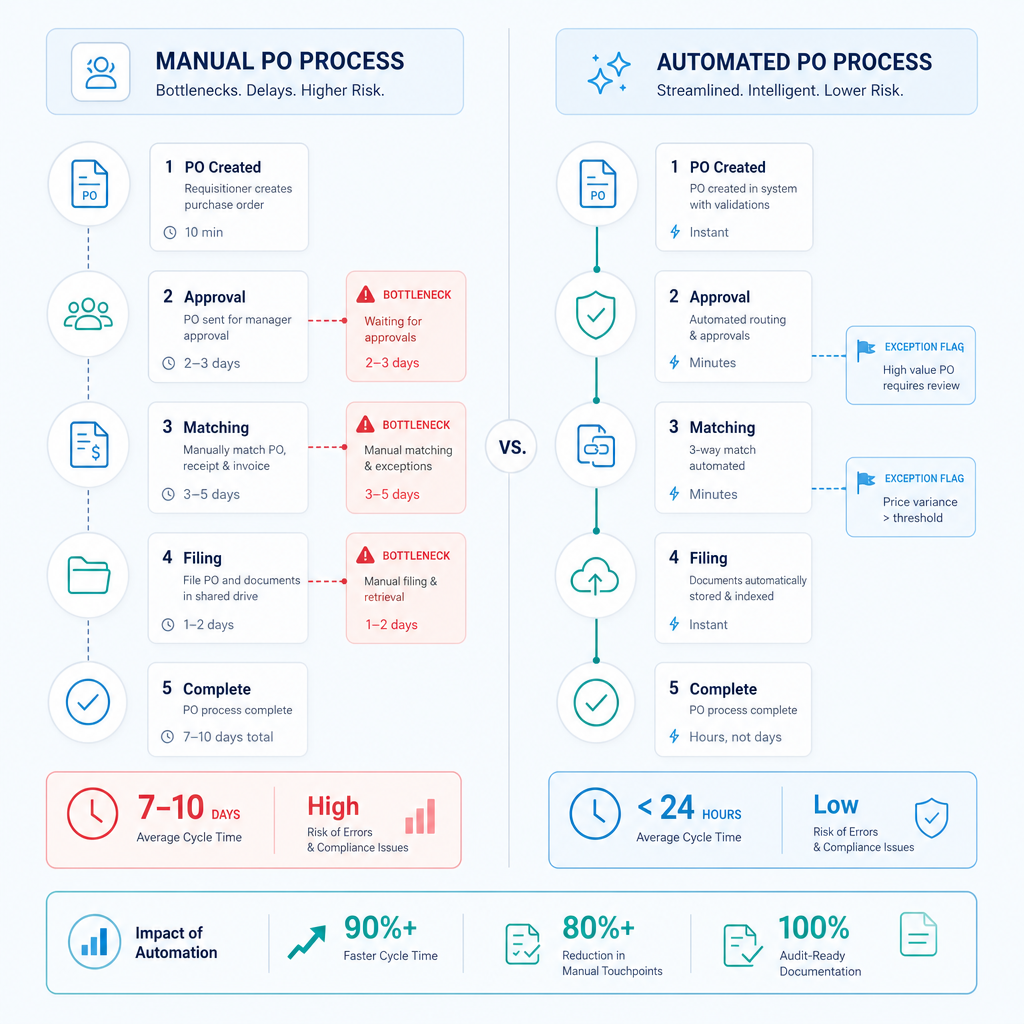
Before mapping the automated alternative, it is worth being specific about where the manual process breaks down. Finance leaders often know intuitively that the process is slow, but the actual cost accumulates across several distinct failure points.
Requisition and approval bottlenecks
In a manual environment, a staff member raises a purchase request by filling in a form, sending an email, or logging into a system that routes the request to a manager's inbox. The manager approves, rejects, or ignores it. If they are travelling, at a conference, or simply busy, the request sits. Research from Ardent Partners indicates that approval cycle times account for the largest single share of total PO cycle time in organisations without automated workflows. For Australian businesses with multi-level approval hierarchies, a single PO can require sign-off from a department head, a finance manager, and a CFO before it is issued, and each handoff introduces delay.
Duplicate orders and supplier confusion
Without a centralised system, duplicate orders are a regular occurrence. A staff member raises a PO, does not hear back, raises it again, and both are eventually approved and sent to the supplier. The supplier ships twice. Your accounts payable team receives two invoices. Someone has to sort it out. In high-volume environments, duplicates can represent 1-3% of total order volume, and each one creates downstream work across procurement, warehouse, and finance.
Invoice matching headaches
Matching supplier invoices to the original PO manually is painstaking work. The line items may not align exactly. The unit prices may have changed. The goods receipt note may be filed somewhere in the warehouse. A finance officer has to locate all three documents, compare them by hand, and resolve any discrepancies before the invoice can be approved for payment. At scale, this process consumes significant staff time and introduces errors that delay supplier payments and damage trading relationships.
Audit and compliance risk
A manual PO process leaves an audit trail that is scattered across email inboxes, shared drives, and printed documents. If the ATO requests records for a GST audit, reconstructing the documentation for a specific transaction can take hours. If a supplier disputes a payment, the evidence may be difficult to locate. The cost of this fragmentation is not always visible on a profit and loss statement, but it is real.
How Automated PO Workflows Work: Requisition to Payment
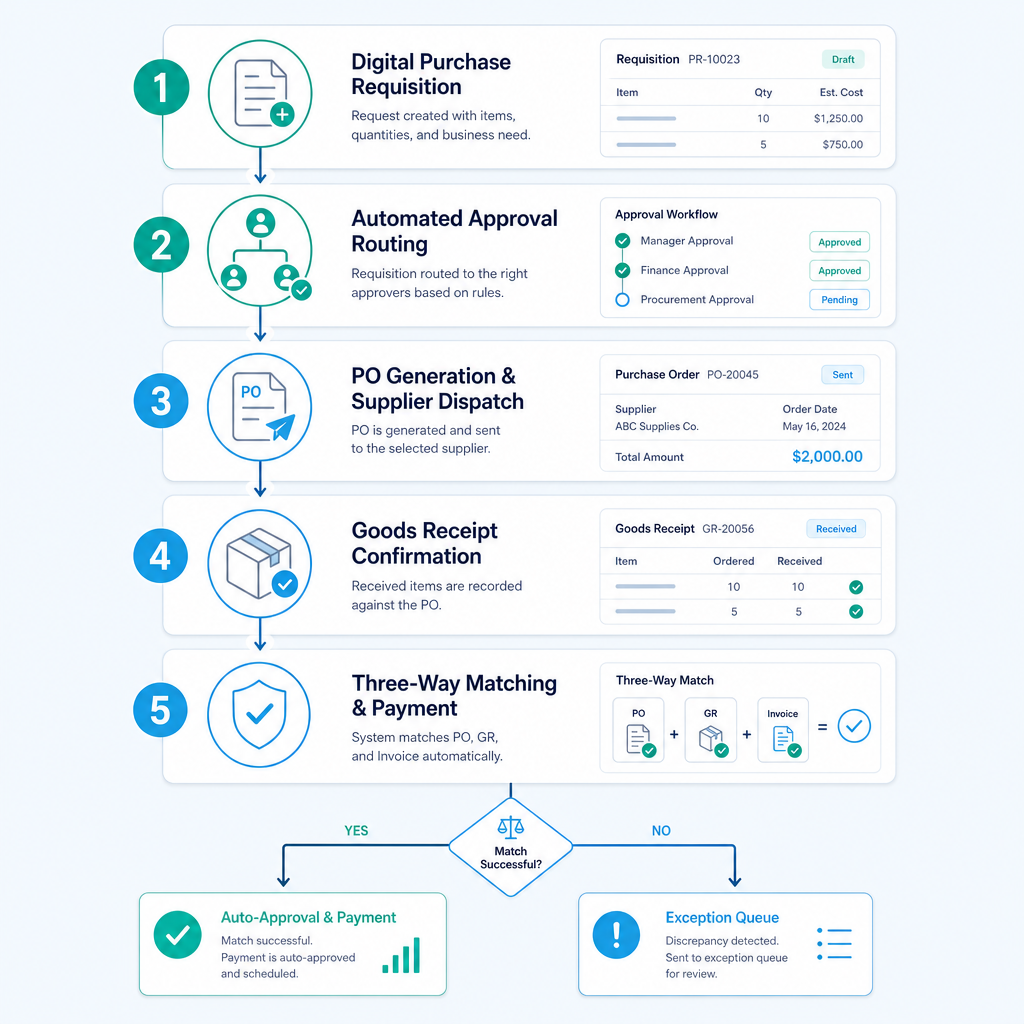
A well-designed automated PO workflow covers five stages, each of which removes manual handling and routes only genuine exceptions to human reviewers.
Stage 1: Digital purchase requisition
The process begins when a staff member raises a purchase requisition through a digital form or an existing system (SharePoint, your ERP, or a standalone procurement tool). The form captures supplier details, line items, quantities, unit prices, cost centre codes, and any supporting documentation. Mandatory fields enforce data quality at the point of entry, preventing the incomplete submissions that clog manual approval queues.
Stage 2: Automated approval routing
Once submitted, the requisition is routed automatically based on rules you define: value thresholds, cost centre ownership, supplier category, or any combination. A requisition under $2,000 might route to a department manager only. One over $10,000 might require finance director approval as well. Approvers receive a notification with all relevant details and can approve or reject from email or a mobile interface without logging into a separate system. Escalation rules handle non-responses: if an approver does not act within 24 hours, the request escalates automatically.
Stage 3: PO generation and supplier dispatch
Once approved, the purchase order is generated automatically from the requisition data, numbered sequentially, and dispatched to the supplier by email or, where the supplier supports it, via an integrated supplier portal. The PO is simultaneously recorded in your accounting platform or ERP, creating the first leg of the matching record.
Stage 4: Goods receipt confirmation
When goods or services are received, the receiving team confirms delivery against the PO in the system. This creates the goods receipt note (GRN), the second leg of the matching record. In warehouse environments, this step can be supported by barcode scanning or mobile confirmation, eliminating manual data entry at the receiving dock.
Stage 5: Three-way matching and payment
When the supplier invoice arrives, it is captured automatically (via OCR or electronic invoice), and the system matches it against the PO and the GRN. If all three records align within defined tolerances, the invoice is coded, approved, and queued for payment without human intervention. If a discrepancy is detected, only that exception is routed to a human reviewer. Everything that matches cleanly flows straight through.
This is the core logic of PO automation: route only exceptions to humans. The vast majority of transactions in a well-managed supplier base will match cleanly. Human effort is concentrated where it is actually needed.
For a broader look at how this connects to the wider AP process, the accounts payable automation guide on the Ordron site covers the downstream payment and reconciliation stages in detail.
Three-Way Matching Automation Explained
Three-way matching is the practice of comparing a supplier invoice against the original purchase order and the goods receipt note before approving payment. It is the most effective control against invoice fraud, duplicate payments, and billing errors. It is also, in a manual environment, one of the most time-consuming tasks in the AP cycle.
In an automated environment, three-way matching works like this:
- The PO is created digitally and stored in the system with a unique reference number
- When goods are received, the GRN is created in the system and linked to the PO automatically
- When the supplier invoice arrives, OCR or intelligent document understanding extracts the key fields: supplier name, ABN, invoice number, line items, quantities, unit prices, and GST amount
- The system compares invoice line items against PO line items and GRN quantities, applying tolerance rules (for example, a price variance of up to 2% is accepted automatically; anything greater is flagged)
- Matched invoices are approved and coded automatically. Exceptions are queued for human review with a clear summary of the discrepancy
The measurable impact of three-way matching automation is significant. In a large enterprise AP engagement Ordron ran across multiple cost centres, deploying RPA combined with intelligent document understanding to read, PO-match, and code supplier invoices automatically, coding accuracy exceeded 95% and invoice processing time was reduced by 65%. Human effort was concentrated only on genuine exception cases, which represented a small fraction of total invoice volume.
For Australian businesses, three-way matching automation also has a direct GST compliance benefit. The ATO requires that input tax credits be claimed only against valid tax invoices that correspond to actual acquisitions. An automated three-way match system creates a verifiable record that the goods or services were ordered, received, and invoiced consistently, supporting your BAS lodgement with a clean audit trail.
This connects naturally to the broader reconciliation process. If you want to understand how automated matching feeds into month-end reconciliation, the reconciliations automation guide covers that workflow in depth.
Integrating PO Automation with Australian Accounting Platforms
Xero
Xero is the most widely used cloud accounting platform for Australian SMEs and mid-market businesses. Its API is well-documented and actively maintained, making it a straightforward integration target for PO automation systems. Purchase orders created in an automated workflow can be pushed to Xero as draft bills once matched, maintaining a single source of truth for your accounts payable ledger.
Xero's native purchase order functionality handles basic PO creation and approval, but it does not cover multi-level approval routing, GRN matching, or intelligent document capture out of the box. Most Australian businesses using Xero for PO automation are either using a connected procurement tool that integrates via the Xero API, or they have built a custom automation layer that sits between their procurement process and Xero. The latter approach is particularly useful for businesses that already have a specific way of working that they do not want to abandon.
The invoice automation guide covers the Xero integration mechanics for the invoice side of the cycle in more detail.
MYOB
MYOB remains a common platform in Australian manufacturing, construction, and distribution businesses, particularly those that have been operating for more than ten years. MYOB AccountRight and MYOB Advanced both offer API access, though the depth and reliability of that API varies between versions. For businesses running older MYOB desktop versions, RPA can bridge the gap, driving the MYOB interface directly and extracting or entering data without requiring an API connection.
MYOB Advanced (the cloud ERP product) has stronger native procurement functionality and supports more direct integration with third-party PO automation tools. For businesses on MYOB AccountRight, integration typically requires a middleware layer or a custom automation build.
NetSuite
Oracle NetSuite is the ERP of choice for many Australian businesses in the $20M-$200M revenue range that have outgrown Xero or MYOB but are not yet at the scale of SAP or Oracle E-Business Suite. NetSuite has robust native procurement functionality, including multi-level approval workflows and three-way matching. The value of adding a PO automation layer on top of NetSuite is typically in the user experience, the OCR and document capture front end, and the integration with specific supplier or operational systems that NetSuite does not connect to natively.
Legacy ERPs and non-API systems
For businesses running older ERP systems with no modern API, the answer is not a migration project. RPA bots can drive legacy interfaces directly, reading and entering data as a human user would, but at machine speed and with machine consistency. I ran exactly this approach for a family-owned logistics operator running a twenty-year-old ERP alongside Xero. Finance staff were spending over 160 hours per month manually bridging the two systems. The RPA bot we built drove the legacy ERP interface directly, validated data against SQL, and synced clean records into Xero and connected reporting dashboards, without touching the existing ERP or requiring a migration. That is 160-plus hours per month returned to a finance team, permanently.
For a full picture of how finance automation fits together across platforms, the finance automation Australia overview sets out the broader framework.
Industry Examples: Construction, Manufacturing, Logistics
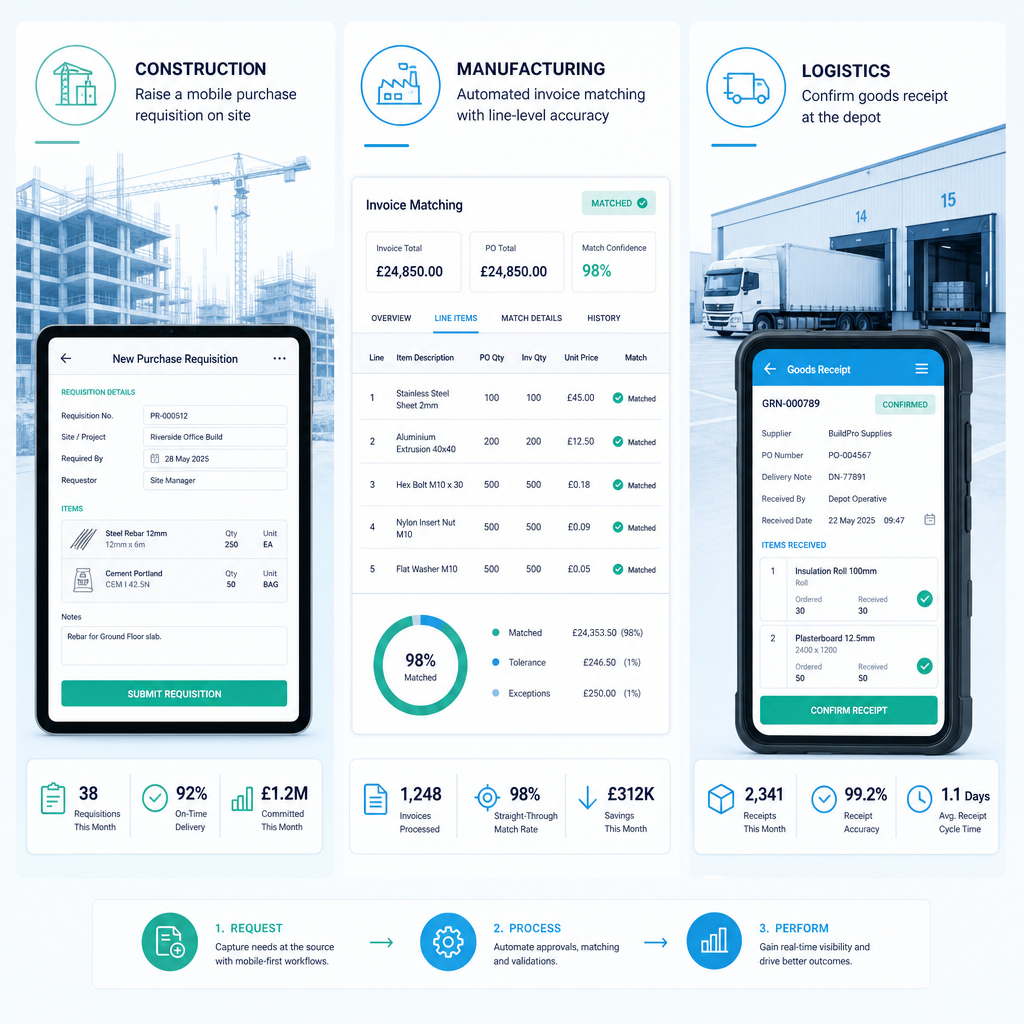
Construction
Construction businesses in Australia face a specific PO challenge: procurement happens across multiple sites, with different project codes, cost centres, and approval hierarchies. A project manager on a site in regional Queensland needs to order materials quickly. The approval chain runs through a site manager, a project director, and a finance team in a head office in Sydney. In a manual environment, this takes days and creates version control problems when the order is modified.
With automated PO workflows, the site-level requisition is raised on a mobile device, routed automatically through the approval chain based on project code and value, and the approved PO is generated and sent to the supplier without the finance team touching it. The PO is coded to the correct project and cost centre at the point of entry, not retrospectively. When the invoice arrives, it is matched against the PO and the site delivery confirmation, and any variance is flagged before it becomes a payment problem.
For construction businesses specifically, the ability to track committed costs (approved but not yet invoiced POs) in real time is a significant improvement over the manual alternative, where committed cost visibility is typically available only at month-end.
Manufacturing
Manufacturing businesses have large, regular supplier bases with predictable order patterns, which makes them well-suited to PO automation. Blanket purchase orders (standing orders against which multiple delivery releases are made) are common in manufacturing, and automating the release and matching of those orders against delivery confirmations and invoices eliminates a significant volume of manual work.
For a manufacturing client Ordron worked with, the challenge was high monthly invoice volumes across multiple cost centres with a manual coding and routing process. Coding errors and exception volumes were creating downstream delays in the approval cycle. Deploying RPA combined with intelligent document understanding to read, PO-match, and code supplier invoices automatically, and routing only genuine exceptions to human reviewers, brought coding accuracy above 95% and reduced invoice processing time by 65%. The detail on that engagement is available in the manufacturing invoice hub case study.
Logistics
Logistics and transport businesses typically run high volumes of supplier invoices for fuel, tyres, maintenance, tolls, and subcontractor services, many of which are regular, recurring charges that are well-suited to automated matching against standing purchase orders or rate cards.
For a national logistics provider Ordron worked with, the AP process was running across multiple depots through a SharePoint-based workflow, with each batch of invoices taking approximately four hours to process manually from capture through to filing. By plugging OCR and workflow logic directly into the existing SharePoint process, without introducing any new software, that cycle time dropped from four hours to 15 minutes per batch, with 100% automated filing. The detail on the approach is in the industrial mobile procurement case study.
Logistics businesses also benefit specifically from PO automation in the context of subcontractor management. Where freight is subcontracted, matching the subcontractor invoice against the job confirmation and the agreed rate card through an automated three-way match removes one of the most time-consuming reconciliation tasks in the logistics AP cycle.
How to Build the Business Case for PO Automation
The business case for purchase order automation in Australia is relatively straightforward to construct if you start from your actual numbers rather than vendor benchmarks.
Step 1: Establish your current cost per PO
Calculate how many purchase orders your business processes per month. Then estimate the total staff hours consumed across the PO lifecycle: requisition creation, approval chasing, PO generation and dispatch, GRN recording, invoice matching, exception resolution, and filing. Multiply by your fully loaded staff cost (salary plus superannuation plus on-costs). Divide by PO volume. Most Australian mid-market businesses land between $15 and $25 per order when they do this exercise honestly.
Step 2: Quantify the error cost
Estimate your current invoice exception rate and the average time required to resolve an exception. If 10% of your invoices require manual intervention and you process 500 invoices per month, that is 50 exceptions per month. At 30 minutes per exception, that is 25 hours of exception handling monthly, outside the base processing cost.
Step 3: Quantify the compliance cost
Consider the cost of your current audit preparation process. How long does it take to reconstruct the documentation for a specific transaction if the ATO or an internal auditor requests it? Multiply that by the number of transactions you might need to substantiate in a typical audit. That is a real cost that automation eliminates.
Step 4: Model the automated alternative
Using a conservative automated processing cost of $4 per order and an exception rate of 2-3%, model the monthly saving against your current baseline. For most mid-market businesses processing 200-1000 POs per month, the saving is in the range of $30,000-$150,000 AUD annually, before counting the hours returned to your finance team for redeployment.
Step 5: Check against real outcomes, not projections
This is the step most vendors skip. Before committing to any automation solution, ask for post-go-live measured results from comparable environments in Australia, with the specific automation shipped and the platform it runs on documented clearly. Aspirational projections are easy to produce. Measured outcomes from live environments, with the numbers attached, are what matter.
If you want a structured way to assess where your highest automation ROI lies, the finance automation scorecard on the Ordron website will give you a prioritised view across your current processes.
Implementation Steps and Realistic Timeline
For Australian mid-market businesses, a PO automation project can realistically be completed in 6-12 weeks when it is built on top of existing systems rather than replacing them. The timeline extends if a full ERP migration is involved, which is one of the reasons I consistently advise against migration-first approaches.
Weeks 1-2: Process mapping and requirements
Document the current PO lifecycle end-to-end. Map every approval step, every system touchpoint, and every exception type. Identify the volume and value distribution of your PO types. Confirm the integration targets: which systems need to send or receive data, and how (API, file export, or RPA-driven interface).
Weeks 3-4: Solution design
Design the automated workflow logic: approval rules, tolerance thresholds for matching, exception routing, coding rules, and supplier notification templates. Confirm the integration architecture. If you are using OCR or intelligent document understanding for invoice capture, define the document types and fields to be extracted.
Weeks 5-8: Build and integration
Build the automation components and integrate with your existing platforms. For API-connected systems (Xero, NetSuite, MYOB Advanced), this phase involves building and testing the API connections, mapping fields, and handling edge cases. For legacy systems, this phase involves building and testing the RPA components.
Weeks 9-10: Testing and parallel running
Run the automated system in parallel with the manual process for a defined period, comparing outputs and resolving any discrepancies. Test exception handling specifically: deliberately introduce mismatches and verify that the system flags them correctly and routes them to the right reviewer.
Weeks 11-12: Go-live and measurement
Switch to the automated process and begin measuring outcomes against your pre-automation baseline. Measured after go-live: cost per order, cycle time, exception rate, and hours consumed. These are the numbers that matter, and they should be tracked from day one of live operation.
For a broader view of how PO automation fits into a wider finance automation programme, including where to start if you have multiple processes to address simultaneously, the finance automation Australia page sets out the prioritisation framework Ordron uses across engagements. If you are ready to discuss your specific environment, the contact page is the right starting point.
References
-
Australian Taxation Office (ATO), Record-Keeping for Business: The ATO's official guidance on record-keeping obligations for GST-registered businesses, including the five-year retention requirement for tax invoices and acquisition records. Available via the ATO Business section on ato.gov.au.
-
Ardent Partners, State of ePayables Research (annual): Ardent Partners' annual benchmark research covering accounts payable and procurement automation performance metrics, including cost per invoice, exception rates, and cycle times across manual and automated environments. Widely cited in procurement and finance transformation contexts.
-
Xero, Purchase Orders and Bills Documentation: Xero's official developer and product documentation covering purchase order creation, approval workflows, and the Xero API for third-party integration. Available via developer.xero.com and the Xero support centre.
-
MYOB, AccountRight and MYOB Advanced API Documentation: MYOB's official integration documentation for AccountRight and MYOB Advanced, covering API endpoints for purchase order and bill management. Available via developer.myob.com.
-
Oracle NetSuite, Procurement Module Documentation: NetSuite's official product documentation covering three-way matching, purchase order workflows, and approval routing within the NetSuite ERP platform. Available via the Oracle NetSuite Help Centre.
-
Australian Bureau of Statistics (ABS), Australian Industry Data: ABS data on industry composition and employment in Australian manufacturing, construction, and logistics sectors, used to contextualise the scale of procurement activity in these industries. Available via abs.gov.au.
Frequently asked questions
- What is purchase order automation?
- Purchase order automation is the use of software, workflow logic, and in some cases RPA or intelligent document understanding, to manage the PO lifecycle from requisition through approval, generation, goods receipt, and invoice matching, without requiring manual handling at each step. The goal is to remove repetitive manual tasks from the process, reduce errors, and route only genuine exceptions to human reviewers.
- How does three-way matching work?
- Three-way matching compares a supplier invoice against the original purchase order and the goods receipt note before approving the invoice for payment. In an automated system, this comparison is performed by software using OCR or structured data from electronic invoices. If the three documents align within defined tolerance thresholds, the invoice is approved and coded automatically. If a discrepancy is detected, the exception is routed to a human reviewer with a clear summary of the variance.
- Can PO automation integrate with Xero or MYOB?
- Yes. Both Xero and MYOB offer API access that allows PO automation systems to push and pull data in real time. Approved POs can be created in Xero or MYOB directly from the automation workflow, and matched invoices can be pushed to the accounting platform as approved bills, ready for payment. For older MYOB desktop versions without modern API support, RPA can bridge the gap by driving the MYOB interface directly.
- What does PO automation cost in Australia?
- The cost of implementing PO automation in Australia depends on the complexity of your approval workflows, the number of integration points, and whether you need OCR and intelligent document understanding for invoice capture. Most mid-market implementations are priced in the range of $15,000-$60,000 AUD for a custom-built solution, or $500-$2,000 AUD per month for a SaaS procurement tool. If you are currently spending $20 per order and automation brings that to $4, the payback period on a $30,000 implementation is typically under 12 months for businesses processing 200 or more orders per month.
- How long does PO automation implementation take?
- For most Australian mid-market businesses, a PO automation project built on top of existing systems takes 6-12 weeks from scoping to go-live. This timeline assumes the automation is layered over current platforms such as Xero, MYOB, or a legacy ERP, rather than replacing them. Projects that involve a full ERP migration before automation can begin take significantly longer.
- What is the difference between PO automation and AP automation?
- PO automation covers the upstream procurement process: raising purchase requisitions, routing them for approval, generating and dispatching purchase orders, and recording goods receipts. AP automation covers the downstream accounts payable process: capturing supplier invoices, matching them against POs and GRNs, coding them to the correct cost centres, and routing them for payment approval. The two processes overlap at the matching stage, and most comprehensive finance automation solutions address both ends of the cycle.
- Do SMEs need PO automation, or is it just for large businesses?
- PO automation is relevant for any Australian business that processes a regular volume of purchase orders, regardless of size. The breakeven point for most SaaS-based PO automation tools is typically around 50-100 orders per month. Above that volume, the time savings and error reduction from automation almost always justify the cost. For smaller businesses using Xero, the native PO functionality combined with a simple approval workflow can deliver most of the benefit at low cost.
- How does PO automation improve ATO compliance?
- The ATO requires GST-registered businesses to maintain records of all tax invoices and associated acquisition transactions for a minimum of five years. An automated PO system creates a timestamped, searchable audit trail covering the full lifecycle of every purchase: the original requisition, the approval history, the PO issued to the supplier, the goods receipt confirmation, and the matched invoice with GST line items visible. This makes BAS preparation and GST audit responses significantly faster and more reliable than reconstructing the same information from email chains and shared drives.
Ordron
Finance automation team, Sydney
Ordron builds the finance automation infrastructure that runs AP, AR, reconciliations and reporting on autopilot for Australian mid-market businesses.
More from the Ordron Insights catalogue
Selected by topic. Updated as the agent publishes.
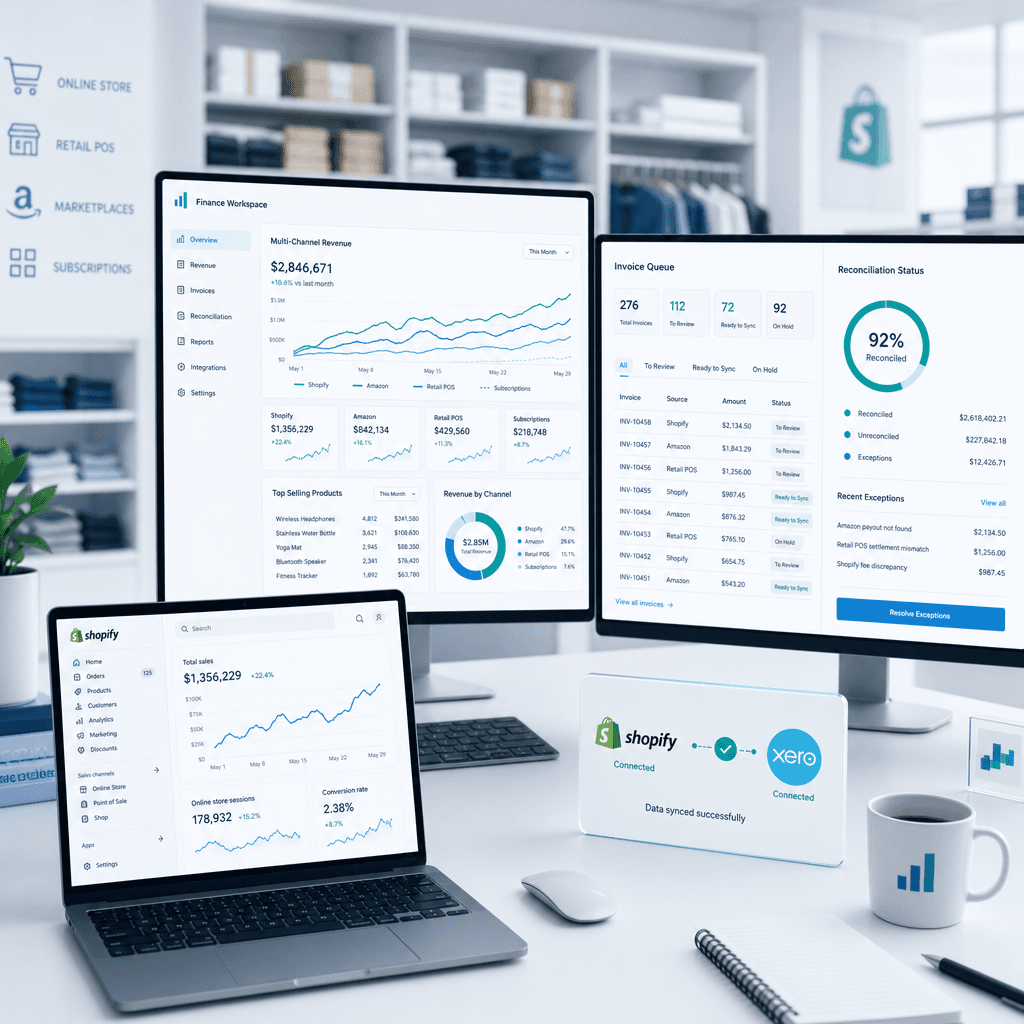
Finance Automation for Retail & eCommerce in Australia: How to Streamline AP, Inventory Reconciliation & Multi-Channel Reporting
Australian retail and eCommerce finance teams are operating in one of the most data-intensive environments in any industry. You are simultaneously managing…
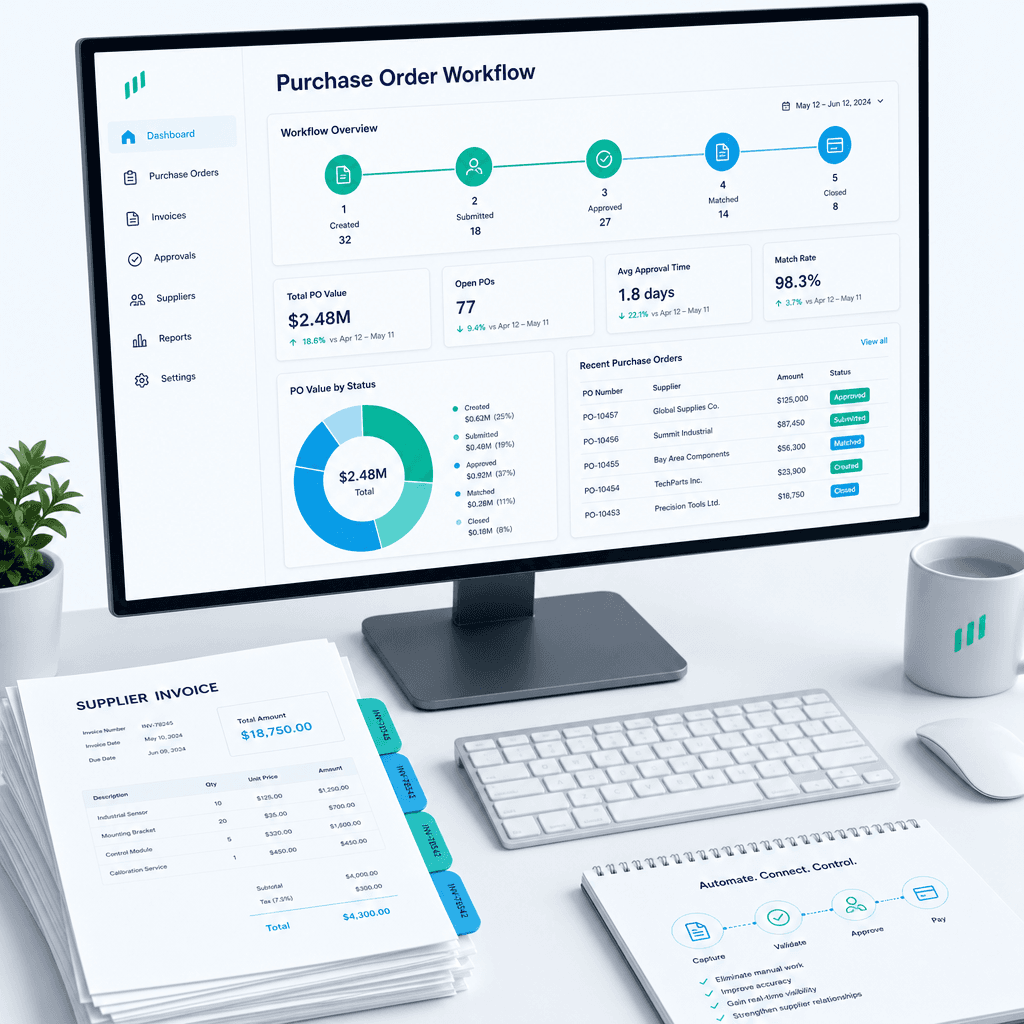
Purchase Order Automation: A Practical Guide for Australian Finance Teams (2026)
If your finance team is still raising purchase orders in a shared inbox, chasing approvals over email, and manually matching invoices line by line before month…
Finance Automation ROI Benchmarks for Australian Businesses: What Good Actually Looks Like
Every vendor selling finance automation will show you a projected ROI slide. The numbers are always impressive: cost savings in the hundreds of thousands,…