
Finance Automation ROI Benchmarks for Australian Businesses: What Good Actually Looks Like
Ordron37 min read
Every vendor selling finance automation will show you a projected ROI slide. The numbers are always impressive: cost savings in the hundreds of thousands, headcount reductions, payback periods measured in months. Then implementation begins, and the gap between the slide and reality opens up.
This guide is not that slide. It is a benchmark reference built from finance automation outcomes delivered across Australian mid-market and enterprise businesses, with the numbers attached, measured after go-live. If you are a CFO, financial controller or finance manager trying to hold an automation initiative accountable, or trying to decide whether to start one, you deserve concrete reference points rather than aspirational projections dressed up as data.
The benchmarks in this guide cover AP automation, manual work reduction, hours returned to finance teams, invoice coding accuracy, and auto-processing rates. Where relevant, I have used numbers from work we have shipped at Ordron across eight industries. The goal is to give you a floor and a ceiling for what realistic performance looks like, so you can assess any vendor claim, any internal business case, and your own current baseline against the same honest scale.
Key Takeaways
- Up to 85% reduction in manual finance work is achievable across engagements, but only when automation targets the right touchpoints first.
- Finance teams can realistically recover 160 or more hours per month once invoice intake, reconciliation and approval routing are automated.
- Invoice coding accuracy above 95% is achievable with intelligent document understanding on enterprise AP workflows.
- 75% of supplier invoices can be fully auto-processed without human intervention, routing only exceptions to reviewers.
- You do not need a new software platform to achieve these results. The most durable outcomes come from automating around your existing ERP, SharePoint or Xero environment.
- Vendor ROI projections are nearly always based on assumptions that do not survive first contact with your actual data. Measure everything after go-live, not before.
Summary Table
| Benchmark Metric | Realistic Floor | Strong Result | Ordron Delivered | What Drives the Difference |
|---|---|---|---|---|
| Manual work reduction | 40% | 70%+ | Up to 85% | Targeting highest-volume repetitive touchpoints first |
| Hours returned per month | 40-60 hrs | 100-130 hrs | 160+ hrs | Full coverage of intake, routing and reconciliation |
| Invoice coding accuracy | 80-85% | 90-93% | >95% | Intelligent document understanding plus rule refinement post go-live |
| Supplier invoices auto-processed | 50-60% | 70% | 75% | PO-matching logic and exception routing built into existing stack |
| AR reconciliation time reduction | 40% | 65% | 80% | Auto-coded GL tagging plus automated bank rec in Xero |
| AP batch processing time | Moderate reduction | 60-70% reduction | 93% reduction (4 hrs to 15 min) | OCR and workflow wired into existing SharePoint process |
| New software licences required | Typically 1-2 platforms | Can be zero | Zero in multiple engagements | RPA and OCR deployed on top of existing tools |
Why Most Finance Automation ROI Claims Are Noise
The problem with most vendor ROI projections is structural. They are built to win business, not to measure outcomes. That is not a cynical observation; it is simply how incentives work. A platform vendor's sales process depends on showing compelling numbers before the contract is signed. The numbers they show you are modelled on best-case implementations, often drawn from customers who had clean data, cooperative suppliers, and implementation teams who had done the same project a dozen times.
Your business is not that customer.
Australian mid-market and enterprise finance teams typically run on a mix of legacy ERPs, cloud accounting tools, SharePoint libraries and a collection of spreadsheet-driven processes that have accumulated over years. The real friction is not inside any one system. It sits in the handoffs between them: the export-import cycle between a twenty-year-old ERP and Xero, the manual re-keying of supplier invoices from PDF attachments into an AP system, the end-of-month reconciliation that pulls data from three different sources into a spreadsheet no one fully trusts.
Vendor ROI models rarely account for that complexity honestly. They model the clean path, not your path.
The Projection Gap in Practice
I have seen finance automation projects where the vendor projected a 70% reduction in AP processing time within ninety days of go-live. The actual result at ninety days was closer to 30%, because the automation logic had been built on invoice format assumptions that did not match the client's actual supplier base. The gap was not the vendor's fault in isolation; the assumptions were never interrogated hard enough before sign-off. But the client had made a capital decision based on the projected number, not the measured one.
This is the projection gap: the distance between what a vendor models before implementation and what a finance team actually measures after go-live. Closing that gap requires two things: honest benchmarking of what is achievable, and a commitment to measuring real outcomes rather than relying on the implementation partner to self-report.
Why Go-Live Is the Only Honest Starting Line
Measuring finance automation ROI before go-live is like measuring the fitness benefit of a gym membership you have not used yet. The only data that matters is what you measure after the automation is running on real transactions, real supplier invoices, real bank feeds, real approval flows.
At Ordron, the standard we hold ourselves to is simple: every engagement is measured after go-live, not in pre-implementation projections. The benchmarks in this guide are drawn from those post-deployment measurements. When I reference 160 hours returned per month or 95% coding accuracy, those numbers come from finance teams who were running the automation on live data, not from a model built in a spreadsheet before the project started.
The Benchmarks That Actually Matter
Not all automation metrics are equally useful. Some are easy to measure but tell you little about real business impact. Others are harder to track but directly translate into money and capacity. Here is the hierarchy as I use it with finance leaders evaluating their own automation programmes.
Hours Returned Per Month
This is the primary metric. Everything else is downstream of it. If your finance team is not getting measurable time back after go-live, nothing else in the ROI story holds together.
The question to ask is specific: how many staff hours per month were consumed by the process before automation, and how many are consumed now? Not estimated. Measured, using timesheets, process logs or direct team input after a full month of operation.
For a finance team running a fully manual AP process, a realistic floor for hours returned after automation is 40-60 hours per month. That assumes a modest invoice volume and basic OCR plus routing logic. The upper range, where automation covers invoice intake, PO matching, coding, approval routing and exception handling, can reach 160 hours or more per month.
That upper figure is not theoretical. Working with a family-owned logistics operator running a twenty-year-old ERP alongside Xero, I built an RPA bot that drove the legacy ERP interface directly, validated data against SQL records, and synced clean output into Xero and reporting dashboards, with no ERP replacement. The finance team got more than 160 hours per month back. No new core software was purchased. The only change was the automation layer sitting on top of what they already had.
The 160-hour figure represents roughly one full-time equivalent working month. In dollar terms, at an average fully loaded cost of $75,000-$95,000 per year for a mid-level finance officer in an Australian capital city, returning 160 hours per month is worth between $57,500 and $72,800 in capacity per year. That is before you account for error reduction or the value of the work the team now has time to do instead.
Manual Work Reduction Percentage
This metric captures the proportion of a finance process that no longer requires human intervention after automation. It is broader than hours returned because it also reflects quality: a step that previously required three checks to catch errors might now be handled by automation with higher accuracy than the manual process ever achieved.
The realistic range for manual work reduction across finance automation engagements is wide. At the low end, a basic automation of a single subprocess, say, automated bank reconciliation matching in Xero, might reduce manual work in that subprocess by 40-50%. At the high end, where automation covers the full AP or AR cycle, reductions of 75-85% are achievable.
Across Ordron engagements spanning eight industries, the maximum manual work reduction achieved is 85%. That figure comes from engagements where we targeted the highest-volume, most repetitive touchpoints first: invoice intake, bank rec, approval routing, compliance reporting. The consistent finding is that if you pick the right processes and automate them well, 85% is achievable. If you automate the wrong processes, or automate them partially, you might achieve 30% and spend a lot of money doing it.
Invoice Coding Accuracy
For any organisation processing significant invoice volumes, coding accuracy is a critical quality metric. Manual coding is prone to human error: misclassified GL codes, incorrect cost centres, missed tax treatment. Every error has a downstream cost, either in reconciliation time, audit exposure or payment delays.
With intelligent document understanding applied to enterprise AP, coding accuracy above 95% is achievable. Working with a large enterprise finance team processing high monthly invoice volumes across multiple cost centres, Ordron deployed RPA combined with intelligent document understanding to read, PO-match and auto-code supplier invoices, routing only exceptions to human reviewers. Coding accuracy exceeded 95% and invoice processing time fell by 65%, with no change to the underlying finance system.
For context, experienced human coders working at normal pace on familiar supplier invoices typically achieve 92-95% accuracy before review. An intelligent document understanding model that has been trained on your specific supplier base and GL structure can consistently exceed that, and it does not have bad days.
The caveat worth stating: coding accuracy is highly sensitive to training data quality and the complexity of your GL structure. A business with a simple chart of accounts and consistent supplier invoice formats will achieve higher accuracy faster than one with a complex multi-entity structure and hundreds of supplier formats. The 95% figure is achievable in the right conditions; it is not a universal guarantee out of the box.
Auto-Processing Rate
The auto-processing rate measures what proportion of invoices move through the full AP cycle, from receipt to posting, without any human touching them. This is distinct from coding accuracy: an invoice might be coded correctly by automation but still require a human approval step before posting.
A well-configured AP automation process, with PO matching logic, exception routing and approval rules built in, can achieve a 75% auto-processing rate. That is the figure we have measured at a national manufacturer processing thousands of invoices monthly. Three in four invoices require zero human intervention. The remaining 25% are routed as exceptions, meaning they have a discrepancy, an unmatched PO, an unusual amount or a first-time supplier that requires a human decision.
The benefit of this model is focus. Instead of every invoice consuming a team member's time, only the invoices that genuinely need a decision do. The team's attention shifts from processing to managing exceptions, which is both more valuable and more sustainable.
A realistic floor for auto-processing rate on a well-implemented AP automation project is 50-60%. Under 50% usually indicates that the exception rules are too conservative, the supplier data is too inconsistent, or the PO matching logic has not been tuned post go-live. Over 80% starts to require very clean supplier data and a narrow GL structure. The 75% range is the sweet spot for most Australian mid-market businesses.
AP Automation Benchmarks in Detail
Accounts payable is the process where finance automation delivers the most consistent and measurable ROI in Australian mid-market and enterprise businesses. The reasons are structural: AP is high volume, highly repetitive, time-sensitive, and prone to errors that compound. It is also the process most likely to be running in a genuinely manual or semi-manual state even in organisations that consider themselves reasonably modern.
The Baseline Most Teams Are Starting From
Before you can benchmark a result, you need an honest picture of the baseline. In my experience across Australian logistics, manufacturing, distribution, professional services and retail clients, the typical AP starting point looks something like this:
Invoices arrive by email, sometimes by post, occasionally via a supplier portal. Someone in the team downloads them, renames them, saves them to a shared drive or SharePoint folder, re-keys the key fields into the ERP or accounting system, matches them manually against purchase orders where those exist, routes an approval email to the relevant cost centre manager, chases that approval when it does not come back, then posts the invoice and files the PDF. For a finance team processing 500 invoices per month across multiple cost centres, that cycle consumes enormous time. For a team processing 2,000 or more invoices per month, it is the dominant activity.
The ABS data on small and medium business technology adoption in Australia consistently shows that manual or semi-manual AP processing remains common even in businesses that have moved to cloud accounting platforms. Having Xero does not mean your AP process is automated. It means your ledger is in the cloud.
What AP Automation Actually Delivers, Step by Step
A well-implemented AP automation process changes each stage of that cycle. Here is what the benchmark outcomes look like at each step, based on measured results rather than vendor projections.
Document capture and ingestion. Invoices arriving by email are automatically extracted from the inbox, with the PDF attachment separated and passed to OCR. OCR reads the invoice fields: supplier name, ABN, invoice number, date, line items, GST amount, total. Accuracy on structured supplier invoices with consistent formatting runs at 97-99%. For less structured invoices, such as handwritten notes or unusual formats, accuracy drops to 85-90% and those invoices are flagged for human review. The result: document handling time drops to near zero for the majority of invoices.
Coding and GL classification. Intelligent document understanding applies coding rules based on supplier, line item description, amount thresholds and cost centre mapping. For a business with a well-maintained supplier master and a defined GL structure, this step achieves greater than 95% accuracy. For first-time suppliers or invoices with ambiguous line items, the automation routes to a human for coding decision, then learns from that decision for future invoices.
PO matching. Where purchase orders exist, the automation matches the invoice to the relevant PO by number, supplier and amount. Three-way matching (PO, goods receipt, invoice) is achievable where the ERP supports goods receipting. Two-way matching (PO and invoice) is the more common implementation in mid-market businesses. Matched invoices auto-approve within defined tolerance rules. Unmatched invoices or those outside tolerance are routed as exceptions.
Approval routing. Approved invoices within delegated authority limits post automatically. Invoices requiring human approval are routed to the relevant approver via email or workflow notification, with escalation rules if the approval is not returned within a defined period. This eliminates the manual chasing that consumes significant AP team time in unautomated environments.
Filing and audit trail. Every processed invoice is automatically filed in the correct location, named consistently, and linked to the transaction record in the accounting system. Audit readiness improves materially because the filing is 100% consistent. The AP team stops spending time at end of quarter finding invoices that were saved in the wrong folder.
The SharePoint Example: Four Hours to Fifteen Minutes
One of the clearest illustrations of what AP automation delivers is the result from a national logistics provider operating across multiple depots with a SharePoint-based AP process. Processing a single batch of invoices was taking up to four hours, relying on manual document handling by the AP team.
Ordron wired OCR and workflow logic directly into the existing SharePoint AP process, automating document capture, coding and filing without introducing any new software platform. The SharePoint environment was already there. The team was already using it. We added the intelligence on top of what they already ran.
AP cycle time per batch dropped from four hours to fifteen minutes. Filing became 100% automated. The team did not need to learn a new system. They still worked in SharePoint. They just stopped doing the parts that did not require a human.
That is a 93% reduction in batch processing time, achieved without a single new software licence.
Benchmarks by Invoice Volume
The ROI from AP automation scales with invoice volume, but it does not scale linearly. Here is a rough benchmark by monthly invoice volume for Australian businesses:
Under 200 invoices per month. At this volume, automation can still return meaningful time, but the payback period is longer. Expect 20-40 hours per month returned, coding accuracy above 90%, and an auto-processing rate of 60-70% once tuned. The economics work best if the automation is deployed on top of an existing tool (Xero, Xero-connected OCR, SharePoint) rather than requiring a platform investment.
200-1,000 invoices per month. This is the mid-market sweet spot. Hours returned per month can reach 60-120. Auto-processing rates of 70-75% are realistic. Coding accuracy of 93-95% is achievable with a well-trained model. The payback period on a well-scoped project typically falls within twelve months.
1,000+ invoices per month. At enterprise scale, the numbers compound significantly. A team processing 2,000 invoices per month manually might spend 300-400 hours on AP each month. Automating 75% of that processing returns 225-300 hours. Coding accuracy above 95% is achievable. The ROI case at this volume is straightforward; the question shifts from whether to automate to how to scope and phase the implementation correctly.
The Contrarian Lever: Automating Around Legacy ERP Without Replacing It
The conventional wisdom in finance technology is that meaningful automation requires a modern, API-enabled platform. If you are running a legacy ERP with limited integration capability, the standard advice is to upgrade or replace it before you can achieve serious automation outcomes.
I disagree with this directly, and the work we have shipped demonstrates why.
Legacy ERP replacement is one of the highest-risk, highest-cost projects a finance function can undertake. The implementation timelines are long. The change management burden is significant. The risk of disruption to core financial processes during cutover is real. And the licence, implementation and training costs are substantial, often running into seven figures for mid-to-large enterprise.
More importantly, the legacy ERP is rarely where the manual effort actually lives. The manual effort lives in the handoffs: the data that has to be re-keyed from one system into another, the PDF that has to be downloaded and re-typed into the ERP, the export from the ERP that has to be reformatted in Excel before it can be imported into the reporting tool. The ERP itself is doing its job. The manual processes around it are not.
RPA changes this equation entirely. A well-built RPA bot can drive a legacy ERP interface directly, the same way a human operator does, navigating screens, entering data, validating records, and exporting outputs. The ERP does not need an API. It does not need to be upgraded. It does not need to know the bot exists. The automation works on the interface layer.
The Logistics Operator Case
The clearest example of this from work we have shipped: a family-owned logistics operator running a twenty-year-old ERP with no APIs, alongside Xero. Manual data entry between the two systems was consuming enormous staff time each month. The ERP could not be replaced because the operational business was deeply dependent on its freight management logic. Replacing it was not a realistic option in any near-term timeframe.
We built an RPA bot that drove the legacy ERP interface directly, reading and writing data through the screens rather than through any integration layer. The bot validated data using SQL queries against the underlying database, then synced clean, reconciled records into Xero and the reporting dashboards. No new software. No ERP replacement. No integration middleware that required ongoing licence payments.
The outcome: more than 160 hours per month returned to the finance team. The ERP is still running. The finance team is no longer spending their days on manual data entry between systems.
This is not an edge case. It is the most common pattern I see in Australian mid-market finance operations. The tools are already there. The friction is in the handoffs. Remove the friction without touching the underlying platform, and the ROI arrives faster and at lower cost than any rip-and-replace project would deliver.
Automating on Top of Xero
For businesses running accounts receivable or bank reconciliation on Xero, the same principle applies. Xero has a capable API, which makes automation more straightforward than a legacy ERP, but many finance teams are still running manual processes on top of it because no one has taken the time to wire automation logic into the workflows.
Working with a mid-sized freight operator running AR on Xero, I built auto-coded GL tagging, automated bank reconciliation and a real-time aged-receivables dashboard directly within the existing Xero environment. No new platform was introduced. The automation logic lived on top of what was already there.
AR reconciliation time reduced by 80%. The team gained live visibility into aged receivables, replacing the end-of-period reporting cycle that had previously consumed hours each month. The CFO could see the AR position in real time rather than waiting for the month-end close.
The lesson is consistent: find your automation quick wins in the processes that are already running on the tools you already own. Automate those first. Measure the outcome. Then decide whether any additional tooling is actually required.
What 75-85% Automation Without New Licences Actually Means
When I say Ordron consistently delivers 75-85% automation rates without adding a single new software licence, I am being precise about what that means. It means the automation logic, whether RPA bots, OCR pipelines, workflow rules or reconciliation logic, is deployed on top of the tools the client already runs and already pays for. SharePoint, Xero, the existing ERP, the existing email infrastructure.
The benefit is not just cost. It is risk profile. Every new software platform introduces vendor dependency, training overhead, integration risk and ongoing licence costs. When you automate within your existing stack, those risks do not apply. The automation runs inside an environment the team already knows. Adoption is faster. Rollback is simpler if something needs adjustment. And the ongoing cost of the automation is the cost of maintaining the logic, not the cost of a platform subscription.
For Australian businesses comparing automation options, this is a meaningful differentiator. Ask any vendor: can you achieve these results within my existing stack, or am I buying a new platform? The honest answer to that question tells you a great deal about the vendor's approach.
How to Calculate Your Own Finance Automation ROI
The goal of this section is to give you a working framework for translating the benchmarks above into dollar figures and business case numbers that are specific to your organisation. This is not a replacement for a detailed scoping process, but it is a starting point that will get you closer to a realistic number than any vendor's generic ROI calculator.
Step 1: Baseline Your Current State
Before you can calculate an ROI, you need an honest current-state measurement. This means sitting down with your finance team and mapping the processes you are considering automating in terms of:
- Total hours consumed per month, broken down by subprocess (invoice intake, coding, matching, approval chasing, reconciliation, reporting).
- Error rates and rework frequency. How often does a step need to be redone because of a mistake in the previous one?
- Cycle times for key processes. How long does it currently take from invoice receipt to posting? From bank feed update to reconciled position?
- Current team composition and fully loaded cost per hour. In Australia, a mid-level finance officer in a capital city typically costs $38-$48 per hour fully loaded (salary, superannuation, office costs, technology allocation).
This baseline is the denominator in your ROI calculation. Without it, every projection is fiction.
Step 2: Apply Realistic Reduction Rates
Once you have a baseline, apply conservative versions of the benchmarks from this guide. I recommend using the floor estimates, not the ceiling, for your initial business case. If you beat them, the result is a positive surprise. If you use ceiling numbers and miss, you have a credibility problem with your board or executive team.
For AP automation on a typical mid-market invoice volume (300-800 per month):
- Estimate a 60-70% reduction in hours consumed by the AP process, not the 85% maximum.
- Estimate coding accuracy of 90-92%, not 95%, until you have data on your actual supplier invoice complexity.
- Estimate an auto-processing rate of 60-65%, not 75%, until your PO matching logic has been tuned on real data.
For bank reconciliation automation:
- Estimate a 60-70% reduction in reconciliation time as a conservative floor. The 80% figure from the Xero AR engagement is achievable but requires a clean bank feed and consistent transaction descriptions.
Step 3: Translate Hours into Dollars
Once you have estimated hours returned per month, the dollar translation is straightforward.
Hours returned per month, multiplied by the fully loaded hourly cost of the staff member doing that work, gives you the direct labour value of the automation per month.
Example: A finance team that currently spends 120 hours per month on manual AP processing, at a fully loaded cost of $45 per hour, is consuming $5,400 per month in labour on that process. If automation returns 70% of those hours (84 hours), the direct labour value is $3,780 per month, or $45,360 per year.
That figure does not include:
- Error-cost avoidance. Manual AP errors (duplicate payments, miscoded expenses, missed early payment discounts) have real dollar costs. The ACCC and ATO both maintain data on compliance costs for Australian businesses; the direct cost of a duplicate payment or a miscoded GST item is measurable.
- Capacity value. The hours returned are not hours saved in the sense of headcount reduction. They are hours the team can redirect to higher-value work: financial analysis, supplier relationship management, budget variance reporting. That capacity has real value even when it does not reduce headcount.
- Speed value. Faster AP cycles can enable early payment discounts where suppliers offer them. A 2% early payment discount on $2 million of annual payables is $40,000 per year. Automated AP processing makes that discount achievable at scale in a way that manual processing does not.
Step 4: Estimate the Cost of the Automation
For a realistic ROI calculation, you need a cost side as well. Finance automation project costs in Australia vary significantly based on scope, complexity and approach. A broadly applicable framework:
- RPA and workflow logic deployed on an existing stack (no new platforms): implementation cost typically in the range of $15,000-$60,000 depending on process complexity, with minimal ongoing licence costs.
- Automation requiring a new platform (dedicated AP automation tool, intelligent document processing platform, etc.): implementation cost plus ongoing licence fees, which can range from $20,000-$150,000 per year for mid-market to enterprise implementations.
For a more detailed breakdown of what Australian finance automation costs by scope and project type, the Ordron pricing guide for CFOs covers this in detail.
Step 5: Calculate Payback Period and First-Year ROI
With a cost estimate and a benefit estimate, the calculation is straightforward.
Payback period: total implementation cost divided by monthly benefit value.
Using the example above: $45,000 implementation cost, $3,780 per month benefit. Payback period: just under twelve months.
First-year ROI: (annual benefit minus implementation cost) divided by implementation cost, expressed as a percentage. Using the same numbers: ($45,360 minus $45,000) divided by $45,000 equals 0.8%, which is breakeven in year one. From year two onwards, the annual benefit of $45,360 on a minimal ongoing cost base generates strong returns.
Note that this example uses conservative benefit estimates and does not include error-cost avoidance, capacity value or early payment discount capture. With those included, year-one ROI is typically positive and year-two returns are compelling.
Red Flags When Assessing Vendor Benchmark Claims
If you are evaluating finance automation vendors or platforms and they are presenting you with ROI benchmarks, here is a checklist of red flags that should prompt hard questions.
Red Flag 1: The ROI Numbers Are Pre-Implementation
Any benchmark figure that is presented as a projection based on your current invoice volume or headcount count, rather than a measured outcome from a completed implementation, should be treated with scepticism. Ask directly: are these numbers measured after go-live, or modelled before implementation? The answer will tell you a great deal.
Red Flag 2: The Benchmarks Come from Best-Case Customers
Vendors tend to showcase their best implementations, not their median ones. A 90% auto-processing rate from a customer with clean, structured invoices and a simple GL is real, but it is not representative of what a business with complex multi-entity AP and inconsistent supplier invoice formats will achieve. Ask for the range across their customer base, not just the headline figure.
Red Flag 3: The ROI Assumes Headcount Reduction
Many vendor ROI models build in headcount reduction as the primary value driver. In practice, Australian mid-market businesses rarely realise automation ROI by making staff redundant. The ROI comes from redirecting those hours to higher-value work. If a vendor's ROI model requires you to reduce headcount to break even, the business case is fragile and the model is dishonest about how organisations actually respond to automation.
Red Flag 4: Platform Replacement Is Framed as a Prerequisite
If a vendor is telling you that meaningful automation is not possible without replacing your existing ERP or adopting their platform, ask to see customer case studies where they have automated within an existing stack. If they cannot produce them, that is informative. The work we have shipped consistently demonstrates that the biggest time savings come from automating around legacy systems, not from replacing them.
Red Flag 5: The Implementation Timeline Is Unrealistically Short
A vendor promising full AP automation live and optimised within four weeks on a complex multi-entity environment is making a promise that experience does not support. A realistic timeline for a well-scoped mid-market AP automation project, from process mapping through go-live to a tuned steady state, is eight to sixteen weeks. Enterprise implementations are longer. If the timeline seems too good, the go-live definition is probably not what you think it is.
Red Flag 6: No Post-Go-Live Measurement Commitment
Any automation partner worth engaging should be willing to commit to measuring outcomes after go-live and reporting them to you. If a vendor is resistant to post-implementation measurement, or if their contract does not include any performance metric commitments, the ROI conversation exists entirely in the pre-sale phase. That should concern you.
Red Flag 7: The Benchmark Data Is Not Industry-Specific
Finance automation benchmarks vary by industry, invoice complexity, supplier base characteristics and ERP environment. A benchmark drawn from a retail business does not necessarily apply to a logistics operator or a construction company. Ask vendors whether their benchmarks are drawn from businesses in your industry with comparable transaction volumes and system environments.
Measuring Finance Automation Success: The 90-Day Post-Go-Live Framework
Once automation is live, the work of measurement begins. Here is the framework I use with finance teams to assess whether an automation initiative is delivering its intended results.
Days 1-30: Establish the Baseline and Monitor Volumes
In the first month after go-live, the priority is confirming that the automation is processing real transactions at the expected volume and accuracy level. Key measurements at this stage:
- Total invoices processed by automation versus manual fallback.
- Coding accuracy rate on auto-coded invoices (sample 50-100 invoices and verify against expected GL coding).
- Exception rate: what proportion of invoices are being routed to human review, and why?
- Processing time per batch compared to the pre-automation baseline.
Do not make major changes to the automation logic in this phase unless there is a systematic error. Let the first month of live data accumulate before drawing conclusions.
Days 31-60: Tune the Logic and Address Exception Patterns
By the end of the first month, you will have real exception data. The most common exception triggers are: supplier invoices that do not match the format the OCR was trained on, PO references that do not align with your ERP's PO numbering format, and GL coding rules that are too narrow for the actual variety of invoices being processed.
Address the highest-volume exception patterns first. Retraining the OCR model on a new supplier format, or adding a coding rule for an invoice category that was not covered in the initial build, typically takes hours rather than days. Each adjustment improves the auto-processing rate and reduces the exception queue.
Days 61-90: Report the Measured ROI
At day 90, you have three months of live operational data. This is enough to produce a meaningful post-implementation ROI report. The report should cover:
- Average hours returned per month across the three-month period.
- Auto-processing rate trend: is it improving as the logic is tuned?
- Coding accuracy rate: is it at or above the target?
- Error and rework incidence compared to the pre-automation baseline.
- Dollar value of hours returned, calculated using fully loaded staff costs.
- Outstanding exception patterns and the plan to address them.
This report is what an honest automation partner should be producing for you at ninety days. It is the difference between a vendor who sold you a projection and a partner who is accountable for a measured outcome.
Building a Business Case That Will Hold Up to Scrutiny
Finance leaders presenting an automation business case to a board, an executive team or a parent company face a specific challenge: the CFO or CEO receiving the business case has seen optimistic technology projections fail before. A business case that reads like a vendor's promotional material will not get the funding it deserves, even if the underlying opportunity is real.
Here is how to build a finance automation business case that survives scrutiny.
Use Conservative Estimates Explicitly
State clearly in the business case that you are using conservative benchmark estimates, specifically the floor of the achievable range rather than the ceiling. Explain the benchmarking methodology: where the numbers come from, that they are measured results from comparable implementations rather than vendor projections, and that your own projections are discounted from those benchmarks to account for your specific environment.
Separate the Certain ROI from the Contingent ROI
Some automation ROI is near-certain once the automation is running correctly: hours returned on high-volume repetitive processes are reliably measurable and directly translatable into dollar value. Other ROI is contingent: early payment discounts require supplier cooperation, headcount reduction requires natural attrition or growth absorption, and capacity value requires the finance team to actually redirect their time to higher-value work.
Present the certain ROI as the base case. Present the contingent ROI as upside. This structure is more credible and more honest than a single blended number.
Include the Cost of Not Automating
Finance automation business cases often focus on the cost of the project and the projected benefit. They frequently omit the cost of maintaining the status quo. Manual AP processing, manual reconciliation and manual data entry between systems carry costs that compound over time: staff retention risk (repetitive manual work drives turnover), error accumulation, scaling constraints (as the business grows, the manual process requires proportionally more staff), and the opportunity cost of having capable finance people doing work that does not require their capability.
For a business processing 1,000 invoices per month manually today, that volume will likely be 1,300-1,500 invoices per month in three years. The cost of not automating includes the cost of the additional headcount or the increased error rate and processing time that comes from the same team processing a higher volume.
Reference Australian Market Context
Australian finance leaders are operating in a specific context that is worth referencing in any business case. The ABS consistently reports labour cost growth in professional services and administrative roles above general inflation. The cost of finance staff in Australian capital cities has increased materially over the past five years. An automation initiative that returns 160 hours per month today will deliver greater dollar value in three years than the initial business case projects, simply because the cost of that labour will be higher.
The ACCC's focus on payment terms transparency and the ATO's ongoing GST compliance requirements also create a specific Australian context in which AP accuracy and audit readiness have real regulatory value, not just operational value.
For more context on how Australian finance teams are measuring and managing these challenges, the Ordron Finance Automation Statistics Australia resource provides relevant benchmark data.
What the Right Automation Partner Looks Like
Choosing a finance automation partner is not just a technology decision. It is a decision about whose benchmarks you are trusting and whose commitment to measurement you are relying on.
The right partner will:
- Baseline your current processes honestly before quoting an outcome.
- Scope the automation to your existing stack first, before recommending any new platform.
- Commit to post-go-live measurement and report the results to you without being asked.
- Use conservative estimates in the business case, not ceiling figures.
- Show you case studies with numbers attached, from completed implementations, not projected outcomes from current sales conversations.
The wrong partner will show you a compelling ROI slide, propose a platform replacement as the path to automation, define go-live as the point at which the software is technically running rather than the point at which the team is actually getting time back, and decline to commit to any post-implementation performance metrics.
If you are at the stage of evaluating partners or benchmarking your current processes, the Ordron assessment process starts with a process mapping exercise that identifies your highest-value automation opportunities, estimates the hours your team could realistically get back, and models the ROI against your actual current-state costs, with no aspirational projections and no new software mandated as a prerequisite.
The Ordron accounts payable automation guide for Australian finance teams provides more detail on how this applies specifically to AP workflows. The What Is Finance Automation guide covers the broader landscape for finance teams who are earlier in the evaluation process.
References
-
Australian Bureau of Statistics (ABS), Business Characteristics Survey, Annual ABS survey tracking technology adoption, digital tool usage and process automation rates across Australian small, medium and large enterprises. Used to contextualise the current state of AP and finance process automation adoption in Australian mid-market businesses.
-
Australian Taxation Office (ATO), GST Compliance and Reporting Guidance, ATO guidance on GST treatment of business-to-business invoices, coding requirements and compliance obligations for Australian businesses. Relevant to the accuracy requirements for automated invoice coding in Australian finance environments.
-
Australian Competition and Consumer Commission (ACCC), Payment Times Reporting Framework, ACCC and the Payment Times Reporting Regulator's framework for large businesses reporting payment times to small suppliers. Provides regulatory context for the value of faster, more accurate AP processing in Australian enterprises.
-
Ordron Client Engagement Data, 2022-2026, Post-go-live measurement data from Ordron finance automation engagements across eight Australian industries including logistics, manufacturing, distribution, freight and professional services. Source for the specific benchmark figures cited throughout this article: 85% maximum manual work reduction, 160+ hours returned per month, 95%+ coding accuracy, 75% auto-processing rate, 80% AR reconciliation time reduction.
-
Institute of Public Accountants (IPA) and CPA Australia, Technology Adoption in Australian Finance Functions, Research from Australian professional accounting bodies on the state of finance function technology adoption, automation barriers and digital readiness in Australian mid-market and enterprise organisations.
-
Gartner, Market Guide for Robotic Process Automation (RPA), Industry analysis of RPA adoption benchmarks, implementation outcomes and market trends. Used for context on global AP automation benchmarks and auto-processing rate ranges, cross-referenced against Australian market-specific data.
Frequently asked questions
- What is a realistic ROI for finance automation in Australia?
- Realistic ROI for finance automation in Australia depends on your invoice volume, current process maturity and the scope of automation implemented. For mid-market businesses processing 300-1,000 invoices per month, a well-scoped AP automation project typically returns its implementation cost within twelve months, with year-two and beyond generating strong returns on minimal ongoing cost. The key is using conservative benchmark estimates rather than vendor ceiling figures, and measuring results after go-live rather than relying on pre-implementation projections.
- How many hours per month can finance automation return to my team?
- The range is wide, from 40-60 hours per month for a basic single-process automation to 160 or more hours per month where automation covers invoice intake, coding, PO matching, approval routing and reconciliation. The 160-hour figure is measured from a single logistics client engagement after go-live. For most mid-market businesses, a realistic initial estimate is 60-120 hours per month depending on current invoice volume and process complexity.
- Do I need to replace my ERP to achieve meaningful finance automation ROI?
- No. RPA can drive legacy ERP interfaces directly without any API or system upgrade. The manual effort in most finance teams sits in the handoffs between systems, not inside them. Removing that friction through automation delivers measurable ROI without touching the underlying platform. Rip-and-replace projects introduce significant cost, risk and delay that are rarely necessary to achieve the primary goal of returning hours to the finance team.
- What auto-processing rate should I expect for AP automation?
- A realistic auto-processing rate for a well-implemented AP automation project is 60-75%. The 75% figure is measured from a national manufacturer processing thousands of invoices monthly. Rates below 50% typically indicate that exception rules are too conservative or supplier data is inconsistent. Rates above 80% are achievable in ideal conditions but should not be used as the baseline expectation in a business case.
- How accurate is automated invoice coding?
- With intelligent document understanding trained on your specific supplier base and GL structure, coding accuracy above 95% is achievable. This compares favourably to experienced human coders, who typically achieve 92-95% accuracy on familiar supplier invoices before review. Accuracy is sensitive to training data quality and GL complexity, so a complex multi-entity structure will require more tuning to reach the 95% threshold.
- How do I measure finance automation ROI after go-live?
- Measure the same metrics before and after automation: hours consumed by each subprocess per month, exception and error rates, cycle time from invoice receipt to posting, and auto-processing rate. Use fully loaded staff costs to translate hours into dollars. At ninety days post go-live, you should have enough data to produce a meaningful ROI report. Any automation partner worth engaging should be producing this report for you without being asked.
- What are the biggest red flags in vendor finance automation ROI claims?
- The key red flags are: ROI numbers that are pre-implementation projections rather than measured results, benchmarks drawn from best-case customers rather than a representative range, ROI models that require headcount reduction to break even, claims that platform replacement is a prerequisite for meaningful results, unrealistically short implementation timelines, and no commitment to post-go-live performance measurement.
- Is finance automation relevant for businesses running on Xero or older ERP systems?
- Yes. Xero has a capable API that supports automation logic for reconciliation, GL tagging and AR workflows. Legacy ERPs without APIs can be automated via RPA that drives the interface directly. In both cases, the automation sits on top of what you already run, with no new platform purchase required. The highest-value automation opportunities are almost always in the handoffs between existing tools, not in the tools themselves.
Ordron
Finance automation team, Sydney
Ordron builds the finance automation infrastructure that runs AP, AR, reconciliations and reporting on autopilot for Australian mid-market businesses.
More from the Ordron Insights catalogue
Selected by topic. Updated as the agent publishes.
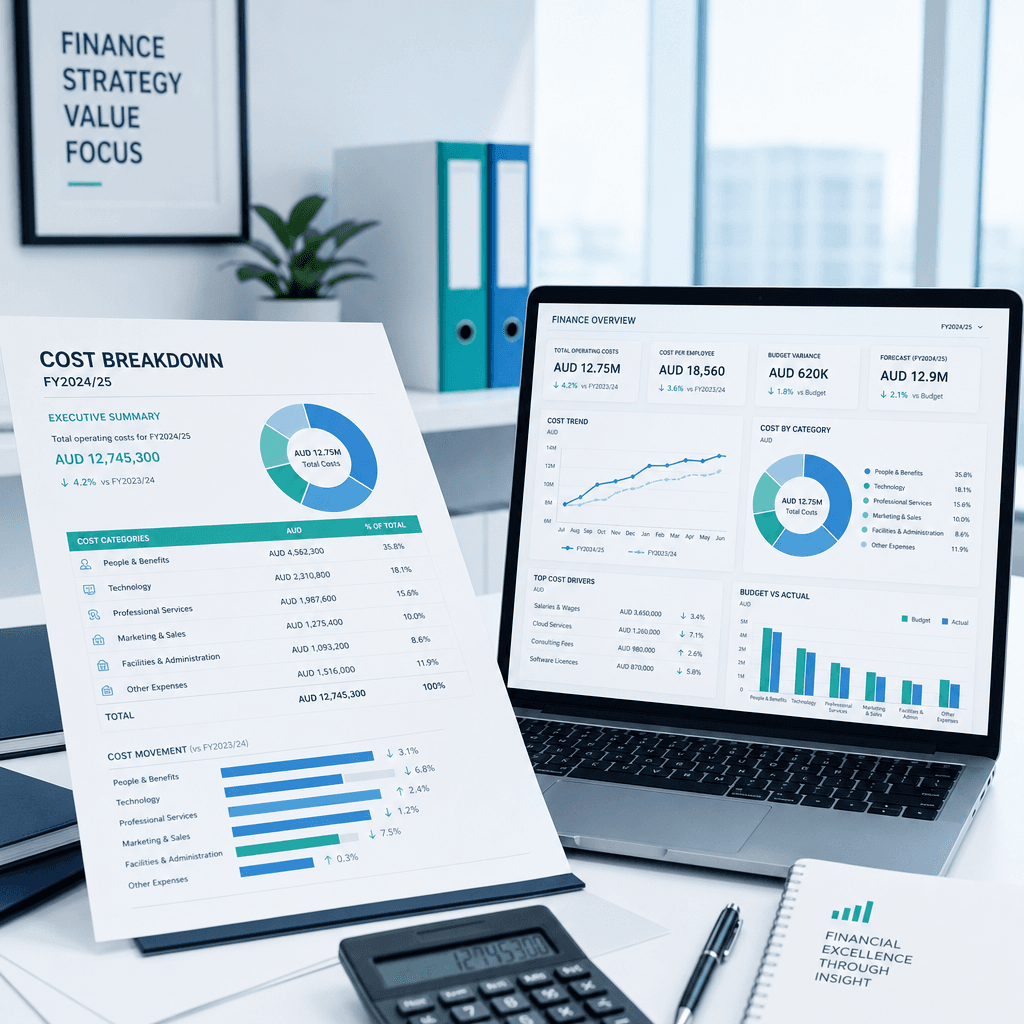
How Much Does Finance Automation Cost in Australia? A Pricing Guide for CFOs (2026)
Ask three finance automation vendors for a quote and you will get three completely different answers. One will talk about platform licensing, another will lead…
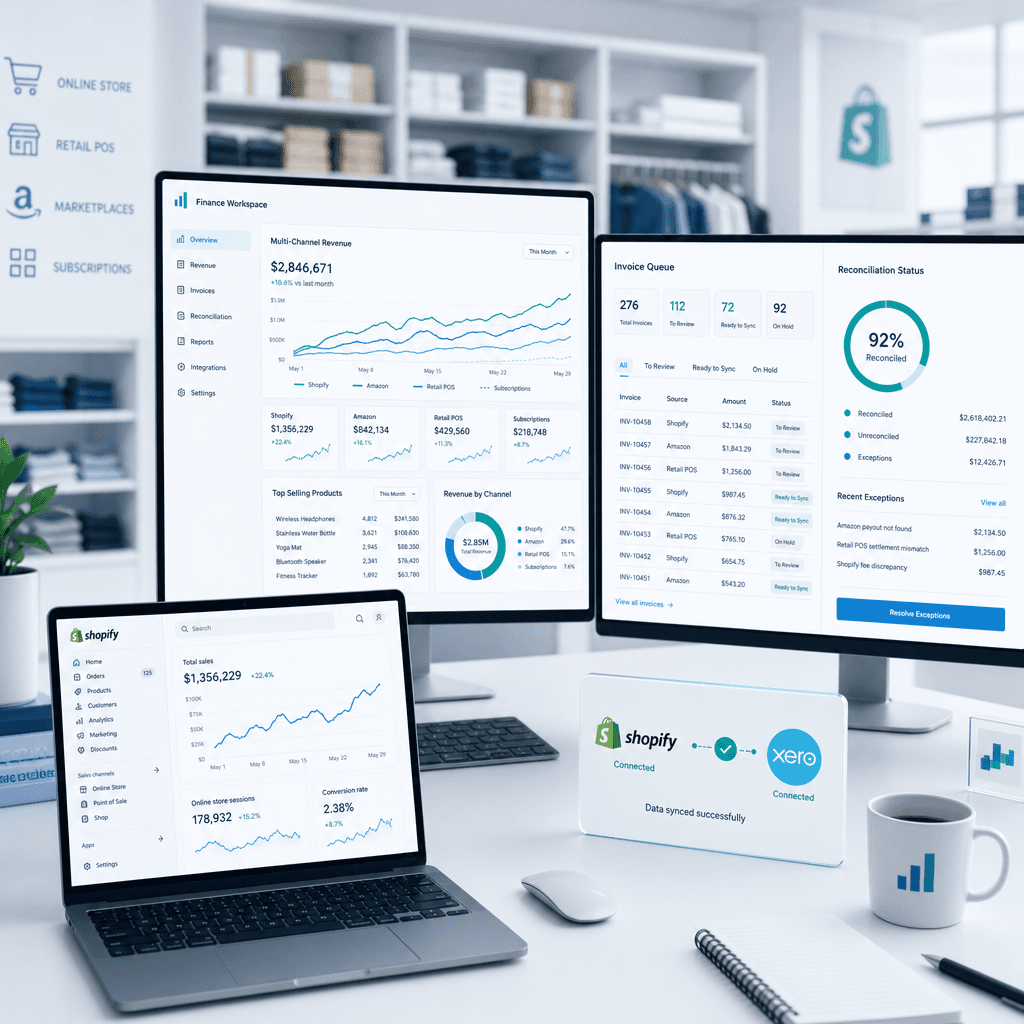
Finance Automation for Retail & eCommerce in Australia: How to Streamline AP, Inventory Reconciliation & Multi-Channel Reporting
Australian retail and eCommerce finance teams are operating in one of the most data-intensive environments in any industry. You are simultaneously managing…
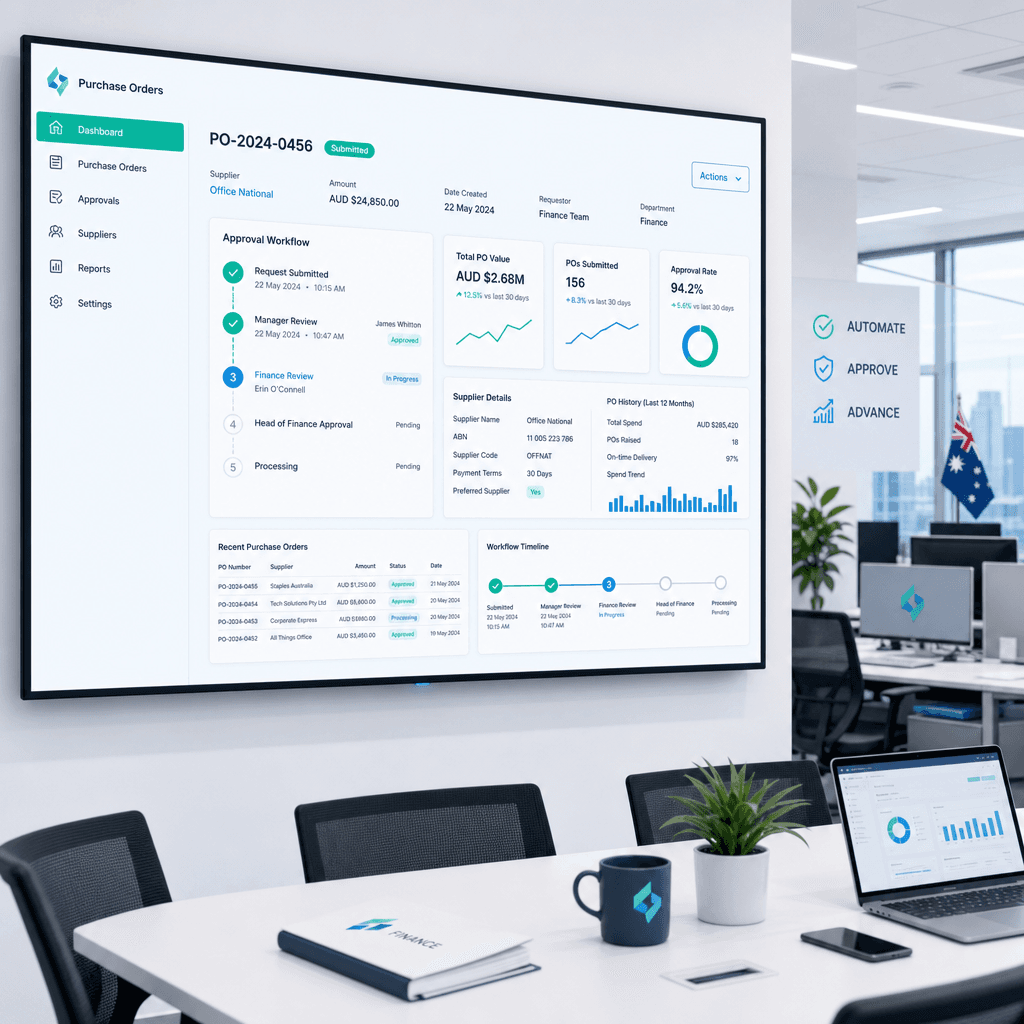
How to Automate Purchase Orders in Australia: A Practical Guide for Finance Teams
Most Australian finance teams are still processing purchase orders the same way they were a decade ago: an email chain, a spreadsheet, a PDF attachment, and…