
Finance Automation Glossary: Key Terms Australian Finance Teams Need to Know (2026)
Ordron32 min read
If you have spent any time researching finance automation, you already know the feeling: vendors drop acronyms, consultants reference frameworks, and by the time anyone actually defines the terms, you are three meetings deep and still not sure whether "intelligent document understanding" is the same thing as OCR or something entirely different (it is not the same thing, and the difference matters).
This glossary exists to fix that. It covers every major term Australian finance teams encounter when evaluating or implementing automation, defined in plain English, tied to real finance processes, and free of vendor spin. Where a term has a meaningful implication for how automation should be scoped or measured, I have included that context. Where there is a common misconception, I have named it.
One framing note before you read on. At Ordron, we measure automation outcomes in hours returned and error rates eliminated, not in licences purchased or headcount removed. Every definition in this glossary reflects that standard. Automation is a tool for giving finance teams back the time that manual process has been consuming, so they can apply their skills to work that actually requires human judgement. Keep that in mind as you read, and these terms will start to connect into a coherent picture rather than a vendor brochure.
Key Takeaways
- Finance automation terminology falls into four practical clusters: foundational concepts, document and AP terms, integration and systems terms, and outcomes and measurement terms.
- Knowing the difference between OCR and intelligent document understanding (IDU) determines whether your AP automation handles exceptions well or generates a new pile of them.
- Automation does not require replacing legacy systems. RPA and workflow logic can operate around existing platforms, including ERPs with no APIs, returning value in weeks rather than years.
- The most useful outcome metrics are hours returned, accuracy rate, and auto-processing rate, not cost-per-invoice or software cost comparisons.
- Straight-through processing and exception handling are opposite ends of the same spectrum. Optimising for one without understanding the other produces incomplete results.
- This glossary is designed as a reference you return to. Bookmark it and use it alongside Ordron's other guides on AP automation, ROI benchmarks, and implementation cost in Australia.
Summary Table
| Term | One-Line Definition |
|---|---|
| Finance Automation | Using software to execute repeatable finance tasks with minimal human intervention |
| Workflow Automation | Rule-based routing of tasks, approvals, and notifications between people and systems |
| Process Automation | End-to-end automation of a defined finance process, from trigger to outcome |
| Straight-Through Processing (STP) | A transaction completes from receipt to posting with zero human touch |
| Intelligent Document Understanding (IDU) | AI-driven extraction and classification of data from unstructured documents |
| OCR | Converts scanned images of text into machine-readable characters |
| AP Automation | Automation of the accounts payable cycle from invoice receipt to payment |
| Invoice Auto-Processing | Automatic capture, coding, matching, and posting of supplier invoices |
| Exception Handling | Routing of transactions that fall outside defined rules to a human reviewer |
| Three-Way Matching | Automated comparison of purchase order, goods receipt, and supplier invoice |
| AP Coding | Assignment of GL account codes to invoice line items, manually or automatically |
| Legacy System | Existing business system, often older, that automation must work around or with |
| API | A defined interface that allows two software systems to exchange data programmatically |
| Middleware | Software that sits between two systems to translate and route data between them |
| System of Record | The authoritative source of truth for a given dataset within a business |
| No-Replacement Automation | Automation engineered to work within the existing stack, without replacing any system |
| RPA | Robotic Process Automation, software bots that mimic user interactions with interfaces |
| Manual Work Reduction | The measurable decrease in human effort required to complete a finance process |
| Accuracy Rate | The percentage of automated outputs that are correct without human correction |
| Capacity Unlocked | The productive time returned to a team when manual work is automated |
| Exception Pattern | The recurring types of transactions that fall outside straight-through rules |
| ROI (Finance Automation) | The measurable return generated by automation relative to its implementation cost |
How to Use This Glossary
This is a reference document, not a reading-order article. Use the section headings to navigate to the cluster of terms most relevant to what you are currently evaluating. If you are scoping an AP automation project, start with the Document and AP Terms section. If you are in a conversation with a systems integrator about connecting your ERP to a new platform, the Integration and Systems Terms section will be more immediately useful.
A practical note on framing: the reason terminology matters in finance automation is that imprecise language leads to imprecise scoping, and imprecise scoping leads to automation that works in a demo environment but underperforms against a real invoice backlog. When a vendor says "AI-powered invoice processing" without defining what that means, they could be describing OCR with a confidence threshold, a full IDU pipeline with PO matching, or anything in between. Knowing the terms gives you the language to ask the question that produces a useful answer.
Finally, automation is about capacity, not cost-cutting. The goal is hours returned to your team, accuracy improvements you can measure post go-live, and visibility into your finance data that was not possible when everything lived in a spreadsheet or a shared inbox. Every term in this glossary connects back to that outcome.
Foundational Terms
Finance Automation
Finance automation is the use of software to execute repeatable, rule-based finance tasks with minimal or no human intervention. The tasks in scope range from data entry and reconciliation through to approval routing, reporting, and compliance checks. The common thread is that the work follows a predictable pattern: given input A, produce output B according to rule C.
The definition sounds simple, but the practical scope is wide. Finance automation can mean a single bot that captures supplier invoices from a shared inbox, or it can mean a full end-to-end automation layer that sits across multiple systems and handles thousands of transactions per month. The appropriate scope depends on the volume, complexity, and exception rate of the processes being automated.
The measure of finance automation is not whether software was purchased or implemented. It is whether the team is doing less manual work and producing more accurate outputs as a result. Across the work we have shipped at Ordron, the maximum manual work reduction achieved in a single engagement is 85%, measured after go-live against the pre-automation baseline.
Workflow Automation
Workflow automation is a subset of process automation focused specifically on the routing of tasks, approvals, and notifications between people and systems. Where process automation might handle the full cycle of a transaction, workflow automation handles the handoffs: who reviews this invoice, who approves this payment run, who gets notified when an exception is raised.
Workflow automation is rule-based at its core. The rules define conditions (invoice value over $10,000 AUD goes to the CFO for approval) and actions (send email notification, update status field, move document to next queue). Most modern finance platforms, including Xero, MYOB, and enterprise ERPs, include some native workflow capability. The question for automation scoping is whether the native workflow is sufficient for the complexity of the process, or whether a separate automation layer is needed.
A common mistake is treating workflow automation as equivalent to full process automation. Routing a document correctly through an approval chain is necessary but not sufficient if the document still needs to be manually keyed, coded, and filed. Workflow automation handles the handoffs; process automation handles the work itself.
Process Automation
Process automation refers to the end-to-end automation of a defined finance process, from the triggering event through to the final output. An automated AP process, for example, begins when a supplier invoice arrives (trigger) and ends when the transaction is posted in the general ledger and the payment is scheduled (outcome). Every step in between, including document capture, data extraction, GL coding, PO matching, approval routing, exception handling, and posting, is automated according to defined rules.
The word "process" is doing important work here. Finance teams often automate individual tasks (automating the email notification when an invoice arrives, for example) without automating the process those tasks belong to. Task-level automation reduces friction at a single point. Process automation removes the manual work across the entire chain.
The distinction matters for scoping and ROI. Automating a single task in a ten-step process saves time at one step. Automating the process saves time across all ten.
Straight-Through Processing (STP)
Straight-through processing (STP) describes a transaction that completes from receipt to final posting with zero human touch at any step. The document arrives, the automation layer reads it, extracts the relevant data, validates it against defined rules, matches it to a purchase order or contract, codes it, and posts it, all without a human reviewer intervening at any point.
STP rate is one of the most useful metrics in AP automation. If 75% of your supplier invoices achieve straight-through processing, it means that only 25% require human attention. In intelligent AP engagements Ordron has run across manufacturing and distribution clients, 75-80% of supplier invoices are fully auto-processed. The remaining 20-25% are routed to human reviewers as exceptions.
The goal of continuous improvement in AP automation is to increase the STP rate over time by analysing exception patterns and adjusting rules or training data to handle previously manual cases automatically. STP rate and exception rate are inverse: as one rises, the other falls.
Document and AP Terms
Intelligent Document Understanding (IDU)
Intelligent document understanding (IDU) is an AI-driven capability that reads, interprets, and extracts structured data from unstructured or semi-structured documents. Unlike basic OCR, which converts image pixels to text characters, IDU understands what those characters mean in context. It identifies that a number in a particular position on an invoice is the GST amount, not the total, even if the layout differs from every other document the system has seen.
IDU typically combines OCR for initial character recognition with machine learning models trained to classify document types, locate data fields, and validate extracted values. A mature IDU system can handle supplier invoices in dozens of different formats without template configuration for each one, because it is learning from the patterns of what invoices look like rather than matching against a fixed template.
The practical difference between OCR and IDU shows up at scale. OCR with fixed templates works well when all your suppliers send invoices in a consistent format. The moment a new supplier arrives with a different layout, the template fails. IDU handles variability as a design assumption, which is why it is the appropriate technology for enterprise AP with a large, diverse supplier base.
In work we have shipped on enterprise AP, coding accuracy using IDU exceeded 95%, measured post go-live against the actual transaction record. That figure reflects IDU operating on a high-volume, multi-cost-centre invoice pool where manual coding had previously been the norm.
OCR (Optical Character Recognition)
OCR is the technology that converts scanned images or PDFs of documents into machine-readable text. When a supplier sends a PDF invoice, OCR is what transforms the pixels representing "$4,250.00" into the string "4250.00" that downstream systems can process.
OCR is a foundational technology in any document-heavy finance automation, but it is a starting point, not an endpoint. OCR answers the question "what does this say?" It does not answer "what does this mean?" or "where does this number go in the general ledger?" Those questions require additional logic layered on top, either through rules-based extraction engines or IDU.
Confidence scoring is a critical concept in OCR implementation. Most OCR engines assign a confidence score to each character or field they extract, indicating how certain the system is that the extraction is correct. Low-confidence extractions should be flagged for human review rather than posted automatically. Setting the right confidence threshold is a key tuning decision in any OCR-based automation: too high, and you route too many documents to exceptions; too low, and errors pass through to your general ledger.
AP Automation
AP automation is the application of workflow and process automation to the accounts payable cycle. The AP cycle covers the period from when a supplier invoice is received through to when the corresponding payment is made and the transaction is reconciled. AP automation aims to remove manual handling from as many steps in that cycle as possible.
A full AP automation implementation typically handles: document capture (receiving and ingesting invoices from email, shared inboxes, or portals), data extraction (reading supplier name, invoice number, line items, GST, total), validation (checking the extracted data against supplier master records), three-way matching (comparing the invoice to the purchase order and goods receipt), GL coding, approval routing, exception handling, posting to the ERP, and payment scheduling.
Not every AP automation implementation covers all of these steps. Many teams start with document capture and coding automation, then extend to matching and posting as confidence in the system grows. The right scope depends on current process maturity, invoice volume, system capabilities, and exception complexity.
For a reference on what AP automation costs in the Australian market and what return you should expect, the Ordron guide on AP automation in Australia and finance automation ROI benchmarks for Australian businesses are useful companions to this glossary.
Invoice Auto-Processing
Invoice auto-processing refers to the automatic handling of a supplier invoice from receipt through to posting, without manual intervention at any step. An invoice that is auto-processed arrives, is read by the automation layer, is coded, matched, approved (if within defined thresholds), and posted, all without a human touching it.
The auto-processing rate (the percentage of total invoices handled this way) is a direct measure of AP automation maturity. A team processing 500 invoices per month with an 80% auto-processing rate is handling 400 invoices automatically and routing 100 to human reviewers. If each manual review takes 10 minutes, that is approximately 16.7 hours of manual review time per month, compared to what would have been roughly 83 hours without automation, assuming the same per-invoice handling time.
Exception Handling
Exception handling is the process of routing transactions that fall outside defined automation rules to a human reviewer. An exception is not a failure of the automation; it is the automation correctly identifying that a transaction requires human judgement and directing it to the right person.
Common exception triggers in AP automation include: invoice totals that do not match the corresponding purchase order, invoices from suppliers not in the master list, confidence scores below the defined OCR threshold, invoices missing required fields, and duplicate invoice numbers. Each of these represents a case where automated processing should pause rather than proceed.
Well-designed exception handling is as important as the automation itself. A system that routes exceptions to a generic shared inbox, with no context about why the exception was raised, forces the reviewer to re-read the entire document from scratch. A well-designed exception workflow presents the reviewer with the specific field or rule that triggered the exception, the extracted data alongside the original document, and a single action required to resolve it.
Exception pattern analysis, covered in the Outcomes and Measurement section, is the practice of reviewing exceptions over time to identify systemic issues that can be resolved by adjusting rules or retraining models.
Three-Way Matching
Three-way matching is the automated comparison of three documents: the purchase order (PO) raised by the buying organisation, the goods receipt note (GRN) confirming that goods or services were received, and the supplier invoice requesting payment. All three must agree within defined tolerances before the invoice is cleared for payment.
Three-way matching is a fundamental control in any procure-to-pay process. It prevents payment for goods not received, payment at prices not agreed in the PO, and duplicate payments against the same order. Manual three-way matching is time-consuming because it requires the reviewer to locate three separate documents, compare quantities and prices across all three, and document the outcome of the comparison.
Automated three-way matching executes this comparison in seconds, against the data already held in the ERP or procurement system. Discrepancies are flagged as exceptions. Matches within tolerance are cleared automatically. The result is faster cycle times and a consistent audit trail for every invoice.
AP Coding
AP coding is the assignment of general ledger (GL) account codes to invoice line items, so that the expenditure is posted to the correct account in the chart of accounts. An invoice from an electricity provider gets coded to utilities. An invoice from a freight carrier gets coded to freight expense. An invoice for office supplies gets coded to office expenses, and so on.
Manual AP coding is one of the highest-volume, most error-prone tasks in a finance team's workload. The coder must read each line item on each invoice, interpret what it represents, recall or look up the correct GL code, and apply it. On a high-volume AP ledger, this adds up to significant hours per month and a meaningful error rate, because human coders make judgment calls that differ from one another and from period to period.
Automated AP coding uses IDU to read the line items and supplier context, then applies trained models or rules to assign the correct GL code. In a large enterprise distribution client engagement, we achieved greater than 95% AP coding accuracy using IDU, with no new software required beyond the automation layer Ordron built. The remaining exceptions were routed to human reviewers for a final call.
Integration and Systems Terms
Legacy System
A legacy system is an existing business system, often older, that a business continues to operate because it holds critical data, runs core processes, or is too expensive or risky to replace. Legacy systems in Australian finance environments include ERPs from vendors that no longer actively develop the product, bespoke systems built decades ago for a specific industry, and off-the-shelf software that has not been updated to support modern integration standards.
The common assumption is that legacy systems are a barrier to automation and must be replaced before meaningful results can be achieved. This assumption is wrong, and it is one of the most expensive misconceptions in the market. The ERP does not need to go. The automation layer sits on top of it.
I have seen this directly. A family-owned logistics operator ran a twenty-year-old ERP with no APIs alongside Xero. The finance team was manually re-entering data and reconciling between systems every month. Rather than replacing the ERP, we built an RPA bot that drove the legacy ERP interface directly, validated outputs against SQL, and synced clean data into Xero and reporting dashboards. The result was 160-plus hours of manual work eliminated per month, and real-time reporting visibility gained for the first time, without touching the ERP.
API (Application Programming Interface)
An API is a defined interface that allows two software systems to exchange data programmatically, without a human manually exporting from one and importing into another. When Xero sends transaction data to a reporting tool automatically, that is an API connection at work. When an invoice captured in an automation platform is posted directly to an ERP, that is an API call.
Not all systems have APIs. Older ERPs and bespoke systems often predate the API era and expose no programmatic interface at all. This is precisely where RPA becomes relevant: it fills the gap that an absent API would otherwise require a human to fill.
API-first is a useful design principle for new system selection, but it is not a prerequisite for automation. The presence or absence of an API determines which automation technique is appropriate, not whether automation is possible.
Middleware
Middleware is software that sits between two systems and handles the translation and routing of data between them. If System A speaks one data format and System B expects another, middleware converts one to the other and manages the connection, error handling, and logging.
In finance automation, middleware is commonly used to connect ERPs with reporting tools, connect payment platforms with accounting software, or bridge systems that have APIs but use incompatible data structures. iPaaS (Integration Platform as a Service) tools are a common form of middleware in the Australian market.
Middleware is useful but introduces its own dependency. If the middleware platform changes its pricing, is acquired, or deprecates a connector, the integration it supports may break. Ordron's standard is to treat middleware as one option among several, not a default, and to evaluate whether direct RPA or API integration is more resilient for a given client's stack.
System of Record
The system of record is the authoritative source of truth for a given dataset within a business. For most Australian businesses, the accounting platform (Xero, MYOB, or an ERP) is the system of record for financial transactions. The system of record is the place you go when you need to know what actually happened, not what a spreadsheet or a report says happened.
In automation design, identifying the system of record for each data type is a foundational step. Automation should write final outputs to the system of record, and should read reference data (supplier master, chart of accounts, PO register) from the system of record rather than from local copies that may be out of date.
A common source of reconciliation errors in manual finance processes is that data exists in multiple places with no clear system of record. Automation forces this question to be resolved, which is itself a governance benefit.
No-Replacement Automation
No-replacement automation is the design principle of engineering automation to work within the existing system stack, without replacing, significantly modifying, or adding new platforms to the environment. It is Ordron's standard operating approach, and it is worth defining precisely because it runs counter to how most enterprise software vendors position their products.
The conventional automation pitch often includes some version of: "to get the full benefit of our platform, you will need to replace or integrate your existing ERP." That is a sales motion, not a technical requirement. RPA can drive legacy interfaces directly. OCR and IDU can be deployed as a layer that reads documents and writes outputs to systems that already exist. Workflow logic can route tasks through email or SharePoint without a new platform.
The no-replacement approach matters for three reasons. First, system replacement is expensive and slow, often taking twelve to thirty-six months and significant capital. Second, it carries substantial change management and business continuity risk. Third, it is usually unnecessary for the automation outcomes the finance team actually needs. No-replacement automation returns value in weeks, not years, and leaves the existing system investment intact.
The national logistics provider AP case study makes this concrete. Ordron plugged OCR and workflow logic directly into an existing SharePoint-based AP process. No new software was introduced. AP cycle time fell from four hours to fifteen minutes per batch, with 100% automated filing from day one of go-live.
RPA (Robotic Process Automation)
Robotic Process Automation (RPA) is the use of software bots that mimic human user interactions with computer interfaces to automate repetitive tasks. An RPA bot can log into a system, navigate menus, read data from fields, enter data into forms, click buttons, and export reports, exactly as a human operator would, but faster, without errors, and around the clock.
RPA is particularly valuable in environments where APIs do not exist or where the integration cost of a proper API connection exceeds the automation value. It is the technology that makes no-replacement automation possible in legacy system environments. The bot does not care whether the ERP was built in 2005 or 2024; it interacts with the screen the same way a human would.
RPA is not a universal solution. It is brittle to interface changes (if a screen layout changes, the bot may need to be updated) and it is not the right tool for processes that require genuine contextual judgement. The appropriate use of RPA is for high-volume, rule-based tasks where the steps are predictable and the interface is stable. Paired with IDU for document understanding and workflow logic for routing, RPA forms the core of most of the finance automation work we have shipped at Ordron.
Outcomes and Measurement Terms
Manual Work Reduction
Manual work reduction is the measurable decrease in human effort required to complete a finance process after automation is implemented. It is expressed as a percentage of pre-automation effort or as an absolute number of hours per period.
Manual work reduction is the most direct measure of automation value for a finance team. It answers the question: how many hours per month are we getting back? Across the work we have shipped at Ordron, manual work reduction has reached 85% in top engagements across eight industries, measured after go-live against the documented pre-automation baseline. In a single logistics sector engagement, the return was 160-plus hours per month to a single finance team.
Manual work reduction should be measured against a documented baseline, not estimated. Before implementing automation, record how long the current process takes, who performs it, and at what frequency. After go-live, measure the same process under automation. The difference is the actual reduction, with no aspirational projections required.
Accuracy Rate
Accuracy rate is the percentage of automated outputs that are correct without human correction. In AP coding automation, it is the percentage of invoice line items coded correctly by the system. In bank reconciliation automation, it is the percentage of transactions matched correctly without human review.
Accuracy rate matters because errors in automated output are often less visible than errors in manual output. A human coder who makes an error is usually aware of the uncertainty. An automated system that assigns a wrong GL code will do so at scale, consistently, until the error is caught. High accuracy rate (above 95%) is the threshold at which it is reasonable to allow straight-through processing without additional human review on every transaction.
Accuracy rate should be measured post go-live on the actual transaction record, not on a test dataset. Test accuracy on clean, representative data is a useful benchmark during development, but production accuracy on a real, messy invoice population is what matters for business outcomes.
ROI (Finance Automation)
ROI in the context of finance automation is the measurable return generated by the automation relative to its implementation cost. It is typically calculated over a twelve-month post-go-live period and should include both hard savings (reduced contractor hours, eliminated outsourcing costs) and soft savings (staff time returned to higher-value work).
A simple ROI calculation for finance automation: (annual value of hours returned plus error reduction savings) divided by (implementation cost plus annual maintenance cost). In practice, the largest component of the numerator is usually the value of hours returned, calculated as the number of hours per month saved multiplied by the all-in cost of the roles performing that work, multiplied by twelve.
For Australian businesses benchmarking what a realistic ROI looks like for their sector and process volume, the Ordron Finance Automation ROI Benchmarks guide provides anonymised outcomes across industries with the numbers attached.
Capacity Unlocked
Capacity unlocked is the productive time returned to a finance team when manual work is automated. It is the positive framing of manual work reduction: rather than asking how many hours were saved, it asks what the team can now do with those hours.
This framing matters because it changes how automation outcomes are communicated to leadership. "We saved 80 hours per month" is a cost story. "We now have the capacity to close the books three days faster, handle twice the transaction volume, and complete the analysis the CFO has been waiting eighteen months for" is a business capability story. Both are true. The second one gets funded.
Capacity unlocked is also a more honest metric than headcount savings for most Australian finance teams. The teams we work with are not overstaffed. They are under-resourced for the high-value work their organisation needs from them. Automation expands what the team can do, not how few people it takes to do the basics.
Exception Pattern
An exception pattern is the recurring type of transaction or document that consistently falls outside the defined automation rules and is routed to human review. Identifying and analysing exception patterns is the primary mechanism for improving automation performance over time.
For example, if 30% of your AP exceptions are caused by a single supplier who uses a non-standard invoice format, that is an exception pattern. The resolution might be to add a supplier-specific extraction template, to contact the supplier and request a format change, or to adjust the confidence threshold for that supplier's documents. Without exception pattern analysis, the same 30% is routed to humans indefinitely.
Exception patterns also reveal process issues that predate the automation. If a high proportion of exceptions are caused by PO numbers that do not exist in the system, the problem is not the automation; it is the PO raising process. Automation makes these upstream issues visible in a way that manual processing often obscures, because in a manual process the human reviewer simply resolves the discrepancy without recording it as a pattern.
References
-
Australian Bureau of Statistics (ABS), Business Characteristics Survey, the ABS Business Characteristics Survey provides data on Australian business technology adoption, digitisation rates, and process maturity across industries. Used for contextual benchmarking of automation readiness in the Australian market.
-
ACCC, Digital Platforms and Regulatory Context, the Australian Competition and Consumer Commission's work on digital markets and platform services provides relevant regulatory context for businesses evaluating automation vendors and software procurement in Australia.
-
Ordron, Finance Automation ROI Benchmarks for Australian Businesses, Ordron's internal benchmark guide drawing on anonymised client outcomes across manufacturing, logistics, distribution, and professional services sectors in Australia. Documents pre- and post-automation baselines with specific hours-returned and accuracy rate metrics.
-
Institute of Finance Professionals Australia (IFPA), AP and AR Process Benchmarks, industry body publications covering accounts payable and receivable process maturity, manual handling rates, and error benchmarks across Australian finance teams.
-
Xero, Small Business Insights Australia, Xero's regular small business insights reports provide data on payment terms, invoice volumes, and cash flow behaviour for Australian SMEs, relevant to understanding the volume and complexity context for AP automation scoping.
-
Intelligent Automation Benchmarking, HFS Research (ANZ cut), HFS Research publishes annual benchmarking on intelligent automation adoption and outcomes, including ANZ-specific data on RPA, IDU, and AP automation penetration and performance metrics.
If you want to see how these terms map to your actual stack, volume and exception pattern, and how many hours could be returned to your team, book a scoping conversation with Ordron. No pitch deck, no aspirational projections. Just a structured conversation about the exact automation that makes sense for your processes, with realistic outcomes attached.
Frequently asked questions
- What is the difference between OCR and intelligent document understanding?
- OCR (Optical Character Recognition) converts scanned text images into machine-readable characters. It answers the question of what a document says. Intelligent document understanding (IDU) goes further: it uses AI to interpret what those characters mean in context, classify the document type, locate specific fields such as GST amount, invoice total, or supplier ABN, and validate the extracted data. OCR is a foundational component of most IDU systems, but IDU adds the layer of meaning that OCR alone cannot provide. For AP automation on a diverse supplier base, IDU is the appropriate technology because it handles layout variability without manual template configuration for each supplier.
- Does finance automation require replacing our existing ERP or accounting software?
- No. Finance automation can be engineered to work around legacy systems without replacing or significantly modifying them. RPA bots can interact directly with existing system interfaces, including ERPs with no APIs. OCR and IDU layers can read documents and write outputs into existing platforms. Workflow logic can route tasks through tools the team already uses, such as email or SharePoint. No-replacement automation is a design constraint, not a compromise. In one logistics sector engagement, a twenty-year-old ERP with no APIs was left completely intact while 160-plus hours of monthly manual work were eliminated.
- What is a realistic auto-processing rate for AP automation?
- In intelligent AP engagements using IDU and RPA, 75-80% of supplier invoices can be fully auto-processed, meaning they move from receipt to posting with zero human intervention. The remaining 20-25% are routed to human reviewers as exceptions. This rate varies by the diversity of the supplier base, the quality of the PO data, and the complexity of the chart of accounts. Starting rates in the first month of go-live are typically lower, increasing as exception patterns are identified and rules are tuned.
- How is finance automation ROI calculated?
- The most practical approach is to calculate the annual value of hours returned (hours saved per month multiplied by the loaded cost of the roles performing that work, multiplied by twelve), add any hard savings from reduced contractors or outsourcing, and divide by the total implementation and annual maintenance cost. The result is a twelve-month ROI figure. Accuracy improvements should also be factored in where errors carry a direct cost, such as duplicate payments or GST miscoding that triggers ATO adjustments.
- What is straight-through processing and how does it differ from exception handling?
- Straight-through processing (STP) describes a transaction that completes from receipt to final posting with zero human touch. Exception handling describes what happens when a transaction does not meet the conditions for STP: it is routed to a human reviewer with context about why it was flagged. STP and exception handling are opposite ends of the same spectrum. Improving your STP rate means fewer exceptions reach human reviewers. The goal of ongoing automation optimisation is to increase the STP rate over time by analysing which exception types recur and adjusting rules or training data to handle them automatically.
- What does 'capacity unlocked' mean in practice?
- Capacity unlocked is the productive time returned to a finance team when automation removes manual work from their workload. In practical terms, it might mean that an AP officer who spent three days per week processing invoices now spends one day on exception review and two days on supplier relationship management and process improvement. Or it might mean that the finance team can now close the books in one day rather than five, providing the CFO with reporting visibility that was previously impossible. Capacity unlocked is the preferred framing over headcount savings because most Australian finance teams are not overstaffed; they are time-constrained.
- What is no-replacement automation and why does it matter?
- No-replacement automation is the approach of designing automation to work within the existing system stack without replacing any platform. It matters because system replacement is expensive, slow, and carries significant business continuity risk. A no-replacement approach uses RPA, OCR, IDU, and workflow logic to automate processes within and between existing systems, returning value in weeks rather than the months or years a replacement project would require.
- How do I know which finance processes are best suited to automation?
- The best candidates for automation share three characteristics: they are high-volume, they follow predictable rules, and they consume significant human time relative to the judgement required. Invoice processing, bank reconciliation, GL coding, payment run preparation, and month-end reporting are consistently strong candidates across Australian businesses. Processes with high exception rates or where each transaction requires genuine contextual judgement are better candidates for partial automation. The best starting point is a structured scoping conversation that maps your actual volume, exception rate, and system stack.
Ordron
Finance automation team, Sydney
Ordron builds the finance automation infrastructure that runs AP, AR, reconciliations and reporting on autopilot for Australian mid-market businesses.
More from the Ordron Insights catalogue
Selected by topic. Updated as the agent publishes.

BAS Lodgement Automation: A Practical Guide for Australian Finance Teams
For Australian finance teams, the approach to Business Activity Statement (BAS) preparation is often a frantic, manual sprint. Every quarter or month,…
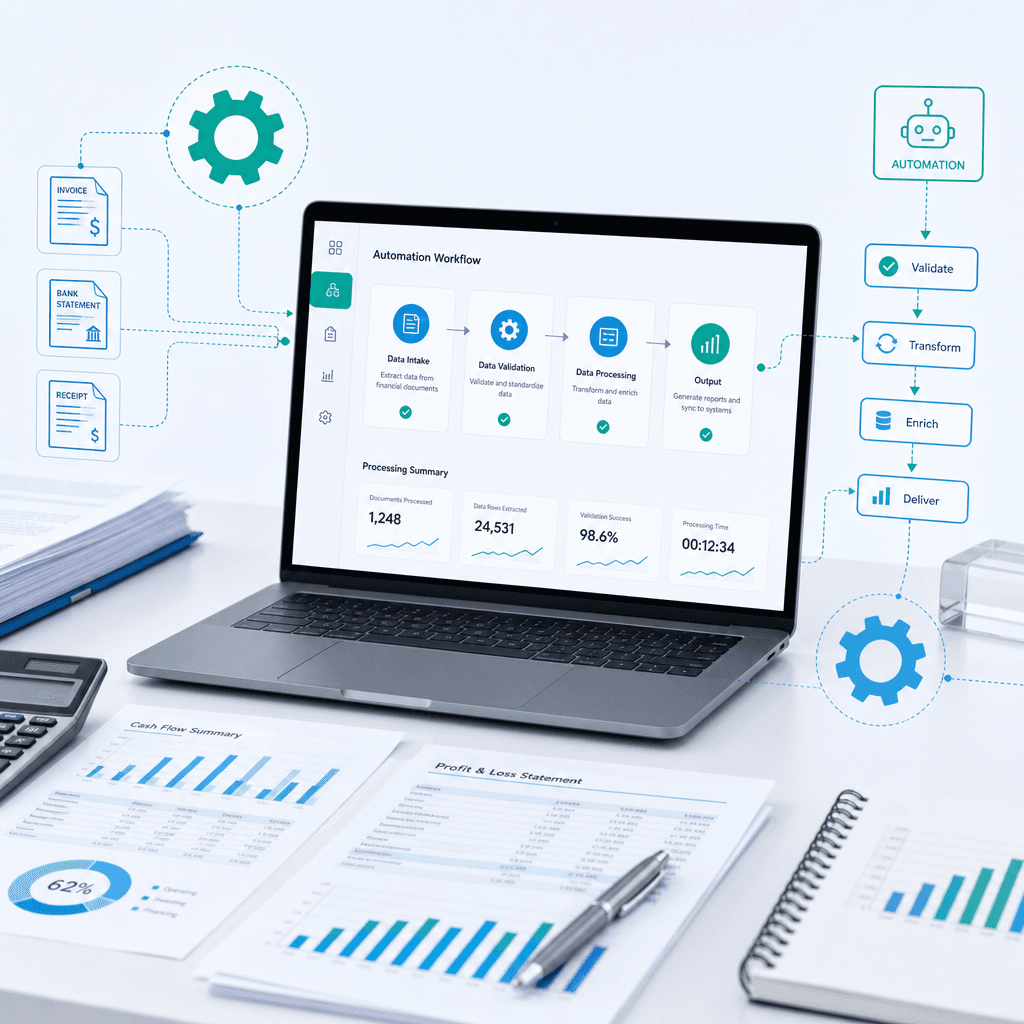
Invoice Processing Automation Guide: Outcomes and Benchmarks for Australian Teams
Most finance teams do not need another software vendor promising the world. They need someone to fix the operational bottleneck of manual invoice processing.…
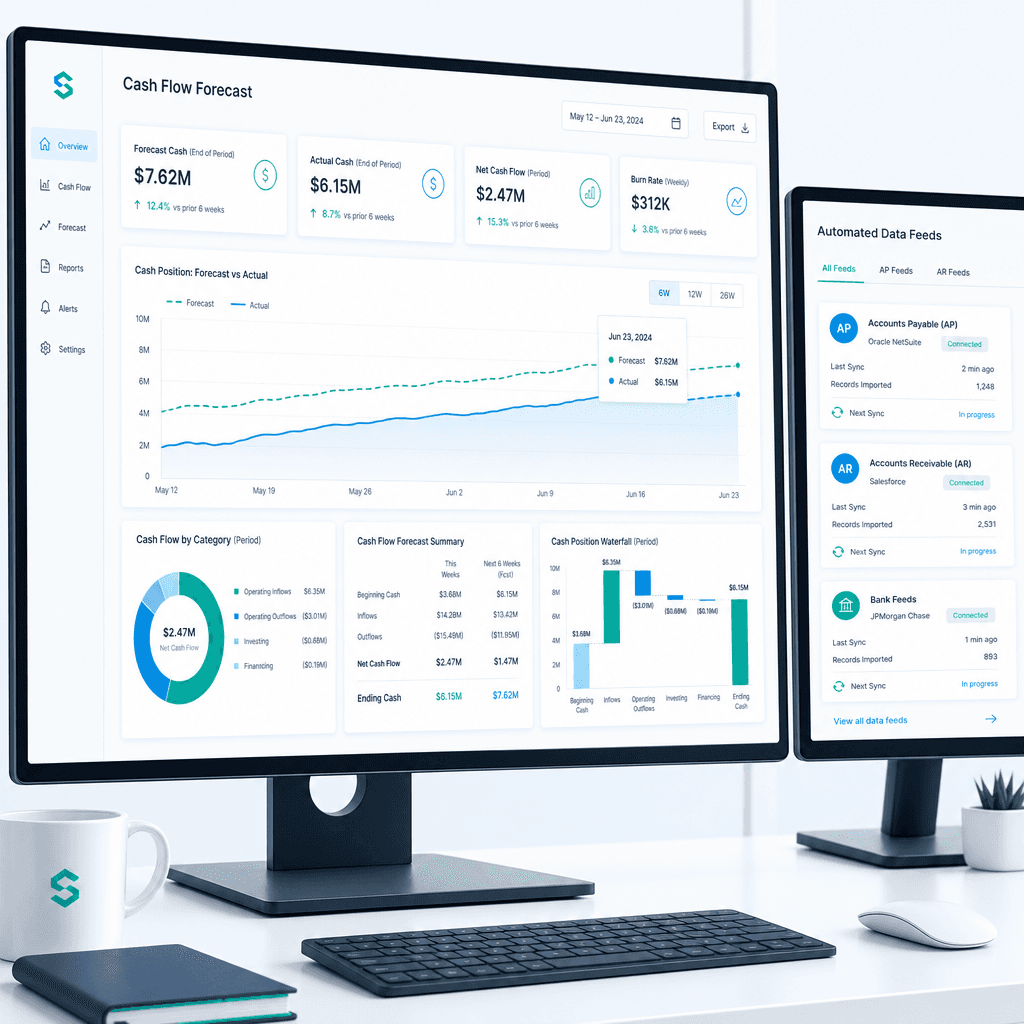
Cash Flow Forecasting Automation: A Practical Guide for Australian Finance Teams (2026)
If your finance team rebuilds the cash flow forecast from scratch every week or every month, you already know where the time goes. Someone pulls an AR ageing…