
BAS Lodgement Automation: A Practical Guide for Australian Finance Teams
Ordron16 min read

For Australian finance teams, the approach to Business Activity Statement (BAS) preparation is often a frantic, manual sprint. Every quarter or month, financial controllers and BAS agents wade through disconnected systems, chase down missing receipts and manually reconcile transactions to satisfy the Australian Taxation Office (ATO). This routine is widely accepted as a necessary grind. It is not.
I am Alex Frew, founder of 3P Digital. We approach finance operations differently. We do not sell aspirational projections about software. We ship finance automation outcomes with the numbers attached. The distinction between a functional finance department and a burnt-out one is rarely the accounting software itself. The real difference is whether you have automated the manual data flows bridging your systems.
This BAS lodgement automation guide bypasses the superficial advice found in most accounting resources. We will not tell you to simply buy a new cloud accounting subscription. Instead, we will break down exactly how targeted, technology-agnostic automation can integrate with your legacy infrastructure to produce automated ATO reporting. You will learn how to stop wasting hours on manual data entry, maintain compliance and prepare ATO-ready figures without disrupting your core operations.
Key Takeaways
- You do not need to rip and replace your legacy systems to achieve efficiency. Targeted automation can bridge 20-year-old ERPs to modern reporting tools.
- Effective BAS automation relies on fixing data flows at the process level: extraction, reconciliations and rule-based coding.
- RPA and OCR technologies can be layered onto existing setups like SharePoint or Xero with no new software required.
- The value of automation must be strictly defined by measurable results after go-live, such as an 85% reduction in manual entry.
- Properly scoped automation returns hundreds of hours to finance teams, allowing them to focus on audit defence and strategic advisory.
Summary Table: Manual BAS vs Automated BAS
| Process Area | Traditional Manual BAS Preparation | Targeted Automated BAS Preparation |
|---|---|---|
| Data Extraction | Entering invoices and receipts by hand | OCR extracts data directly from emails and portals |
| Transaction Matching | Reviewing rows one by one across systems | Automated reconciliations match data via SQL logic |
| Coding Accuracy | Highly variable, prone to human error | Standardised via rule-based logic, exceeding 95% accuracy |
| System Integration | Exporting and importing CSV files between platforms | RPA bots sync legacy ERPs directly to cloud platforms |
| Resource Allocation | Dozens of hours lost to low-value data entry | Over 160 hours per month returned to the finance team |
The Hidden Time Sink of Manual BAS Preparation
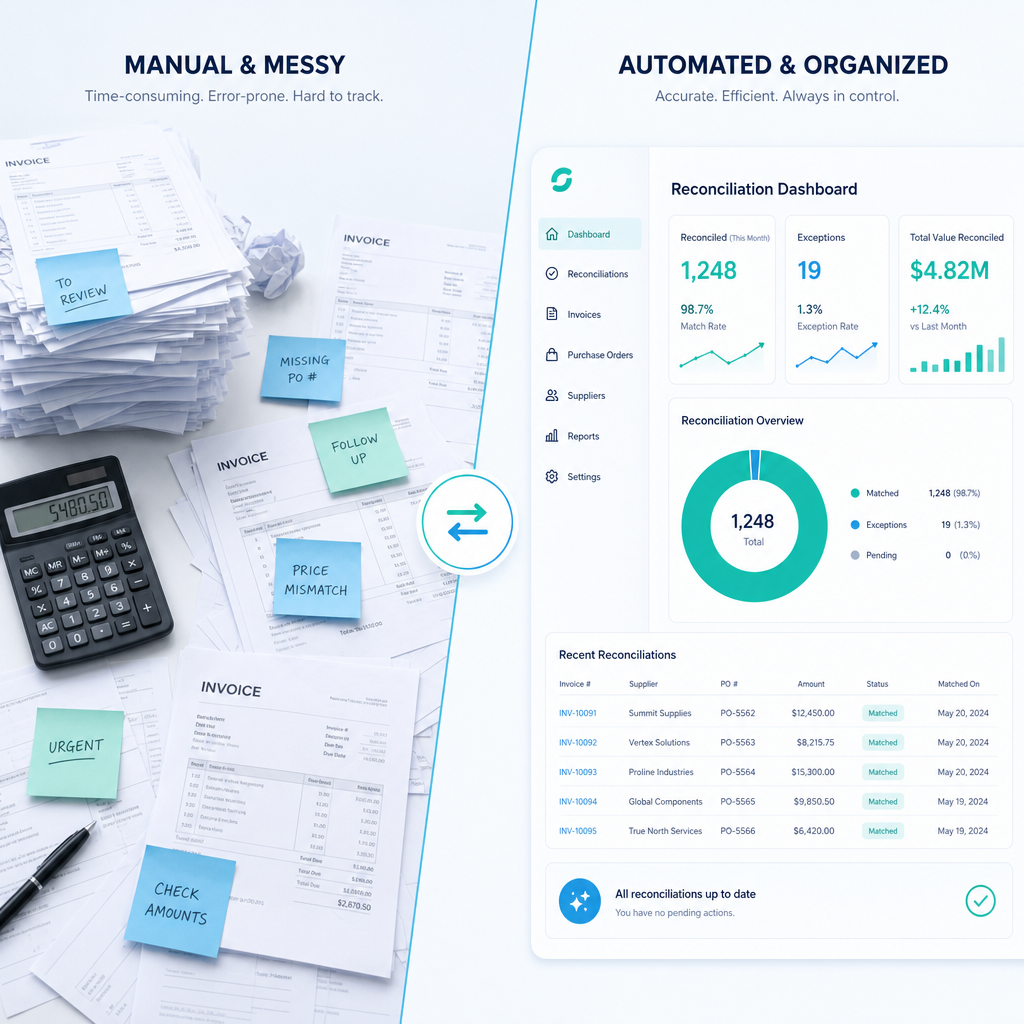
Manual BAS preparation is a massive drain on Australian businesses. When preparing a BAS, your finance team must account for Goods and Services Tax (GST), Pay As You Go (PAYG) withholding and income tax instalments. The complexity arises not from the maths, but from the fragmented location of the data required to calculate those figures.
When a business operates across multiple platforms, the workload compounds rapidly. Consider a common scenario we see in the Australian market. A mid-sized organisation runs its general ledger in a modern platform like Xero, manages inventory in a custom legacy database and relies on Excel for forecasting. During the BAS lodgement window, staff must manually pull data from the legacy system, reformat it and key it into the accounting software. This introduces constant risk. Fatigue leads to coding errors. Misplaced receipts result in missed GST credits. The team spends the majority of their time acting as data entry clerks rather than financial analysts.
We solved this exact problem for a mid-sized manufacturer running finance in Xero, a custom inventory tracker and Excel forecasting models. They were trapped in a heavy monthly close cycle. Rather than advising them to unify their systems, we deployed hybrid RPA and rule-based transforms to consolidate all systems into a single SQL-backed reporting layer. The result was an 80% reduction in the monthly close cycle. By eliminating the manual handling of data, your team stops chasing errors and starts preparing ATO-ready figures.
The True Cost of Manual Processes
Manual data entry is a hidden liability. Consider the Australian Taxation Office's focus on GST compliance. If your transaction data is flawed because an employee fat-fingered a tax code, you face the risk of audits and penalties. The effort required to trace a single transaction through a fragmented paper trail can take hours. The true cost of manual BAS preparation is measured in lost productivity and heightened audit risk.
Why Targeted Automation Beats Full System Replacements
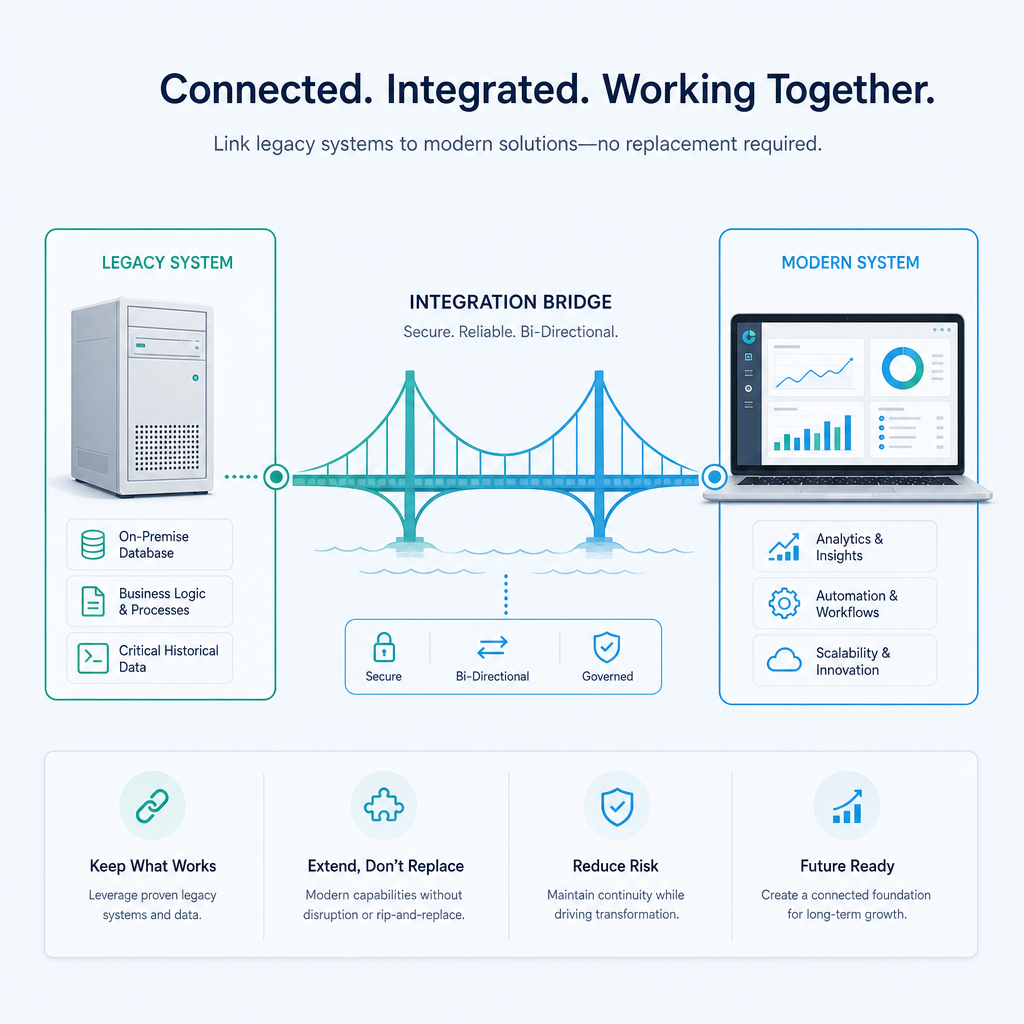
There is a persistent myth in the finance software industry. Consultants and software vendors claim that to achieve modern reporting and efficiency, you must replace legacy systems. They tell you that 20-year-old Enterprise Resource Planning (ERP) systems without APIs are holding your business back. They push for expensive, multi-year system replacements. I completely reject this approach.
You can keep your legacy systems and still achieve massive efficiency gains through targeted automation. Good automation is defined purely by measurable results after go-live, not the software itself. A total system replacement is risky, expensive and interrupts business operations. Targeted automation leaves your core systems intact and focuses purely on the manual processes that slow your team down.
A Real-World Legacy System Intervention
Take the example of a family-owned logistics operator we worked with. They were running a 20-year-old ERP with no APIs, sitting alongside Xero. The standard vendor advice would be to replace the ERP. Instead, we built a Robotic Process Automation (RPA) bot that drives the legacy ERP interface. The bot logs in, validates data with SQL and syncs clean data into Xero and reporting dashboards. We completely avoided the cost and risk of an ERP replacement. The outcome was an 85% reduction in monthly manual entry, returning over 160 hours per month to the business.
When you automate the interfaces between your systems, you gain the benefits of a unified platform without the capital expenditure of replacing core infrastructure. We focus on building RPA bots for legacy ERPs with no APIs and optimising existing setups to deliver exact results: automate data flows, optimise coding accuracy and deliver on-demand reporting.
The Mechanics of Process-Level BAS Automation
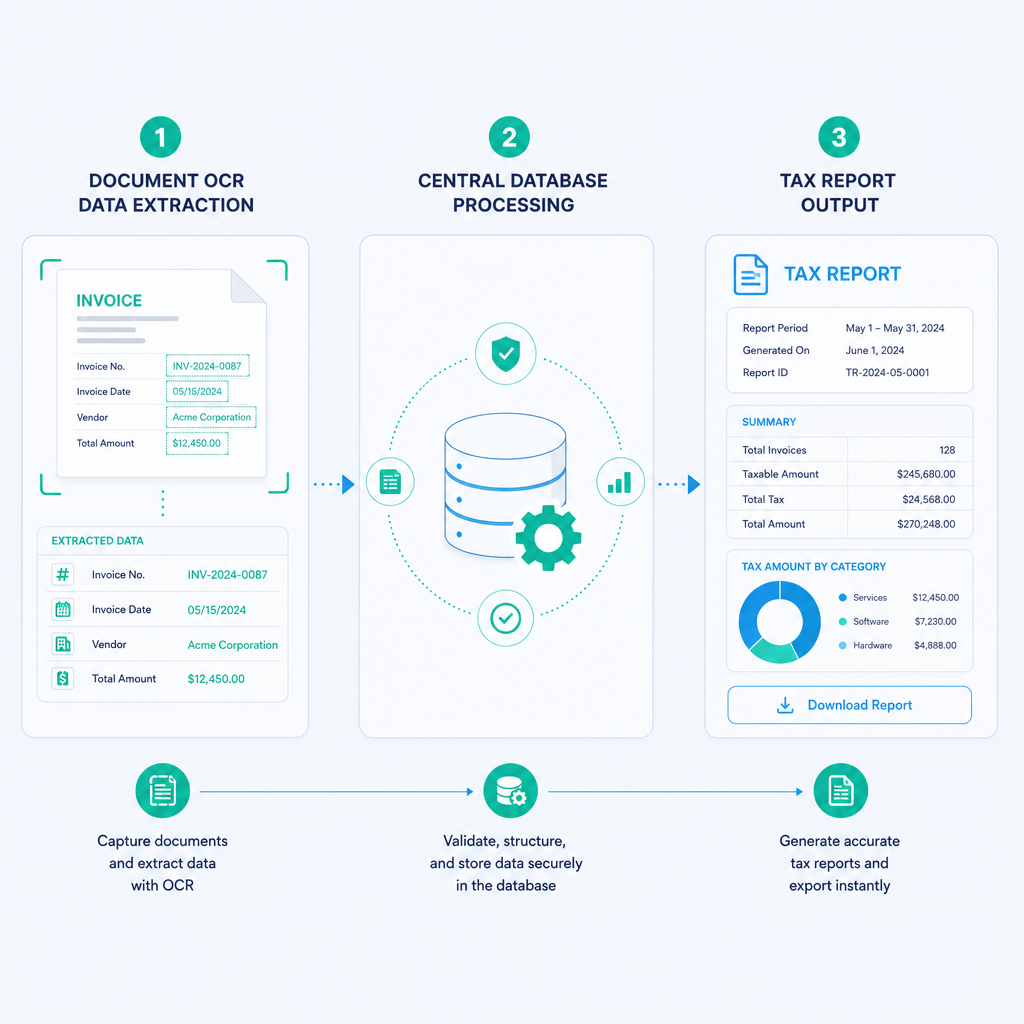
To understand how to automate BAS lodgement, you need to understand the mechanics of process-level automation. BAS automation in Australia is not a single magic button. It is a series of targeted interventions across data extraction, transaction matching and reporting. By breaking the BAS cycle into distinct components, you can find your automation quick wins.
Data Extraction and Capture
The first hurdle in BAS preparation is gathering source documents. Suppliers email PDF invoices. Staff submit receipts via expense apps. Property managers send complex outgoings statements. Manual capture involves typing these figures into your accounting system.
Automation replaces this step with Optical Character Recognition (OCR) and intelligent workflow logic. We plugged OCR and workflow logic into the existing SharePoint-based accounts payable process for a national logistics provider operating across multiple depots. The system reads the invoices, extracts the ABN, total amount and GST, then files the document automatically. This required no new software. The intervention reduced the AP cycle time from 4 hours to 15 minutes per batch. Your automation strategy should start exactly here: automating the capture of source data before it ever touches a human keyboard.
Automated Reconciliations
Once data enters your system, the next bottleneck is reconciling transactions. A manual reconciliations process involves matching a bank feed line to an invoice. In high-volume businesses, this takes hundreds of hours every month. When explaining transaction matching to finance leaders, I always point to Reconciliations Automation as the core driver of efficiency.
By moving transaction matching to a SQL-backed database, you can write rules that automatically pair payments to invoices based on reference numbers, amounts and dates. RPA bots can handle exceptions by flagging unmatched transactions for human review, reducing the cognitive load on your team. The system does the heavy lifting, and your staff only manage the exceptions.
Prepping Automated ATO Reporting Figures
With data captured and reconciled, preparing the actual BAS figures becomes a trivial exercise. Rule-based transforms ensure that every transaction is coded to the correct GST category. We achieved greater than 95% coding accuracy with IDU on enterprise AP for a large distribution client.
Because the data is already validated and centralised, generating the figures for your BAS is instantaneous. Whether you run finance in Xero or an enterprise platform, the goal remains exact: automate data flows, optimise coding accuracy and deliver on-demand reporting. When the ATO lodgement date arrives, your figures are already sitting in a clean database, ready for review and submission.
Addressing Wage Components and PAYG Withholding
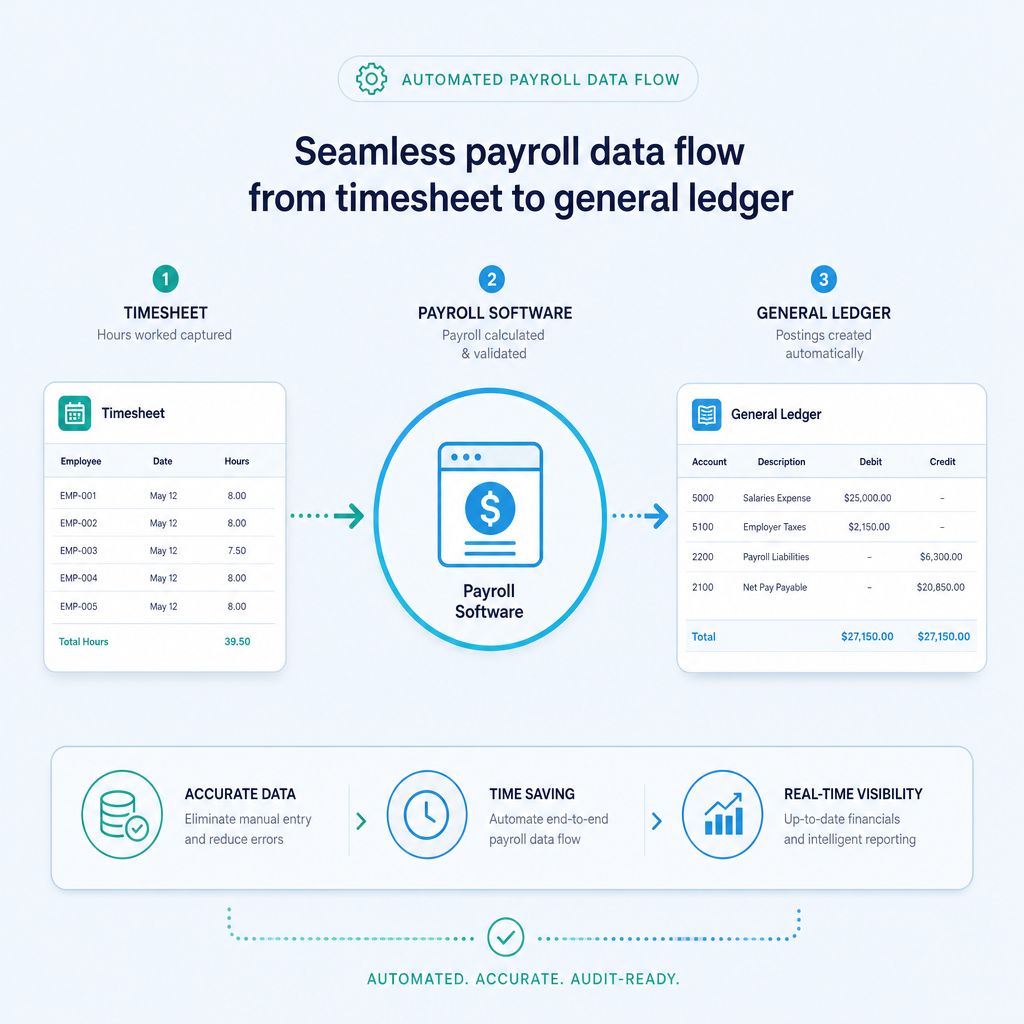
A critical component of your BAS is the reporting of PAYG withholding. If your business runs payroll separately from your general ledger, compiling the total wages and tax withheld for the BAS period is another manual bottleneck.
When discussing wage components with finance teams, the objective is to unify data flows between your human resources platform and your accounting system. Payroll Automation in Australia requires a practical approach to Single Touch Payroll (STP). STP submissions must be accurate and timely, as the ATO receives this data directly. By automating the data flow from your timesheet systems into your payroll software and then into your general ledger, you eliminate the manual rekeying of wage data during BAS preparation.
If a system works but the manual process is slow, we automate it without forcing a software replacement. RPA can bridge the gap between standalone payroll systems and your financial reporting layer, ensuring your PAYG withholding figures are always synced and accurate.
Proven Outcomes: Defining Success with Data
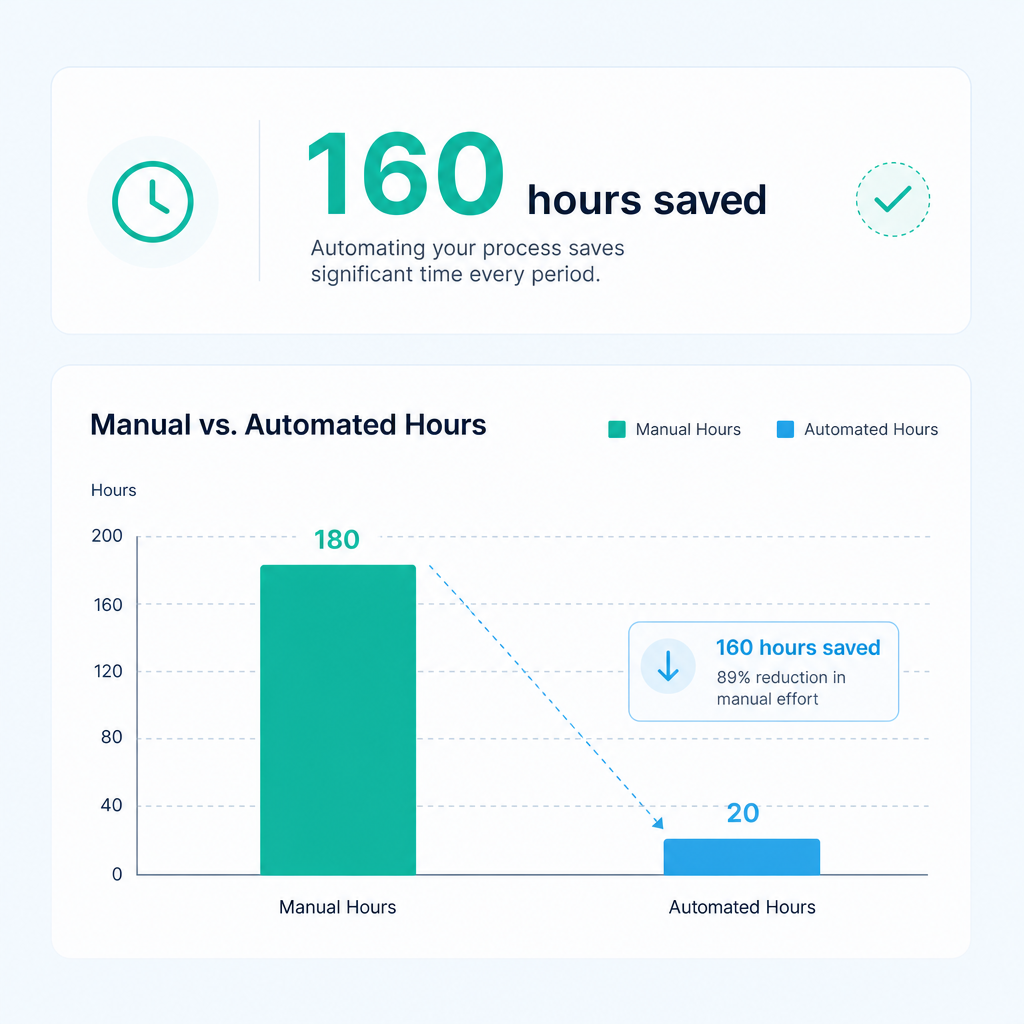
We do not deal in aspirational projections. Real expertise means finding quick wins across diverse technology stacks and delivering measurable results. The following metrics represent actual finance automation outcomes from our book of business. These numbers are measured after go-live, proving that targeted automation drives immediate value.
Metric 1: 85% Reduction in Monthly Manual Entry
For the family-owned logistics operator with the legacy ERP, the implementation of an RPA bot to sync data to Xero saved 85% of manual data entry. Prior to the build, staff were manually keying hundreds of transactions daily. Post go-live, the bot handles the data transfer seamlessly. The staff now manage exceptions rather than the entire dataset.
Metric 2: Returning 160+ Hours per Month
That same intervention returned over 160 hours per month to the business. This is the equivalent of hiring a full-time employee purely to manage data flows. We returned these hours to the team without the capital expense of replacing their 20-year-old ERP.
Metric 3: 4 Hours to 15 Minutes AP Cycle Time
By integrating OCR into the existing SharePoint setup of a national logistics provider, we reduced the AP cycle time from 4 hours to 15 minutes per batch. This is a clear illustration of using existing infrastructure to achieve massive efficiency gains.
Metric 4: 80% Reduction in Monthly Close Cycle
Consolidating fragmented systems into a single SQL-backed reporting layer allowed our mid-sized manufacturing client to cut their monthly close cycle by 80%. A faster close cycle means management receives their financial reports faster, enabling proactive business decisions rather than reactive adjustments.
The ROI of Targeted Automation
Investing in automation is about returning hours to your team and cutting manual work. When assessing the viability of an automation project, you must evaluate the return on investment (ROI). Understanding How Much Finance Automation Costs in Australia is a vital step for any CFO or Financial Controller.
The ROI of automation is calculated by comparing the fully loaded cost of the manual hours against the cost of the build and the ongoing maintenance. When you are returning 160 hours per month to a business, the payback period on an RPA build is often measured in weeks, not years. Furthermore, the reduction in coding errors minimises the risk of ATO penalties and interest charges, an often overlooked financial benefit.
We cut accounts payable cycles from 4 hours to 15 minutes using existing setups. When you achieve these outcomes with no new software required, the capital outlay is strictly for the integration and logic build. This targeted approach guarantees a faster, more reliable ROI than a full system overhaul.
Implementation Steps: Scoping a BAS Automation Build
Implementing finance automation requires a logical, structured approach. You cannot automate chaos. You must map your existing processes before applying technology. If you want to find your automation quick wins, follow these implementation steps.
Step 1: Process Mapping
Document every manual touchpoint in your current BAS preparation cycle. Start from the moment a supplier invoice arrives and track it through to the final ATO lodgement. Identify where data sits, who touches it and how long each step takes. Incomplete maps lead to failed automation.
Step 2: Identifying Bottlenecks
Once the map is complete, identify the bottlenecks. Is the delay in capturing data? Is the delay in reconciling transactions? Does your legacy ERP lack the ability to export clean data? Prioritise the interventions that consume the most manual hours. In most Australian businesses, the primary bottleneck is data extraction from physical or PDF documents.
Step 3: Technology Selection
Your technology selection must be agnostic. Do not force a specific tool onto a problem it does not fit. If your data is trapped in an ERP with no API, use RPA. If your team files invoices in SharePoint, use OCR integrated directly into SharePoint. If your data is scattered across Xero and Excel, build a centralised SQL database to aggregate it. The technology must serve the process.
Step 4: Building and Testing the Automation
Build the automation in a controlled environment. Run the automated data extraction and reconciliations alongside your manual processes for one full cycle. Compare the outputs. The automated figures must match your manual figures exactly. Validate your GST calculations against sample datasets to ensure 100% compliance with ATO rules.
Step 5: Deployment and Refinement
Deploy the automation. Monitor the results closely in the first 30 days. Automation is not a set-and-forget exercise. As suppliers change invoice formats or tax rules update, your logic and bots will require ongoing maintenance. Schedule regular reviews to ensure your automated workflows remain accurate and efficient.
Overcoming Internal Resistance to Automation
Introducing automation into a finance department often meets internal resistance. Staff may fear that RPA bots and OCR tools are designed to eliminate their jobs. As a leader, you must reframe this narrative.
Automation does not replace the finance team. It elevates them. By removing the mindless task of keying data from a 20-year-old ERP into Xero, your financial controllers can actually perform financial control. They can analyse vendor spend, optimise cash flow and prepare strategic forecasts.
We have driven 160+ hours per month in savings for businesses, and not a single staff member was made redundant. Instead, those hours were redirected to high-value activities that directly impact the bottom line. When your team realises that automation removes the worst parts of their job, they become the strongest advocates for the technology.
The Future of Finance Operations in Australia
The landscape of Australian finance is shifting. The ATO demands greater transparency and faster reporting. Relying on manual processes to compile complex GST and PAYG data is an unsustainable model. Finance teams that cling to manual data entry will be outpaced by competitors who leverage technology to operate efficiently.
The future belongs to finance departments that embrace technology-agnostic automation. By keeping legacy systems operational and layering intelligent automation on top, businesses can achieve rapid, measurable change. We will continue to focus on delivering automation outcomes with the numbers attached, proving that targeted automation is the most effective way to modernise Australian finance teams.
References
- Australian Taxation Office (ATO). Business Activity Statements (BAS) and reporting obligations.
- Australian Securities and Investments Commission (ASIC). Guidance on managing financial records and compliance for Australian businesses.
- Treasury Legislation Amendment (Reform of Corporate Financial Reporting) Act, detailing standards for Australian financial operations.
- Australian Bureau of Statistics (ABS). Data on Australian business innovation and technology adoption.
Frequently asked questions
- What is BAS lodgement automation?
- BAS lodgement automation is the use of technology, such as RPA, OCR and SQL data integration, to automatically extract, reconcile and code financial data for Business Activity Statement reporting. It removes manual data entry and prepares ATO-ready figures.
- Do I need to replace my ERP to automate BAS preparation?
- No. You do not need to replace your legacy ERP. We regularly build targeted RPA solutions that interface with 20-year-old ERPs lacking APIs. This allows you to extract data and sync it to modern platforms without a costly system replacement.
- How many hours can BAS automation save?
- The savings depend on your transaction volume. In a recent project with a logistics operator, we returned over 160 hours per month to the business by automating the bridge between a legacy ERP and Xero, achieving an 85% reduction in manual entry.
- Is automated coding accurate enough for the ATO?
- Yes. By using rule-based logic and validated data flows, automated coding routinely exceeds human accuracy. We have achieved greater than 95% coding accuracy with IDU on enterprise AP, ensuring your GST and PAYG figures are strictly compliant.
- Can I automate BAS if I use SharePoint for accounts payable?
- Absolutely. We plugged OCR and workflow logic directly into an existing SharePoint setup for a national logistics provider. This reduced their AP cycle time from 4 hours to 15 minutes per batch and required no new software.
- How long does it take to implement finance automation?
- Implementation timelines vary based on complexity. A targeted intervention, like building an RPA bot for a specific process, can often be scoped, built and deployed within a few weeks. The exact timeline is determined during the process mapping phase.
Ordron
Finance automation team, Sydney
Ordron builds the finance automation infrastructure that runs AP, AR, reconciliations and reporting on autopilot for Australian mid-market businesses.
More from the Ordron Insights catalogue
Selected by topic. Updated as the agent publishes.
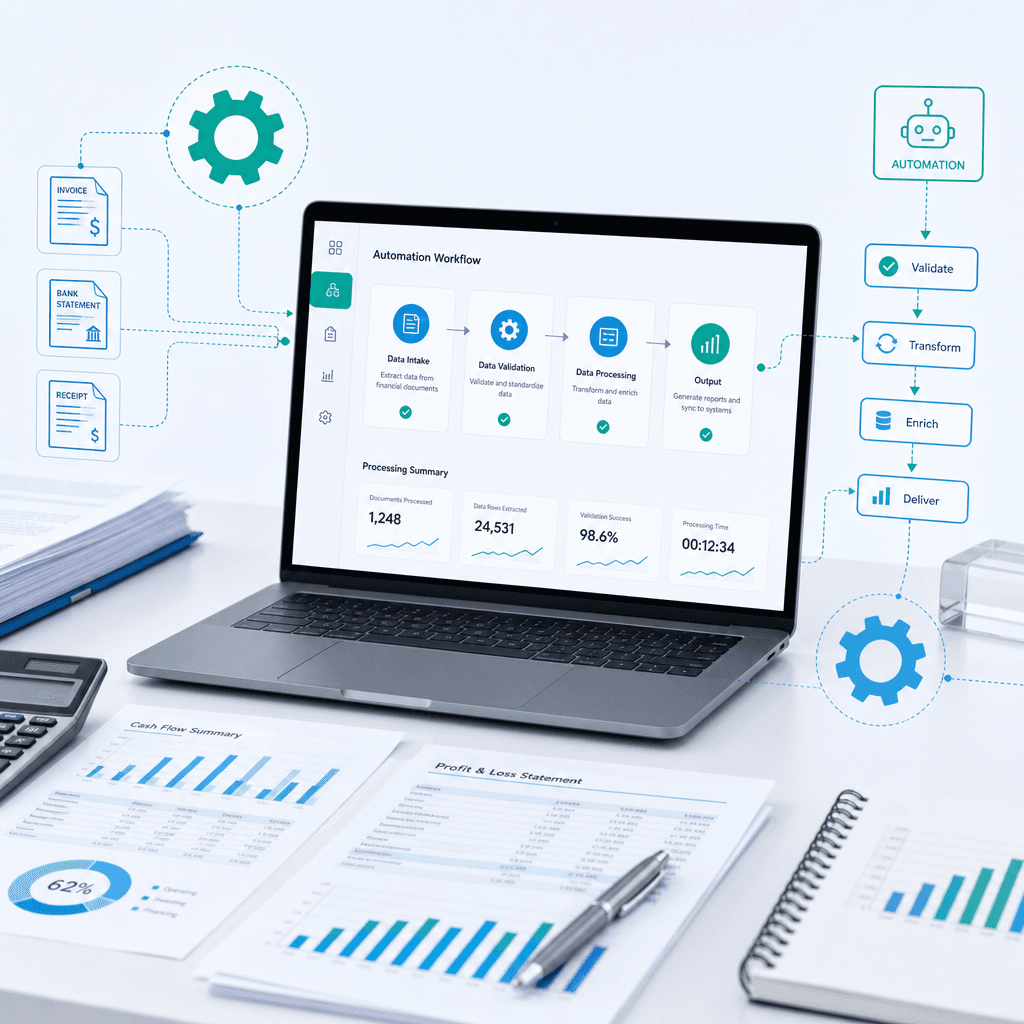
Invoice Processing Automation Guide: Outcomes and Benchmarks for Australian Teams
Most finance teams do not need another software vendor promising the world. They need someone to fix the operational bottleneck of manual invoice processing.…
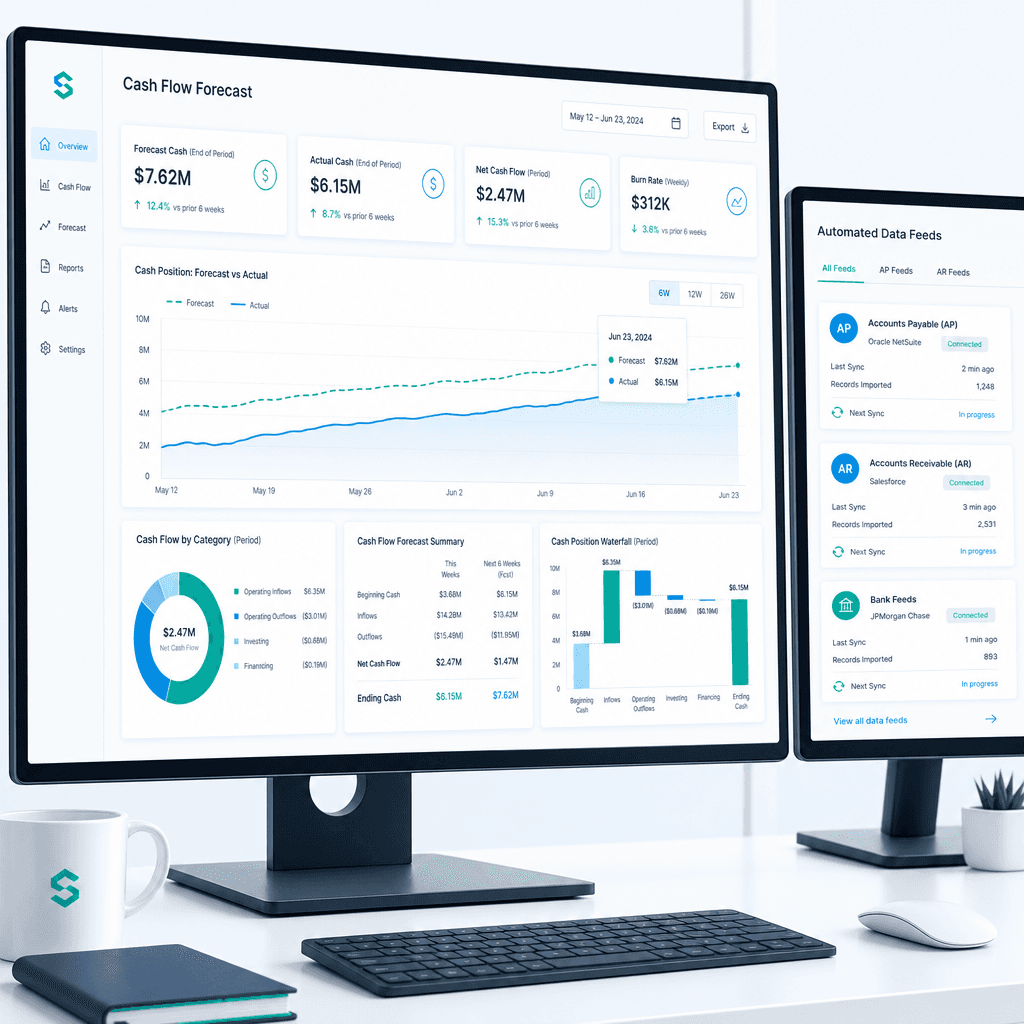
Cash Flow Forecasting Automation: A Practical Guide for Australian Finance Teams (2026)
If your finance team rebuilds the cash flow forecast from scratch every week or every month, you already know where the time goes. Someone pulls an AR ageing…
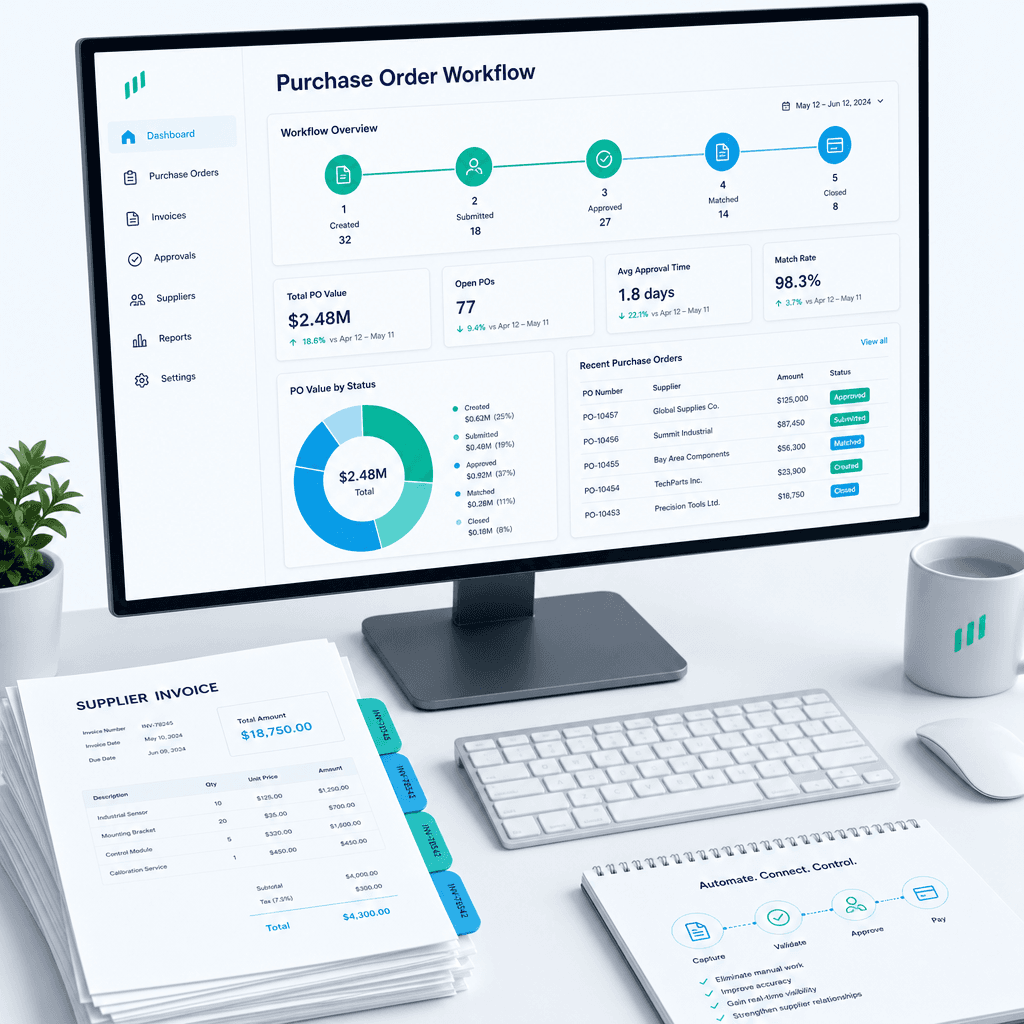
Purchase Order Automation: A Practical Guide for Australian Finance Teams (2026)
If your finance team is still raising purchase orders in a shared inbox, chasing approvals over email, and manually matching invoices line by line before month…