
Finance Automation for Australian SMEs: Where to Start (and What to Automate First)
Ordron27 min read
Most content about finance automation is written for enterprise CFOs with eight-figure budgets, dedicated IT departments, and implementation timelines measured in years. If you run a 3-person finance team at an Australian SME using Xero or MYOB, that content is not written for you. Almost none of it is.
Here is the reality: according to the Australian Bureau of Statistics, small businesses make up 97% of all Australian businesses. The vast majority of them are processing invoices manually, reconciling bank feeds by hand, and chasing outstanding receivables with copy-paste email templates. Finance teams in these businesses are not lazy or under-skilled. They are under-tooled and under-automated, spending 15-25 hours per week on work that a well-configured automation can handle in minutes.
This guide is written specifically for those teams. It covers which finance processes return the highest value when automated, what you can do natively inside Xero and MYOB versus what needs a specialist, and a practical phased framework for getting started without triggering a system replacement or a six-figure implementation project. Every figure cited here comes from work measured after go-live, not aspirational projections.
Key Takeaways
- Australian SMEs typically waste 15-25 hours per week on finance tasks that are fully automatable with existing tools
- Accounts payable and bank reconciliation deliver the highest ROI and are the right starting points for most businesses
- Xero and MYOB have strong native automation capability, but the highest-value gains come from connecting those platforms to the workflows around them
- A phased crawl-walk-run approach prevents overwhelm and delivers measurable wins before committing to broader change
- You do not need to replace your accounting platform to automate effectively. The constraint is almost never the software. It is the missing logic connecting your existing tools
- Every automation project should produce a specific, measured outcome: hours returned, cycle time reduced, accuracy rate achieved
Finance Process Automation: Quick-Reference Summary
| Finance Process | Estimated Manual Time (per week) | Automation Feasibility | Starting Priority |
|---|---|---|---|
| Accounts payable (invoice capture, coding, approval) | 5-8 hours | High | 1, Start here |
| Bank reconciliation | 3-5 hours | High | 2, High ROI, fast win |
| Accounts receivable (invoicing, follow-up, matching) | 3-6 hours | High | 3, Significant cash flow impact |
| Expense management (capture, coding, approval) | 2-4 hours | Medium-High | 4, Quick win with right tool |
| Month-end reporting and close | 3-6 hours | Medium | 5, Requires upstream data quality first |
| Payroll processing | 1-3 hours | Medium | 6, Often well-served by existing tools |
Why Finance Automation Is Not Just for Enterprise Anymore
For most of the last decade, "finance automation" meant one of two things: a massive ERP implementation, or a bolt-on module sold by a vendor who required you to replace the system you already had. Neither option was accessible to an SME running a $5M-$50M operation on Xero with a two-person accounts team.
That has changed substantially. The combination of cloud accounting maturity, widely available OCR and AI document understanding, and robotic process automation (RPA) tools that can drive any software interface, including legacy systems with no APIs, means that meaningful automation is now available at SME price points and implementation timescales.
The tooling is not the barrier it once was. The barrier now is knowing where to start.
I have worked across engagements covering eight different industries, from freight operators to professional services firms, and the pattern is consistent. Finance teams are not short of software. They are short of the logic connecting that software. The gap is almost never the accounting platform. It is the manual steps happening around it: the spreadsheet sitting between the inbox and Xero, the four-click approval process that could be a single rule, the bank statement export that someone re-types into a reconciliation template every Monday morning.
Automating those gaps does not require a platform replacement. It requires precise mapping of the exact manual steps a team performs, followed by the right automation layer: RPA, OCR, workflow logic, or AI document understanding, depending on what each step actually involves.
For Australian SMEs, that distinction matters enormously. You do not have six months and $200,000 to spend proving that automation works. You need a measurable outcome in weeks, delivered inside the systems you already own.
The 5 Finance Processes Australian SMEs Should Automate First
1. Accounts Payable: The Single Highest-ROI Starting Point
For most SMEs, accounts payable is the finance process that consumes the most manual time and produces the most errors. The manual AP workflow at a typical Australian SME looks like this: a supplier invoice arrives by email, someone downloads the PDF, opens Xero or MYOB, creates a bill, manually types in the supplier name, invoice number, date, amount, and GL code, then routes it to a manager for approval via email. If the invoice has multiple line items or cost centres, that process multiplies accordingly.
At moderate invoice volumes, this is a 5-8 hour per week commitment. At higher volumes, it becomes a full-time role doing nothing but data entry.
The automation case for AP is straightforward. OCR and AI document understanding can capture an invoice from a shared inbox, extract every relevant field with high accuracy, match it against a purchase order if one exists, apply GL coding rules based on supplier or category, and route it for approval via a configurable workflow. The approval happens in a single click. The bill is created in Xero or MYOB without a human touching a keyboard.
I worked with a national logistics provider that processed AP across multiple depots using a SharePoint-based workflow. Each batch of invoices required four hours of manual handling: document capture, coding, and filing. Rather than introduce new software, we layered OCR and workflow logic directly into the existing SharePoint environment. AP cycle time per batch dropped from four hours to fifteen minutes, with 100% automated filing. No new software was introduced. The saving was achieved entirely by connecting logic that was already within reach.
For Australian SMEs specifically, the compliance dimension adds further urgency. GST coding errors on supplier invoices create downstream BAS reconciliation problems. Manual coding produces inconsistent GL allocation, which distorts cost centre reporting. Automated AP coding, applied consistently against supplier rules, eliminates both problems.
For a detailed walkthrough of SME accounts payable automation, see Ordron's accounts payable automation guide.
2. Bank Reconciliation: Fast, High-Confidence, High-Frequency Win
Bank reconciliation sits behind AP in terms of ROI priority, but it is often the faster win because the automation path is more direct and the Xero and MYOB native capabilities are stronger.
Both platforms can import bank feeds directly and apply matching rules to reconcile transactions automatically. The problem is that most SMEs have not configured those rules with sufficient specificity, and they have not connected the upstream data flows that the matching logic depends on. The result is a daily or weekly manual session where someone works through unmatched items one by one.
The automation layer here involves two distinct interventions. First, configuring bank rules with enough granularity that routine transactions, payroll, rent, regular supplier payments, ATO obligations, match automatically without human review. Second, connecting the upstream workflows so that when an AP payment is made, the corresponding Xero bill is already coded and approved, making the bank match trivial rather than an investigation.
I worked with a mid-sized freight operator running AR on Xero with hundreds of recurring clients. Reconciliation was manual, time-consuming, and left aged-receivables visibility lagging by days. After automating GL tagging, bank reconciliation, and aged-receivables reporting inside Xero and connecting the data flows that previously required manual intervention, time spent on AR reconciliation fell by 80%. Real-time aged-receivables visibility was available from go-live. That outcome is documented in the freight operator AR case study.
For the reconciliation automation technical detail, see the reconciliations automation guide.
3. Accounts Receivable: The Cash Flow Multiplier
AR automation is where finance teams often see the most direct impact on business cash flow, not just internal efficiency. The manual AR cycle at an Australian SME typically involves generating invoices in Xero or MYOB, sending them by email, tracking payment against the bank feed, sending manual follow-up emails when invoices age past due, and chasing individually when invoices reach 30 or 60 days overdue.
Every day of delay in that cycle is a day of cash that could be in the business's account. For a business turning over $5M per year with 45-day average debtor days, reducing debtors by 10 days frees up roughly $137,000 in working capital. That is not an efficiency gain. That is a structural financial improvement.
AR automation addresses three parts of the cycle. Automated invoice generation eliminates manual invoice creation for recurring billing, subscription, or milestone-based clients. Automated payment matching connects bank receipts to outstanding invoices without human intervention. Automated follow-up sequences send payment reminders at defined intervals, escalating in tone as invoices age, without requiring a team member to draft or send each one.
Xero has solid native AR functionality. The gap is in the configuration and in connecting Xero to the data sources that trigger invoicing, particularly for businesses with project-based or job-based billing where invoice triggers come from an external system.
For an end-to-end breakdown of how AR automation works in practice, see the accounts receivable automation guide.
4. Expense Management: The Quickest Win for Teams With Staff Spending
Expense management is the automation process with the lowest technical barrier and one of the fastest payback periods, particularly for businesses with field staff, sales teams, or remote workers submitting expenses regularly.
The manual expense process is familiar: staff photograph receipts or keep paper copies, submit them on a spreadsheet or via email, a finance team member manually checks each one against policy, codes the GL account, enters it into Xero or MYOB, and then someone approves the reimbursement. The process involves multiple manual handoffs, significant risk of GST coding errors, and no real-time visibility into spend.
Tools like Dext (formerly Receipt Bank), integrated with Xero or MYOB, automate receipt capture, GL coding, and approval routing. Staff photograph a receipt on their mobile. The tool extracts the date, amount, vendor, and GST component automatically. A policy rule checks it against spending limits. If it passes, it is coded and submitted to Xero for approval. The finance team sees a clean, coded expense claim rather than a folder of photographs and a spreadsheet.
For Australian businesses, the GST extraction accuracy is particularly valuable. Correctly separating GST-inclusive and GST-exclusive amounts, and identifying which expenses are GST-claimable versus exempt, removes a common source of BAS preparation errors.
5. Month-End Reporting: The Downstream Benefit of Getting Steps 1-4 Right
Month-end close is where the pain of manual upstream processes compounds. If AP coding is inconsistent, month-end requires a review and correction pass. If bank reconciliation is behind, month-end cannot close. If expense claims are still arriving in week two of the following month, the P&L is incomplete.
Automating the month-end reporting process itself, generating management reports, distributing dashboards, running variance analysis, is achievable. But it only delivers value if the upstream data is clean and timely. That is why month-end automation sits fifth on the priority list, not because it is unimportant, but because it is the downstream beneficiary of automating everything upstream.
Once steps 1-4 are automated, month-end close accelerates dramatically without any specific month-end automation being required. Finance teams working with Ordron consistently report that their close cycle shortens by 30-50% as a direct consequence of upstream automation, before any specific month-end tooling is applied.
For businesses that want to push further, automated management reporting can pull live data from Xero or MYOB into dashboards that update in real time, removing the weekly or monthly manual report build entirely.
Xero and MYOB: What You Can Automate Natively Versus What Needs a Specialist
Both Xero and MYOB have invested significantly in their automation capabilities over the past few years. Understanding what each platform does natively, and where the gaps are, is essential for planning a realistic automation roadmap without overselling what the platform alone can deliver.
What Xero Does Natively
Xero's native automation capability is genuinely strong for an SME accounting platform. Bank feeds connect directly from most Australian financial institutions and can be matched using bank rules. Invoice reminders can be configured to trigger automatically at set intervals after due date. Repeating invoices handle recurring billing without manual creation. Hubdoc integration (included with most Xero plans) automates document capture and data extraction from supplier invoices and receipts. Xero's API ecosystem is extensive, making it relatively straightforward to connect third-party tools.
For a business starting from zero automation, the Xero-native features alone can reduce manual time by a meaningful amount, provided they are configured correctly and completely. Most SMEs are using perhaps 40-60% of the automation capability already built into their Xero subscription.
See the full breakdown of what is achievable in the Xero automation guide.
What MYOB Does Natively
MYOB AccountRight and MYOB Business both include bank feeds, auto-matching rules, and recurring transaction templates. MYOB's approval workflows have improved substantially in recent versions, and its integration ecosystem through the MYOB developer programme covers most common third-party needs.
MYOB tends to have a stronger presence in construction, trades, and manufacturing SMEs in Australia, partly due to its job costing and payroll depth. For businesses in those sectors, MYOB's native capabilities around job-based billing and payroll processing reduce manual work in areas where Xero sometimes requires third-party augmentation.
See the MYOB automation guide for a detailed capability breakdown.
Where a Specialist Adds Value That Native Features Cannot
The native platforms have real limits. Neither Xero nor MYOB can drive a legacy system that has no API. Neither can read an invoice from a shared inbox, apply multi-split coding rules across five cost centres, and route it through a three-tier approval workflow without a third-party layer. Neither can reconcile data across two disconnected systems where the transaction identifiers do not match.
This is where automation specialists bridge the gap. RPA can drive legacy software interfaces directly, the same way a human would, without requiring an API or a system replacement. OCR and AI document understanding can extract and validate data from any document format, structured or unstructured. Custom workflow logic can implement approval routing, escalation rules, and exception handling that no off-the-shelf tool configures out of the box.
I worked with a family-owned logistics operator that had run a legacy ERP for twenty years with no APIs, alongside Xero. Finance staff were manually re-entering data across both systems every month, burning time on work that added no analytical value. We built an RPA bot that drove the legacy ERP interface directly, validated extracted data against SQL, and synced clean records into Xero and live reporting dashboards. The existing ERP stayed completely in place. The operator recovered more than 160 hours per month of manual work, with no ERP replacement and no new software licences. That outcome is the clearest example I have of why the constraint is almost never the platform.
The Crawl-Walk-Run Framework for SME Finance Automation
The biggest mistake SMEs make when approaching automation is trying to automate everything at once. The result is a project that stalls, a team that is overwhelmed, and a business that reverts to manual processes while waiting for the "full" solution to be delivered.
The crawl-walk-run framework is designed to prevent that outcome. It sequences automation in order of value and confidence, building on each phase before moving to the next.
Crawl: Weeks 1-6, Quick Wins Inside Existing Tools
The crawl phase focuses on unlocking automation capability that already exists in your current tools but has not been properly configured. For most Australian SMEs, this means:
- Auditing and completing Xero or MYOB bank rules so that routine transactions match automatically
- Setting up invoice reminders in Xero so that overdue follow-up happens without manual intervention
- Configuring Hubdoc or a document capture tool to extract supplier invoice data automatically
- Setting up repeating invoices for all recurring clients
- Connecting expense capture tools for any staff who submit regular expenses
The crawl phase requires no new software in most cases. It requires time and configuration. The payoff is typically 5-10 hours per week returned to the finance team within the first month. That is the win that builds confidence and internal support for the next phase.
If you are not sure which crawl-phase wins are available in your current setup, the finance automation health check identifies exactly where the quick wins are for your specific configuration.
Walk: Months 2-4, Connecting the Workflows Between Tools
The walk phase addresses the gaps between systems. This is where the real leverage lives. The manual steps that happen in spreadsheets, shared inboxes, and disconnected approval processes are the highest-value automation targets, and they sit outside the accounting platform.
Walk-phase automation typically includes:
- AP automation: OCR capture from a shared inbox, automated coding and PO matching, workflow-based approval routing
- AR automation: automated invoice generation from a source system, payment matching, follow-up sequences
- Reconciliation automation: connecting upstream transaction data to bank feed matching so that reconciliation is near-zero manual effort
- Reporting automation: live dashboards pulling from Xero or MYOB rather than weekly manual report builds
The walk phase usually requires a specialist engagement to design and implement the workflow logic. The implementation timeline for a focused walk-phase project is typically 4-8 weeks from scoping to go-live, not months.
To assess which walk-phase projects will deliver the highest return for your specific situation, use the finance automation scorecard to score your current processes and identify priorities.
Run: Months 5 and Beyond, Continuous Improvement and Exception Handling
The run phase involves iterating on what has been shipped, tightening exception handling, extending automation to additional processes, and building the reporting infrastructure that gives finance leadership real-time visibility across the business.
By the run phase, a well-executed automation programme has typically returned 60-80% of the manual time that was originally consumed by the automated processes. The run phase focuses on pushing that figure higher, addressing edge cases, and expanding automation coverage to secondary processes like payroll reconciliation, FX management, or multi-entity consolidation.
The run phase also involves reviewing what the automation data is revealing about the business. Clean, timely financial data makes better business decisions possible. That is the compounding return on automation investment that most SMEs do not anticipate when they start.
The Real Cost of Doing Nothing
Most SME finance teams underestimate the cost of staying manual, because the cost is invisible. It shows up as overtime, not as a line item on the P&L. It shows up as a finance person who cannot take leave without the AP process stopping. It shows up as a month-end close that takes two weeks instead of three days. It shows up as a BAS that requires a scramble because the coding was inconsistent for three months.
Let me put some numbers on it. A finance officer earning $75,000 per year costs approximately $90,000 fully loaded with on-costs. If that person spends 20 hours per week on tasks that automation can handle, roughly 50% of their working time, the cost of that manual work is approximately $45,000 per year. A well-scoped automation project addressing those tasks might cost $15,000-$25,000 to implement. The payback period is under twelve months, and the saving is recurring.
That calculation does not include the cost of errors: a GST coding mistake that creates a BAS adjustment, a payment made to the wrong supplier due to manual data entry, an invoice that was never followed up because the manual chase list was too long. Those costs are harder to quantify but they are real.
For a structured analysis of what manual finance processes are costing your business right now, the cost of inaction calculator runs the numbers for your specific volumes and wage rates.
The other cost of doing nothing is opportunity cost. Finance team capacity that is consumed by data entry is capacity that cannot be spent on analysis, forecasting, or the work that actually improves business decision-making. Automation does not replace finance people. It redirects them from low-value work to high-value work. That is where the real business benefit accumulates over time.
How to Know You Are Ready to Automate
Readiness for finance automation does not require a large team, a sophisticated tech stack, or a particular revenue threshold. The signals that an SME is ready to automate are process-based, not size-based.
You are ready when any of the following apply:
Your finance team regularly works outside core hours to keep up. If month-end consistently requires evening or weekend work, the manual load has exceeded sustainable capacity. Automation is not a luxury at that point. It is a retention and risk management requirement.
The same data is being entered into more than one system. Double-entry is the clearest possible signal that an automation layer is missing. Whether it is re-keying invoices from an inbox into Xero, or copying reconciliation data from a bank export into a spreadsheet, double-entry is pure waste with a straightforward automation solution.
AP or AR cycle times are creating cash flow pressure. If it takes more than 48 hours to process a received invoice, or if debtor follow-up is inconsistent because the manual process is too time-consuming, automation will directly improve cash flow, not just efficiency.
Month-end close takes more than five business days. A close that runs into the second week of the following month indicates that upstream data quality and timeliness problems are compounding at month-end. Upstream automation resolves this more reliably than any month-end-specific intervention.
Your finance person is the single point of failure for critical processes. If the business cannot reconcile accounts or process payables while one team member is on leave, the process has no resilience. Automation provides resilience by removing the dependency on individual manual action.
If two or more of those conditions apply, the business is ready. The question is not whether to automate. It is where to start.
Take the finance automation health check to get a specific, prioritised view of which processes in your business are the highest-value automation targets, based on your current setup, volumes, and team structure. The finance automation scorecard provides a comparable structured assessment for businesses that want to benchmark their automation maturity before committing to a project.
For a broader overview of the finance automation landscape in Australia and how SMEs are positioning themselves, see the finance automation Australia overview.
Common Implementation Challenges and How to Avoid Them
Even well-intentioned automation projects can stall. Understanding the common failure modes before starting is the best way to avoid them.
Trying to automate a broken process. Automation amplifies whatever process it is built on. If the underlying AP process has inconsistent supplier naming conventions, duplicate bill categories, and no clear approval authority, automating it will amplify those problems rather than solving them. Before automating, clean up the process. That does not mean a six-month re-engineering project. It means one or two sessions to document and standardise the steps the automation will follow.
Scoping too broadly. The impulse to automate everything in one project is understandable but consistently counterproductive. A narrow, well-defined scope delivers a working result in weeks. A broad scope produces a project that is still in design six months later. Start with the single highest-value process, get it running, measure the outcome, and expand.
Underestimating the importance of exception handling. Automation handles the standard case well. The risk is in the exceptions: the invoice that arrives with a format the OCR has not seen, the payment that does not match any open invoice, the approval request that goes to someone on leave. Good automation design defines exception handling upfront and routes genuine exceptions to humans, rather than letting them stall the process. At Ordron, the principle is routing only exceptions to humans, with the standard case fully automated.
Neglecting change management. Finance teams sometimes resist automation because they are uncertain about what it means for their role. The reality, as noted above, is that automation redirects people from low-value to high-value work. But that message needs to be communicated clearly and early. Teams that understand why automation is being introduced, and what their work will look like after go-live, adopt it far more readily than those who find out after the fact.
Measuring the wrong things post-go-live. An automation project that is not producing a measurable number after go-live is a project without accountability. Define the success metrics before implementation: hours per week saved, cycle time in hours, accuracy rate, percentage of transactions processed without human intervention. Measure them after go-live. If the number is not there, diagnose and adjust. The number is the only honest assessment of whether the work delivered value.
References
-
Australian Bureau of Statistics: Counts of Australian Businesses, Including Entries and Exits. The ABS publishes annual data on the composition of Australian businesses by size. The 97% small business figure cited in this article is drawn from ABS business register data, which consistently shows that non-employing and micro businesses dominate the Australian business population. Available via the ABS website under business statistics.
-
Xero Small Business Insights: Annual Report. Xero publishes quarterly and annual reports on the financial health and behaviour of Australian small businesses using its platform, including data on cash flow patterns, invoice payment times, and technology adoption. The Xero Small Business Insights reports are published on the Xero website and are referenced in this article for context on SME financial management patterns in Australia.
-
MYOB Business Monitor. MYOB's annual Business Monitor surveys Australian SME owners and operators on business conditions, technology adoption, and financial management practices. The survey provides relevant benchmarks for manual finance process time investment and automation awareness among Australian SMEs.
-
Deloitte Access Economics: The Economic Value of the Xero Ecosystem in Australia. This commissioned report quantifies the contribution of Xero-connected apps and automation tools to SME productivity in Australia, providing a credible external reference for the efficiency gains available through cloud accounting automation. Available through Deloitte's Australian publications.
-
Institute of Public Accountants: SME Finance Technology Adoption Survey. The IPA's periodic surveys of Australian accountants and their SME clients provide benchmarks for finance process time investment, technology adoption rates, and barriers to automation uptake among Australian small businesses.
-
ACCC: Small Business Digital Adoption Guidelines. The Australian Competition and Consumer Commission has published guidance relevant to digital tool adoption by small businesses, including considerations around data handling and third-party software. Relevant for the data security section of this article.
Frequently asked questions
- How much does finance automation typically cost for an Australian SME?
- Costs vary significantly depending on scope and complexity. For a focused single-process automation, such as AP or reconciliation, implementation costs typically range from $8,000 to $25,000 AUD for an SME engagement. Broader programmes covering multiple processes sit in the $25,000 to $60,000 range. Ongoing software costs depend on which tools are used, but many high-value automations are built on tools an SME already owns, particularly if Xero or MYOB is the core platform.
- How long does finance automation implementation take for a small business?
- A focused single-process automation, such as AP invoice capture and coding, typically takes 4-8 weeks from initial scoping to go-live. Broader programmes covering AP, AR, and reconciliation in a phased approach typically run 3-5 months across all phases. The crawl phase, focused on configuring existing platform capabilities, can deliver initial results within 2-3 weeks.
- Xero or MYOB: which is better for finance automation in Australia?
- Both platforms support meaningful automation. Xero has a broader API ecosystem and stronger third-party app integration, which makes it slightly more flexible for custom automation layers. MYOB has advantages in job costing, payroll complexity, and some industry-specific workflows, particularly in construction and manufacturing. The choice of platform matters less than the quality of configuration and the automation layer built around it.
- Do I need a dedicated IT team or large finance team to automate finance processes?
- No. The majority of SME finance automation engagements involve finance teams of 1-5 people with no dedicated IT resource. The automation is designed, built, and maintained by the implementation partner, not the client's team. What the finance team needs to provide is process knowledge: the exact steps they follow, the exception cases they encounter, and the outcomes they need.
- Is my financial data secure when I automate finance processes?
- Security is a legitimate consideration and should be part of any implementation conversation. For Xero and MYOB-based automation, the platforms themselves comply with Australian Privacy Principles and maintain SOC 2 certification. Any third-party tools introduced should be similarly assessed. Automation built using RPA operating within your existing environment often has a lower data exposure profile than SaaS alternatives.
- How quickly will I see ROI from finance automation?
- For a well-scoped single-process automation, ROI is typically visible within the first month of go-live. AP automation returning 5-8 hours per week of finance team time pays back a $15,000 implementation cost in under six months at standard Australian finance staff wage rates. Results are measured after go-live, not projected before implementation.
- Can I automate finance processes if I have a legacy system with no APIs?
- Yes. RPA can drive legacy software interfaces the same way a human operator does, including systems with no APIs, no modern integration capability, and no vendor support for automation. Legacy systems are a constraint on the automation design, not a barrier to automation outcomes. Platform replacement is almost never required to achieve meaningful automation results.
- Should I use a specialist or try to configure finance automation myself?
- For crawl-phase automation focused on configuring native Xero or MYOB features correctly, a capable bookkeeper or internal finance lead can often handle the configuration with guidance. For walk-phase automation involving custom workflow logic, OCR integration, or connections between disconnected systems, a specialist will deliver faster, more reliable results. The cost of a poorly implemented automation that creates manual exceptions is often higher than implementing it correctly from the start.
Ordron
Finance automation team, Sydney
Ordron builds the finance automation infrastructure that runs AP, AR, reconciliations and reporting on autopilot for Australian mid-market businesses.
More from the Ordron Insights catalogue
Selected by topic. Updated as the agent publishes.
What Is Finance Automation? A Plain-English Guide for Australian Businesses
Most Australian finance teams are running on empty. Not because they lack skill or effort, but because a staggering proportion of their working week disappears…
Finance Automation Trends in Australia for 2025-2026: What CFOs Must Prepare For
Here is the disconnect that nobody in the finance automation industry wants to say out loud: most Australian finance teams are still running more than 60% of…
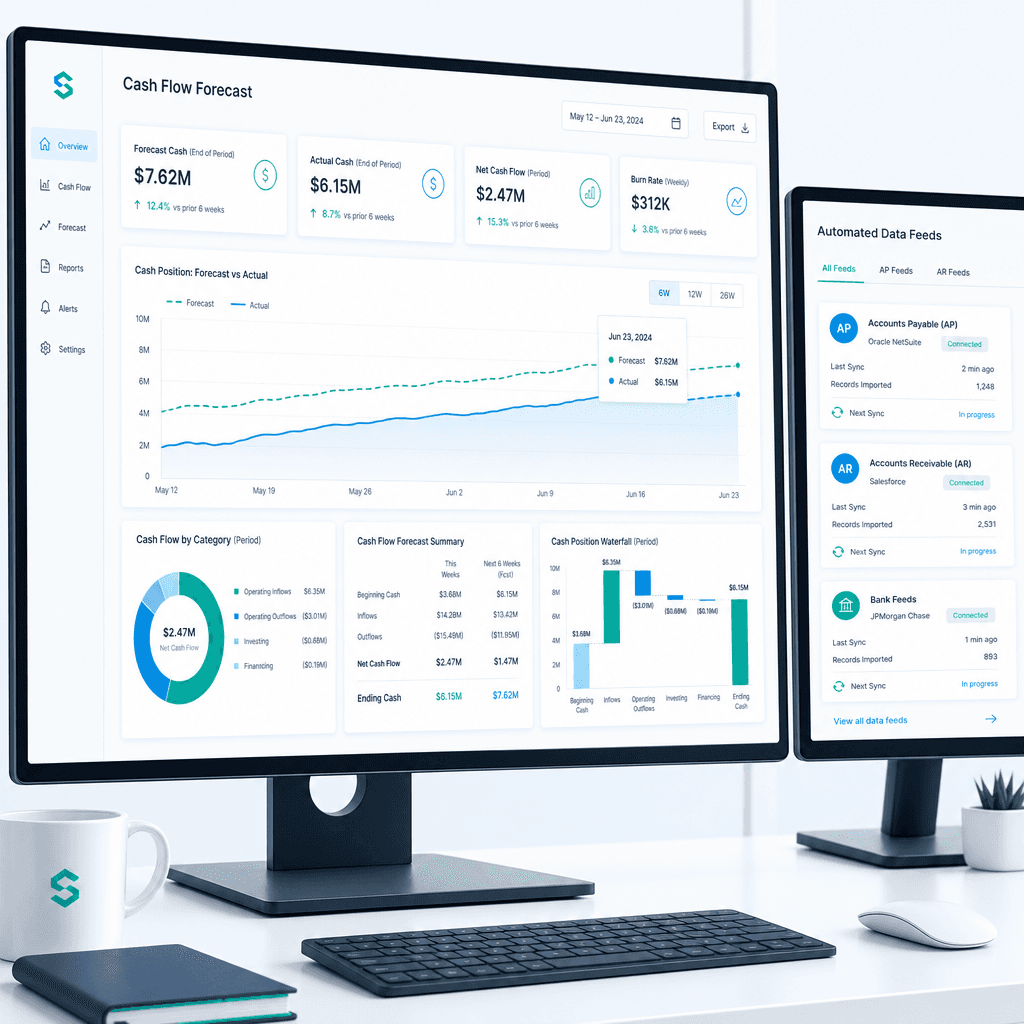
Cash Flow Forecasting Automation: A Practical Guide for Australian Finance Teams (2026)
If your finance team rebuilds the cash flow forecast from scratch every week or every month, you already know where the time goes. Someone pulls an AR ageing…