
Best Finance Automation Tools in Australia: A Practical Comparison for CFOs (2026)
Ordron27 min read
If you are a CFO or finance leader in Australia right now, you are not short of options. You are short of clarity. Every vendor in the space is promising transformation, AI-powered everything, and six-figure ROI projections. Meanwhile your team is still manually keying invoices, chasing approvals through email chains, and spending Friday afternoons reconciling spreadsheets that nobody trusts.
The Australian finance automation market has matured significantly since 2023. By 2026, the ABS reports that over 60% of Australian businesses with more than 20 employees are using at least one cloud-based accounting or finance tool. But tool adoption is not the same as automation. Most finance teams are using software that is capable of far more than they are extracting from it, while simultaneously bolting on additional platforms that overlap, conflict, or simply add licence costs without adding throughput.
This post is a structured, side-by-side comparison of the real options available to Australian finance teams in 2026. No aspirational projections. I will cover ERP-native automation, accounting-platform ecosystems, standalone AP and AR platforms, RPA tools, and AI-first document processing. I will also cover what the vendors will not tell you: the failure modes, the integration gaps, and the Australian compliance requirements that narrow your shortlist faster than any feature matrix will.
Key Takeaways
- Finance automation tools fall into five distinct categories, and choosing the wrong category is more costly than choosing the wrong vendor within a category.
- Australian-specific requirements, including ATO compliance, BAS automation, Single Touch Payroll, and data sovereignty, eliminate several international platforms from serious consideration.
- ERP-native automation suits enterprise teams already committed to a single platform. It is rarely the right answer for mid-market businesses running hybrid stacks.
- Standalone AP and AR platforms deliver fast time-to-value but require disciplined integration management to avoid creating new data silos.
- RPA and workflow automation are underused by Australian finance teams, particularly in organisations running legacy systems that cannot be replaced. In several engagements I have worked through, we eliminated over 160 hours of monthly manual work without replacing a single legacy system.
- The best stack is rarely a single platform. It is the right combination of tools, integrated cleanly, with exception routing built in from the start.
Summary Comparison Table
| Tool / Category | Cost Tier (AUD/month) | Best Fit Company Size | AU Compliance Support | Integration Ecosystem | Automation Depth |
|---|---|---|---|---|---|
| SAP S/4HANA (ERP-native) | $$$$ (Enterprise) | 500+ employees | Strong (ATO, STP, GST) | Broad but complex | Very High |
| Oracle NetSuite | $$$ - $$$$ | 50-500 employees | Good (BAS, GST, STP) | Strong (SuiteApps) | High |
| Microsoft Dynamics 365 Finance | $$$ - $$$$ | 100-500+ employees | Good (ATO-ready) | Strong (Power Platform) | High |
| Xero + app ecosystem | $ - $$ | 1-100 employees | Excellent (ATO native) | Very strong (800+ apps) | Medium-High |
| MYOB Advanced | $$ - $$$ | 20-200 employees | Excellent (ATO native) | Good (partner ecosystem) | Medium-High |
| QuickBooks Online (AU) | $ - $$ | 1-50 employees | Good (STP, BAS) | Strong (Intuit apps) | Medium |
| Dext (formerly Receipt Bank) | $ - $$ | SME-focused | Good (Xero/MYOB sync) | Accounting-platform focus | Medium |
| Approval Max | $ - $$ | SME to mid-market | Moderate | Xero, MYOB, QBO | Medium |
| Lightyear | $ - $$ | SME to mid-market | Good (AU pricing) | Xero, MYOB, QBO | Medium-High |
| Microsoft Power Automate | $ - $$ | All sizes | Configurable | Microsoft ecosystem | High (with dev effort) |
| UiPath | $$$-$$$$ | Mid to enterprise | Configurable | Any system with UI | Very High |
| Make.com (formerly Integromat) | $ - $$ | SME to mid-market | Configurable | 1000+ connectors | Medium-High |
| ABBYY FlexiCapture / Vantage | $$-$$$ | Mid to enterprise | Configurable | API/connector-based | Very High (OCR/IDP) |
| Ordron (custom automation) | Project-based | All sizes | Built to AU requirements | Any platform or legacy system | Very High |
Why Tool Choice Matters More Than Automation Ambition
The most common mistake I see Australian finance teams make is starting with ambition and working backwards to tools. They attend a vendor demo, get excited about the AI-powered approval matrix or the drag-and-drop workflow builder, sign a contract, and then spend six months trying to fit their actual processes into the platform's assumptions.
Tool choice is not a procurement decision. It is an engineering decision disguised as a procurement decision. The right question is not "which platform has the best features?" It is "which platform matches the exact shape of our current process, our existing systems, and our compliance obligations?"
A finance team running Xero with 40 employees and a handful of suppliers does not need an enterprise RPA platform. A logistics business processing 5,000 invoices per month across 12 depots, running a legacy ERP with no API, absolutely does. The same tool in each scenario produces opposite results.
The numbers from work I have shipped confirm this. Across 17 published case studies covering eight industries, the highest-impact automations were almost never the ones that replaced the most software. They were the ones that targeted a specific, high-volume, manually intensive process and built a precise solution around the exact workflow that existed. The automation that cut AP cycle time from four hours to 15 minutes per batch at a national logistics provider did not require new software licences. It plugged OCR and workflow logic directly into an existing SharePoint process.
That is the lens this comparison is written through. Not "which tool is most impressive" but "which tool is most appropriate for your specific situation".
The Five Categories of Finance Automation Tools
Before comparing individual platforms, you need to understand the five categories they fall into. Choosing the wrong category is a more expensive mistake than choosing the wrong vendor within a category.
Category 1: ERP-Native Automation
Enterprise Resource Planning platforms like SAP, Oracle NetSuite, and Microsoft Dynamics 365 Finance include built-in automation capabilities. These are the right choice when your organisation is already deeply committed to a single ERP and has the IT resources to configure and maintain complex workflows inside it.
The upside is tight integration. Your approvals, GL coding, reporting, and compliance all live in one system. The downside is cost, complexity, and rigidity. ERP-native automation is configured rather than built, and configuration has limits.
Category 2: Accounting-Platform Ecosystems
Xero, MYOB, and QuickBooks Online are the dominant accounting platforms for Australian SMEs. Each has an app marketplace that extends core functionality with automation tools. This category is best for businesses that have already centralised on one of these platforms and want to deepen automation within that environment.
Category 3: Standalone AP and AR Platforms
Tools like Lightyear, ApprovalMax, and Dext sit between your document intake and your accounting platform. They handle specific processes, primarily accounts payable and accounts receivable, and integrate with your accounting platform via API. Fast to deploy, specific in scope, and well-suited to SMEs with a clear bottleneck in a single process.
For a deeper look at the specific processes these tools target, the Ordron guide to accounts payable automation and the accounts receivable automation guide cover each workflow in detail.
Category 4: RPA and Workflow Automation
Robotic Process Automation tools like UiPath, Power Automate, and Make.com automate tasks by mimicking human interactions with software interfaces, including legacy systems with no API. This category is dramatically underused by Australian finance teams. Most of the conversations I have with finance leaders start with "we have this old system and we can't integrate it" as though that is the end of the conversation. It is not. It is the start of the engineering problem.
Category 5: AI-First Tools (OCR and Intelligent Document Processing)
Tools like ABBYY Vantage, AWS Textract, and embedded AI within platforms like Xero and Dext use machine learning to read, classify, and extract data from invoices, receipts, and financial documents. In 2026, intelligent document processing has matured to the point where well-trained models achieve extraction accuracy above 95% on standard invoice formats. The remaining challenge is handling the long tail of supplier format variations and exception management.
Detailed Comparison: ERP-Native Automation
SAP S/4HANA
SAP's finance automation capabilities in S/4HANA are genuinely impressive at enterprise scale. Intelligent Invoice Management, Cash Application, and Treasury and Risk Management modules cover the core AP and AR automation use cases with deep GL integration.
For Australian organisations, SAP's compliance configuration covers GST, BAS lodgement preparation, and STP reporting. The implementation complexity is real and the total cost of ownership is significant. Budget for a 6-18 month implementation timeline and an internal SAP capability to maintain it.
SAP is appropriate for organisations with $200M+ in revenue, existing SAP investment, and an IT function capable of supporting it. For teams exploring what SAP automation looks like in practice, Ordron's SAP automation platform page details integration approaches specific to the Australian market.
Oracle NetSuite
NetSuite has become the dominant mid-market ERP choice for Australian businesses in the $20M-$200M revenue range. Its SuiteFlow workflow engine and SuiteScript customisation layer provide genuine automation depth. AP automation, approval routing, and revenue recognition automation are all configurable without third-party tools.
The Australian-specific considerations: NetSuite's BAS and STP support has improved significantly in recent releases, but you should verify your specific configuration with a NetSuite partner before relying on it for compliance workflows. Data residency options in the APAC region have expanded, addressing sovereignty concerns for finance data.
Ordron's NetSuite automation work covers integration patterns for Australian NetSuite deployments, including bridging NetSuite to external document workflows.
Microsoft Dynamics 365 Finance
Dynamics 365 Finance is competitive with NetSuite in the mid-to-enterprise range and has one significant advantage for Australian organisations already in the Microsoft ecosystem: Power Platform integration is native. Power Automate, Power BI, and AI Builder sit alongside Dynamics without additional integration effort.
The result is that Dynamics deployments can combine ERP-native automation with RPA-style workflows and reporting dashboards without leaving the Microsoft stack. For finance teams already using Teams, SharePoint, and Office 365, this cohesion is a genuine advantage.
Accounting-Platform Automation: Xero, MYOB, and QuickBooks
Xero and Its Ecosystem
Xero is the dominant accounting platform for Australian SMEs and has been for a decade. Its automation capabilities in 2026 span bank reconciliation rules, repeating invoices, bill automation via Hubdoc, and a 800-plus app marketplace that covers almost every finance process extension imaginable.
For AP automation specifically, Xero pairs well with Lightyear, ApprovalMax, and Dext. Bank reconciliation automation within Xero itself, using rules and machine-learning-assisted coding, is genuinely effective for businesses with consistent transaction patterns.
I worked with a mid-sized freight operator running AR on Xero with hundreds of recurring clients. Manual reconciliation, GL coding, and aged receivables monitoring were consuming significant time each week. Without adding new software, we automated GL tagging, bank reconciliation, and real-time aged-receivables visibility within the existing Xero environment. AR reconciliation time dropped by 80%, and live dashboards replaced the periodic manual reporting the team had been running.
Xero's limitation is scale. Once invoice volumes exceed several thousand per month or approval workflows become complex, Xero's native capabilities require extension. Ordron's Xero automation work covers what is achievable within the platform and where custom automation becomes necessary.
MYOB Advanced and MYOB Business
MYOB occupies important territory in the Australian mid-market that overseas commentators tend to underestimate. MYOB Advanced (the cloud ERP product) competes directly with NetSuite for businesses in the $10M-$100M range and has strong Australian compliance credentials built over decades in the local market.
MYOB's STP Phase 2 compliance, BAS lodgement preparation, and ATO integration are mature. The partner ecosystem for MYOB Advanced includes AP automation add-ons and workflow tools, though the ecosystem is narrower than Xero's.
For MYOB-specific automation approaches, Ordron's MYOB automation platform page details integration patterns including connecting MYOB to document workflows and external reporting tools.
QuickBooks Online (Australia)
QuickBooks Online has a meaningful presence in the Australian SME market, particularly for businesses that migrated from desktop QuickBooks. In 2026, its automation capabilities include basic rules-based reconciliation, recurring transaction management, and integration with Receipt Bank and ApprovalMax.
For most Australian SMEs evaluating finance automation for the first time, QuickBooks is adequate as an accounting platform but tends to be outgrown faster than Xero or MYOB Advanced when finance teams start building serious automation around it.
Standalone AP and AR Automation Platforms
Lightyear
Lightyear is an Australian-built AP automation platform with strong local market credibility. It handles invoice capture, line-item extraction, approval workflows, and integration with Xero, MYOB, and QuickBooks. Pricing is transparent and SME-accessible.
The key strength of Lightyear is its supplier portal functionality and its handling of complex line-item matching. For businesses with a moderate number of suppliers and a need to improve coding accuracy without a large IT project, Lightyear is worth serious evaluation.
ApprovalMax
ApprovalMax focuses specifically on the approval workflow layer that sits between document receipt and posting to the accounting platform. It integrates with Xero, MYOB, and QuickBooks, and handles multi-level approval matrices, delegation rules, and audit trails.
For organisations where the bottleneck is approval delays rather than document capture or coding, ApprovalMax solves a specific problem well. It does not attempt to be a full AP platform, which is both its limitation and its strength.
Dext (formerly Receipt Bank)
Dext handles the capture and extraction layer: photographing receipts, processing supplier invoices, and feeding clean data into accounting platforms. Its machine learning for supplier recognition has improved significantly and, for businesses with high volumes of varied receipt types, it reduces manual data entry substantially.
Dext works best as part of a stack rather than as a standalone automation solution. Pair it with ApprovalMax and Xero and you have a capable SME AP workflow. Run it alone and you still have approval, coding, and reconciliation steps that are manual.
RPA and Workflow Tools
Microsoft Power Automate
Power Automate is the most accessible RPA-adjacent tool for Australian finance teams in the Microsoft ecosystem. In 2026, its finance use cases include invoice routing from email or SharePoint, approval notifications, data extraction from structured documents, and integration between Microsoft apps and external systems.
For Excel-heavy finance teams, Power Automate combined with Power BI provides a significant automation uplift without leaving familiar tools. Ordron's Power BI automation work covers reporting automation specifically, and the Excel automation page addresses the common scenario of finance teams trying to reduce manual spreadsheet workload.
The ceiling of Power Automate is real. Complex exception handling, multi-system integration across non-Microsoft platforms, and legacy system interaction require either significant custom development or moving to a dedicated RPA tool.
UiPath
UiPath is the enterprise RPA standard and the tool I reach for when a client has a legacy system that cannot be integrated any other way. Its ability to drive any software interface, including green-screen terminals, Windows desktop applications, and web portals without APIs, makes it the right answer for a category of problem that other tools cannot touch.
I was working with a family-owned logistics operator running a twenty-year-old ERP with no APIs, alongside Xero. Finance staff were manually rekeying data between systems. The manual work consumed over 160 hours every month. We built an RPA bot that drove the legacy ERP interface directly, validated outputs against SQL, and synced clean data into Xero and reporting dashboards. The result was 160-plus hours per month eliminated, with no ERP replacement required. That is not a hypothetical. That is a measured after-go-live outcome.
The cost of UiPath is a genuine consideration for SMEs. Licensing, infrastructure, and the developer capability required to build and maintain complex bots put it out of reach for most businesses under 50 employees without a development partner.
Make.com
Make.com (formerly Integromat) sits between the simplicity of Zapier and the power of UiPath. Its visual workflow builder and 1,000-plus connectors make it well-suited to integrating cloud applications and automating multi-step finance processes without code.
For SMEs running Xero or MYOB alongside CRM, inventory, or logistics platforms, Make.com can handle the data synchronisation and workflow routing that would otherwise be manual. It does not handle legacy desktop application automation or complex exception logic as well as dedicated RPA tools.
AI-First Tools: OCR and Intelligent Document Processing
Intelligent document processing has been the fastest-moving category in finance automation over the past two years. The combination of computer vision, large language models, and structured extraction models means that, in 2026, a well-configured IDP system can read a supplier invoice in an unfamiliar format, identify the relevant fields, and code it to the correct GL account with accuracy rates above 95% on trained document types.
ABBYY Vantage
ABBYY Vantage is the market-leading intelligent document processing platform for structured and semi-structured financial documents. Its skill-based architecture allows organisations to train document models for specific supplier formats, then deploy those models at scale.
For enterprise AP teams processing thousands of invoices monthly from a concentrated supplier base, ABBYY's accuracy rates after training are genuinely industry-leading. The implementation requires investment in model training and integration development, but the operational return is significant.
In a large enterprise AP deployment using RPA combined with intelligent document understanding, we achieved greater than 95% coding accuracy and reduced invoice processing time by 65%, routing only exceptions to human reviewers. That outcome was measured after go-live, not projected in a pre-sales model.
Embedded AI in Accounting Platforms
Xero, MYOB, and QuickBooks have all embedded AI-assisted coding and document recognition into their core platforms in recent releases. For SMEs processing moderate invoice volumes, this embedded AI is often sufficient, particularly when supplier lists are stable and invoice formats are consistent.
The limitation of embedded AI in accounting platforms is the long tail. Novel supplier formats, multi-page invoices with complex line items, and invoices with multi-department cost allocation require either manual review or a dedicated IDP layer.
How to Match Tools to Your Finance Team's Maturity
Not every finance team is ready for enterprise RPA. And not every finance team running enterprise RPA actually needed it. Matching tool sophistication to team maturity is how you avoid expensive automations that nobody uses.
Stage 1: Manual to Structured (0-20 employees)
At this stage, the priority is getting onto a cloud accounting platform with bank feeds active, basic reconciliation rules configured, and receipt capture in place. Xero or MYOB Business with Dext is sufficient. Do not over-invest in automation before the underlying data discipline is in place.
Stage 2: Structured to Automated (20-100 employees)
Here the focus shifts to AP workflow automation. Add ApprovalMax or Lightyear to your accounting platform. Set up automated bank reconciliation rules. If you are running reporting from spreadsheets, this is the stage to move to Power BI dashboards.
If your team has specific high-volume bottlenecks, use the Ordron automation scorecard to identify where the measurable quick wins are before committing to a platform.
Stage 3: Automated to Intelligent (100-500 employees)
At this stage, you are looking at deeper integration between systems, intelligent document processing for high-volume AP, and potentially RPA for legacy system bridging. This is where the choice between ERP-native automation, dedicated RPA, and standalone platforms becomes genuinely complex and where the wrong choice costs material money.
Stage 4: Intelligent to Connected (500+ employees)
Enterprise finance automation at this level requires a connected stack with centralised exception management, real-time reporting, and governance frameworks. ERP-native automation combined with dedicated RPA and IDP layers is the typical architecture. The engineering complexity is significant and the ongoing maintenance requirement is real.
Australian-Specific Considerations: ATO, BAS, STP, and Data Sovereignty
This section is where international comparison articles fall short. The Australian regulatory environment creates specific requirements that your automation tools must support or work around.
ATO Compliance and BAS Automation
Business Activity Statement lodgement is an Australian-specific workflow that most international finance automation platforms handle poorly. BAS requires correct GST classification across every transaction, quarterly or monthly reconciliation to ATO-defined reporting categories, and electronic lodgement via ATO Business Portal or a registered tax agent system.
Xero and MYOB handle BAS natively and their automation capabilities are built with this in mind. International platforms, including some US-developed AP automation tools, require configuration work to map their GL structures to Australian BAS categories. Verify BAS support explicitly before signing any contract.
Single Touch Payroll (STP) Phase 2
STP Phase 2 has been mandatory for Australian employers since 2022. In 2026, compliance is baseline, but the automation implications are ongoing. Any finance automation that touches payroll data, including GL coding of payroll transactions, must correctly handle the disaggregated income type reporting that STP Phase 2 requires.
This is not a theoretical concern. I have seen automation deployments fail compliance review because the GL automation was coding payroll transactions using pre-STP-Phase-2 category structures.
Data Sovereignty
Australian Privacy Act obligations and the Australian Government's data sovereignty guidelines create constraints on where finance data can be stored and processed. For cloud finance automation tools, verify that data is stored in Australian AWS, Azure, or Google Cloud regions, not US or European regions by default.
Several US-developed finance automation platforms default to US data residency unless you specifically request Australian region hosting. This is a procurement checkpoint, not an afterthought.
Superannuation Integration
Automated superannuation contribution calculation and payment workflows are an Australian-specific requirement with no direct equivalent in most international markets. Ensure your payroll-adjacent automation correctly handles Superannuation Guarantee rates (currently 11.5% in 2026, rising to 12% from 1 July 2026) and integrates with your clearing house.
Building a Connected Stack vs Single-Vendor Approach
The single-vendor pitch is appealing: one contract, one support line, one integration layer. In practice, for most Australian finance teams, a best-of-breed connected stack outperforms a single-vendor approach because no single vendor executes well across every finance automation category.
The honest assessment of single-vendor platforms is this: they are strong in their core category and weak at the edges. SAP is excellent at enterprise GL automation and genuinely average at document capture. Xero is excellent at bank reconciliation and SME-scale AP workflows, and genuinely limited at complex multi-entity reporting.
A connected stack, built with clean integrations and disciplined exception routing, extracts best-in-class performance from each category. The integration engineering is the critical investment. A poorly integrated best-of-breed stack is worse than a mediocre single-vendor platform, because you have the worst of both worlds: the maintenance overhead of multiple tools and the data inconsistency of poor integration.
The approach I take across every engagement: map the specific process, identify the exact bottleneck, choose the right tool for that bottleneck, and build the integration to the surrounding stack before going live. No new tools are introduced for their own sake. Every addition has the numbers attached before and after.
For organisations unsure where their stack has gaps or where automation investment will return the most value, the Ordron automation scorecard provides a structured assessment, and the contact page is the starting point for a direct conversation.
Red Flags to Watch When Evaluating Finance Automation Tools
After seventeen published engagements across eight industries, these are the warning signs I see most consistently in finance automation vendor pitches.
Demo-only accuracy claims. If a vendor shows you document extraction accuracy in a demo environment using their own prepared invoices, that number is meaningless. Ask for production accuracy rates on a sample of your actual supplier invoices. The gap between demo accuracy and production accuracy is often 15-25 percentage points.
Integration assumptions. Many standalone AP tools assume your accounting platform is the source of truth and your document workflow is simple. If you have multi-entity structures, cost centre hierarchies, or a legacy ERP in the mix, probe the integration architecture in detail before committing.
Implementation timeline underestimates. A vendor telling you an enterprise AP automation is a six-week implementation is almost always wrong. Complex GL mapping, supplier onboarding, exception workflow design, and user acceptance testing take time. Eight to sixteen weeks is more realistic for a mid-market deployment with non-trivial complexity.
No defined exception handling. Every automation has exceptions. An invoice format you have never seen, a supplier who changes their PDF layout, a cost centre that does not exist in your chart of accounts. If the vendor cannot clearly explain how exceptions are identified, routed, and resolved, the automation will break in production and your team will end up managing exceptions manually with no structure around it.
Projected ROI, not measured outcomes. Any vendor projecting ROI before they have seen your actual process, your invoice volumes, and your current cycle times is selling you a number they invented. The only figures that matter are the ones measured after go-live.
References
-
Australian Bureau of Statistics, Business Conditions and Sentiments, 2025-26, ABS data on cloud technology and digital tool adoption rates among Australian businesses by employee size, used to contextualise current market penetration of finance automation tools.
-
Xero App Store and Ecosystem Documentation (xero.com/au/app-store), Xero's official partner and app marketplace documentation, covering integration capabilities, supported workflows, and accounting platform compatibility for Australian market add-ons.
-
MYOB Partner and Developer Resources (myob.com/au), MYOB's official documentation covering MYOB Advanced API capabilities, BAS compliance features, STP Phase 2 integration, and Australian partner ecosystem.
-
Gartner Market Guide for Accounts Payable Automation Solutions, 2025, Gartner research covering AP automation platform categories, vendor landscape, market maturity, and enterprise selection criteria; referenced for category definitions and vendor positioning.
-
Australian Taxation Office, Business Activity Statements and Single Touch Payroll Phase 2 Guidance (ato.gov.au), ATO official guidance on BAS lodgement requirements, GST classification obligations, STP Phase 2 reporting categories, and Superannuation Guarantee rate schedules applicable to finance automation compliance configuration.
-
ABBYY Intelligent Document Processing Product Documentation and Benchmark Data (abbyy.com), ABBYY's technical documentation for Vantage platform, including extraction accuracy benchmarks for financial document types and integration architecture for enterprise AP deployments.
Frequently asked questions
- What is the best finance automation tool for Australian SMEs?
- There is no single best tool. For most Australian SMEs under 50 employees, the highest-ROI starting point is a cloud accounting platform (Xero or MYOB) with bank reconciliation rules active and a standalone AP tool like Lightyear or ApprovalMax added for invoice approval workflows. The priority at SME scale is process discipline and clean data. Once those foundations exist, adding automation layers returns measurable value quickly.
- How much do finance automation tools cost in Australia?
- Costs vary significantly by category. Standalone AP tools like Lightyear and ApprovalMax typically range from $100 to $500 AUD per month for SMEs. Xero and MYOB Business plans with add-ons typically run $100 to $400 per month. Mid-market platforms like NetSuite or MYOB Advanced run $1,500 to $5,000 per month plus implementation. Enterprise ERP automation (SAP, Dynamics) typically exceeds $500,000 AUD total cost of ownership over three years. RPA and custom automation is project-based and priced against measurable return.
- Can I automate finance processes without replacing my ERP?
- Yes. RPA tools can drive legacy ERP interfaces directly, including systems with no API, and sync outputs to modern platforms like Xero or reporting dashboards. In one logistics client engagement, over 160 hours of monthly manual data entry was eliminated by building an RPA bot that drove a twenty-year-old ERP interface directly, without replacing or modifying the underlying system.
- Do finance automation tools meet Australian ATO compliance requirements?
- It depends on the tool and how it is configured. Xero and MYOB are built for the Australian market and handle BAS, GST, and STP natively. International platforms require explicit configuration and verification. For any automation touching payroll data, BAS reporting, or ATO lodgement workflows, verify compliance support with your implementation partner and tax adviser before go-live. Do not assume compliance because a vendor describes the platform as ATO-ready.
- What is the difference between RPA tools and AI automation tools?
- RPA (Robotic Process Automation) automates tasks by mimicking human interactions with software interfaces, following defined rules for structured and repetitive processes. AI automation tools, including intelligent document processing and machine learning models, learn patterns from data and handle variation in format and content. Most enterprise AP deployments in 2026 combine both: RPA to drive workflow and system interactions, and AI to handle document reading and classification.
- How long does finance automation implementation typically take?
- Timelines depend on complexity. A simple Xero-plus-ApprovalMax deployment for a small business can be live in two to four weeks. A mid-market AP automation project with GL mapping and supplier onboarding typically takes eight to sixteen weeks. An enterprise RPA deployment with legacy system integration typically runs three to six months for the initial scope.
- How do I know which finance processes to automate first?
- Start with the process that has the highest volume of manual steps, the most measurable current cost in hours or error rates, and the most consistent structure. Accounts payable invoice processing is the most common starting point because the baseline is easy to measure and the automation impact is direct. Use an automation scorecard to assess your current state and identify where automation investment will return the most value for your specific team.
- Is my finance data safe in cloud automation tools?
- Data security and sovereignty are legitimate concerns. Verify that any cloud finance automation tool stores data in Australian AWS, Azure, or Google Cloud regions, not US or European regions by default. Review the vendor's SOC 2 Type II certification, data retention policies, and breach notification procedures. Under the Australian Privacy Act and the Notifiable Data Breaches scheme, your organisation is responsible for data held by third-party processors, so vendor due diligence is not optional.
Ordron
Finance automation team, Sydney
Ordron builds the finance automation infrastructure that runs AP, AR, reconciliations and reporting on autopilot for Australian mid-market businesses.
More from the Ordron Insights catalogue
Selected by topic. Updated as the agent publishes.
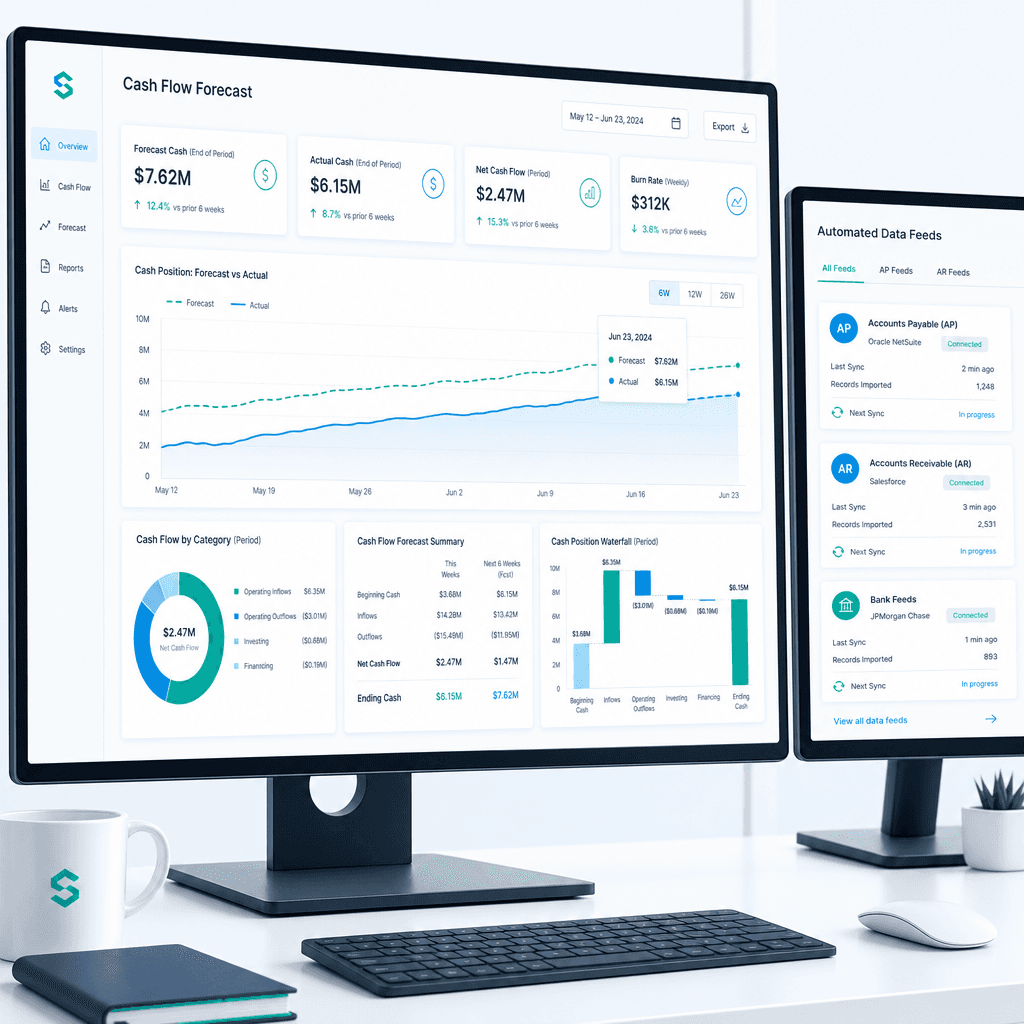
Cash Flow Forecasting Automation: A Practical Guide for Australian Finance Teams (2026)
If your finance team rebuilds the cash flow forecast from scratch every week or every month, you already know where the time goes. Someone pulls an AR ageing…
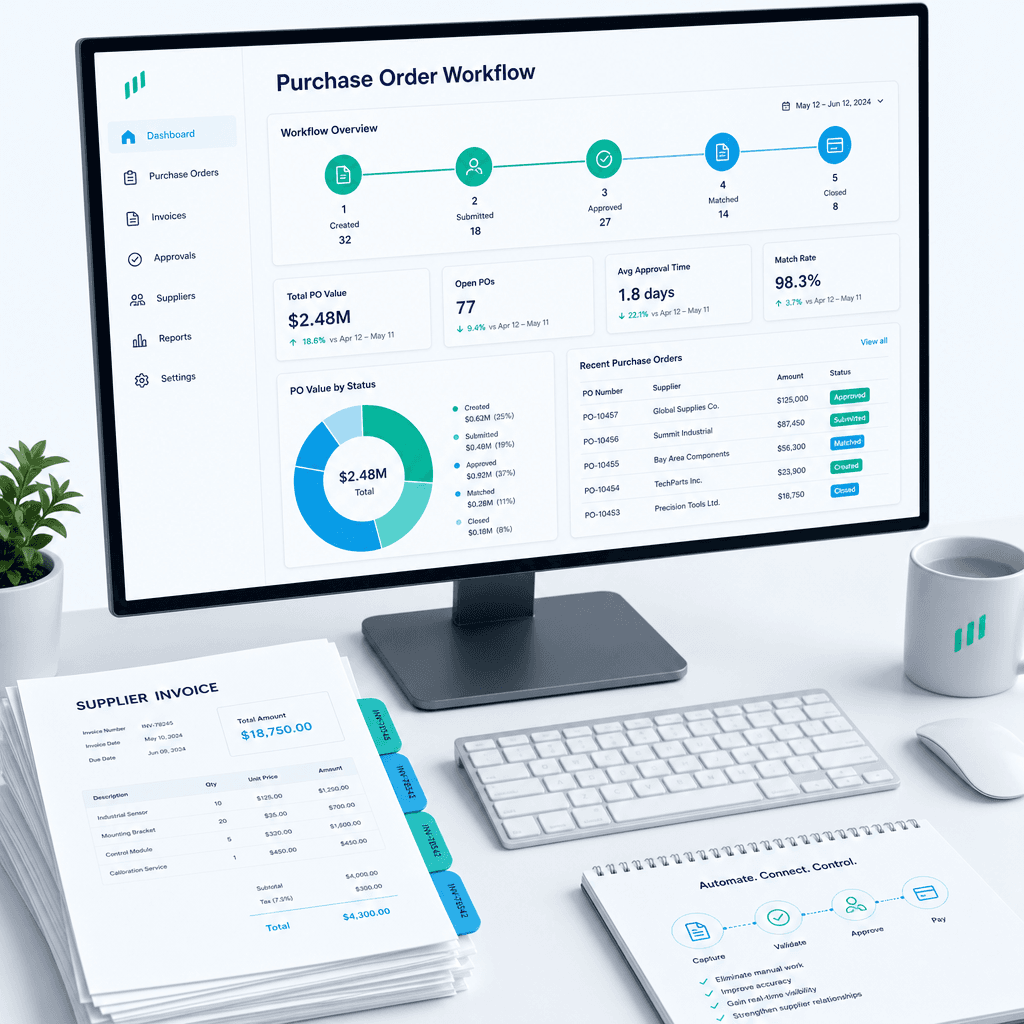
Purchase Order Automation: A Practical Guide for Australian Finance Teams (2026)
If your finance team is still raising purchase orders in a shared inbox, chasing approvals over email, and manually matching invoices line by line before month…
Finance Automation Buyer's Guide for Australian Finance Teams: How to Choose, Scope & Measure Automation That Delivers (2026)
Most finance automation buying decisions are made the wrong way. Teams evaluate vendors on feature lists, watch polished demos, and sign contracts based on…